

Every transport document read, sorted and linked to its order
CMRs, proofs of delivery, bills of lading, weighing tickets and customs papers arrive by mail, upload or portal. Transportial reads each one, links it to the right order and tells you where it differs.






















The paperwork arrives, but not where you need it
Documents live in mailboxes
A signed CMR sits in someone's inbox while finance waits for it to send the invoice.
Differences are found too late
The weight on the weighing ticket is not the weight on the order, and nobody sees it until the customer disputes the invoice.
Unsigned proof slips through
A delivery note without a signature is filed as proof of delivery, and it is not.
Between the incoming paperwork and your orders
Where documents come from
- Attachments in your mailbox
- Uploads by your team
- Uploads by customers in the portal
- Documents already on an order or trip
Document Intelligence
- Recognizes the type of document
- Reads references, dates, goods and weights
- Links it to the order, shipment or trip
- Compares it with the order
What you get
- Each document on the right order
- A short list of differences to settle
- The result in your own system, through the API
From a pile of attachments to checked documents
- Mail, upload and portal
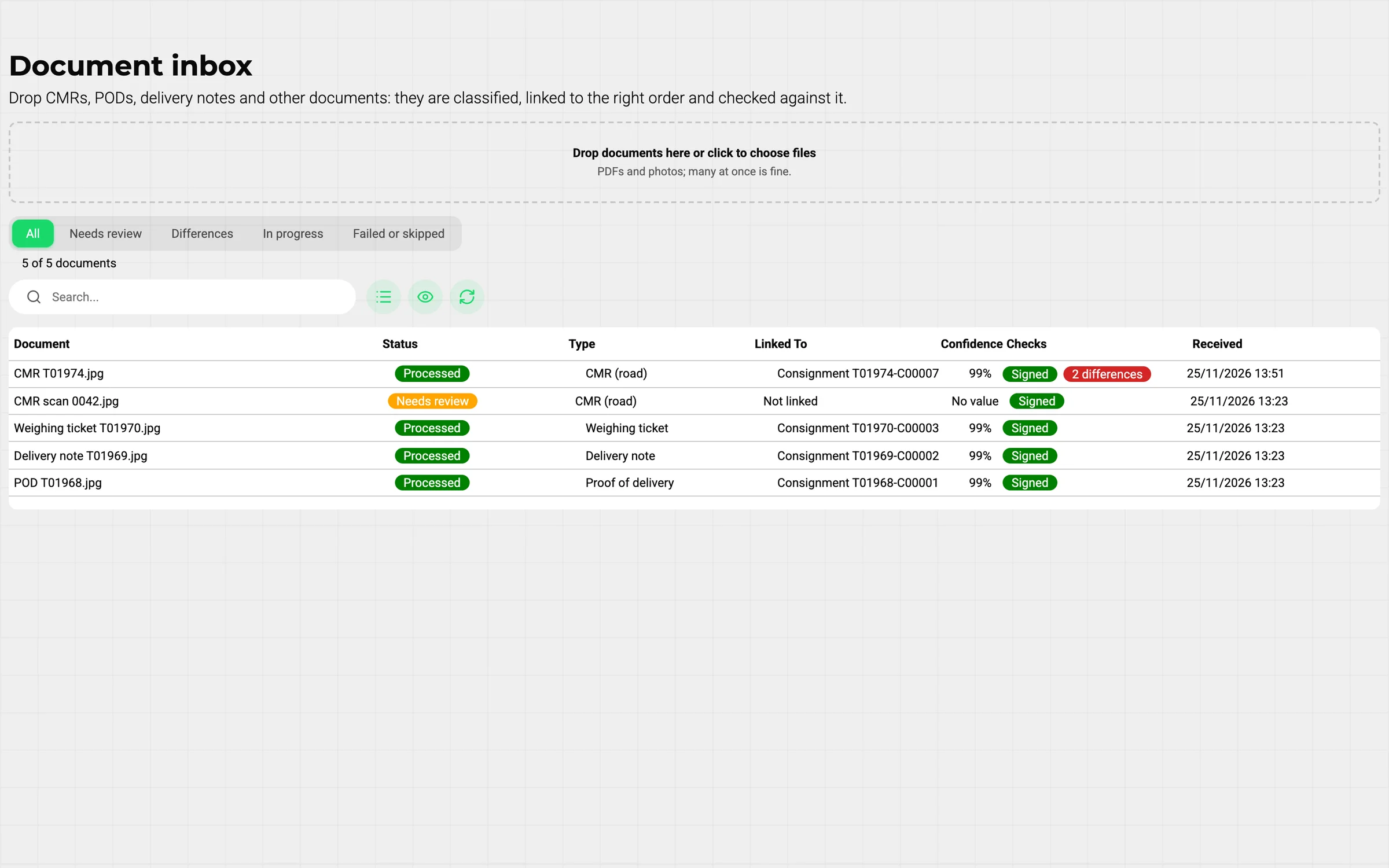
Documents come in by themselves
Attachments from your mailbox, uploads by your team and uploads by customers in the portal all land in one document inbox. Documents that are already on an order or trip can be read too.
- 13 document types built in
Each one is recognized and read
CMR, bill of lading, air waybill, rail and inland waterway consignment notes, proof of delivery, delivery note, invoice, weighing ticket, customs document, transport order and damage report, plus the types you add yourself. References, dates, addresses, goods lines, totals, signatures and stamps are read from each.
- Linked from 85% certainty
Linked to the right order
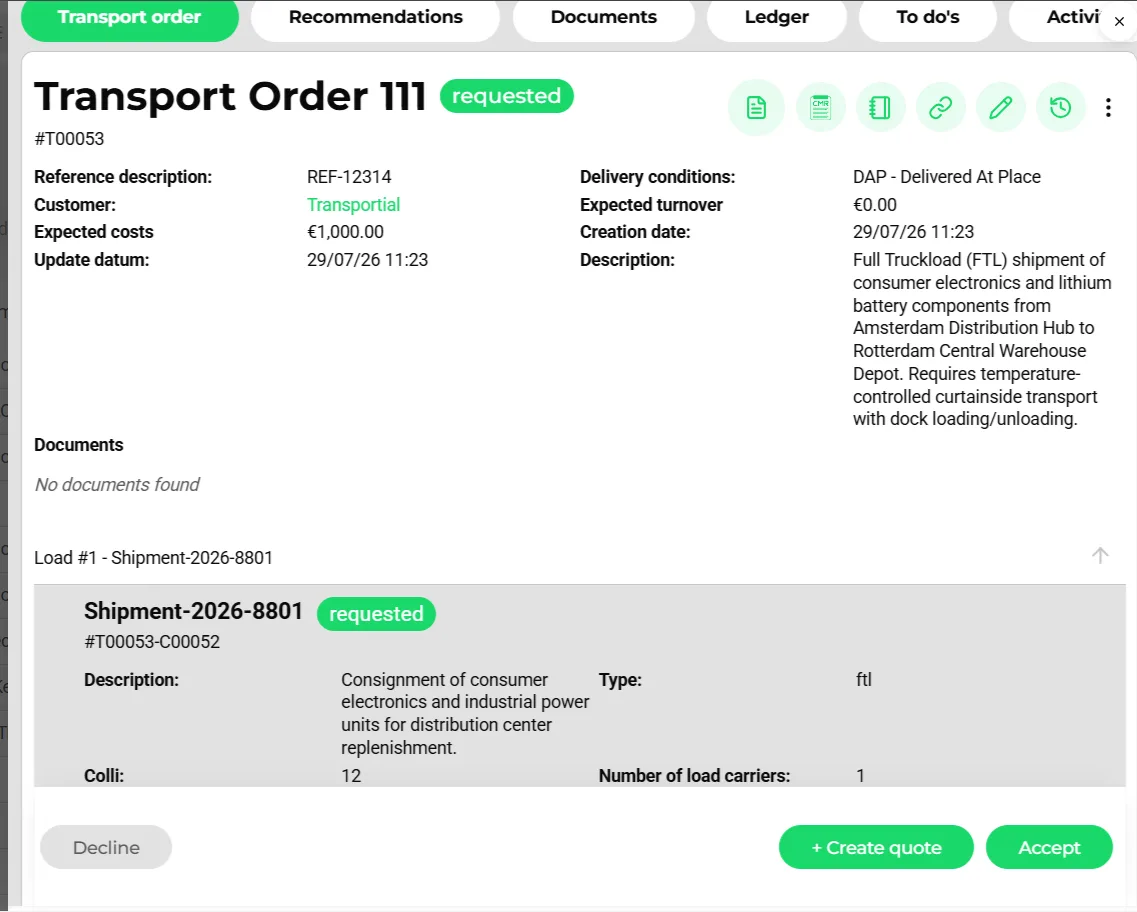
Order, shipment, trip and container numbers and customer references decide where a document belongs. A clear match is linked at once and a doubtful one waits for you. Documents made by Transportial carry a QR code and are linked without any reading.
- 7 fields compared with the order
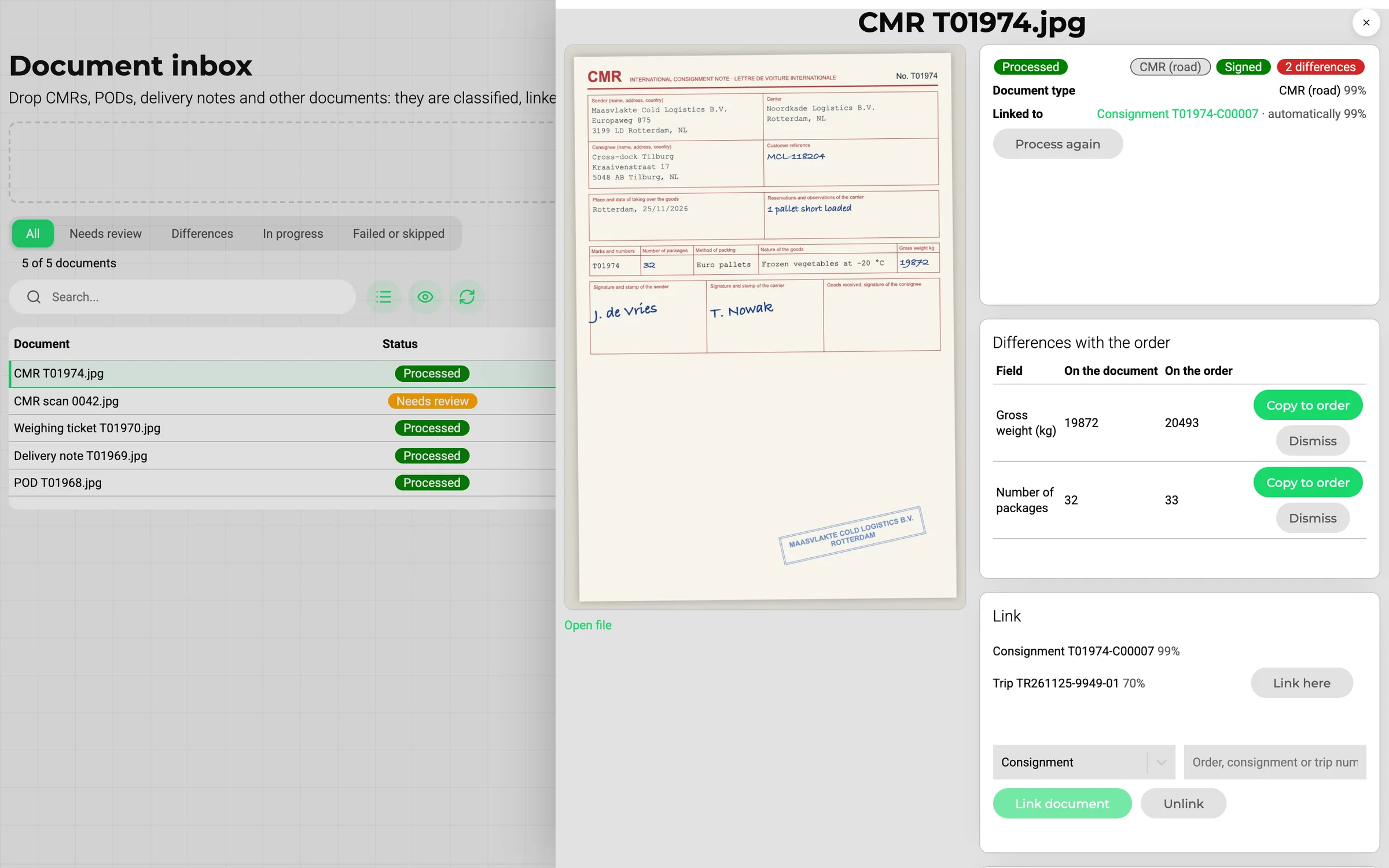
Differences shown before the invoice
Customer reference, gross weight, quantity, container number, seal number, delivery date and delivery ZIP code are compared with the order. A CMR, proof of delivery or delivery note without a signature goes to review. Accept a difference and the order is updated, or dismiss it.
- 13
- document types built in
- 7
- fields compared with the order
- 20 MB
- per PDF or image
- 4
- ways in: mail, upload, portal and order
Mailboxes you can connect today
Priced like the platform: you pay for what you use
No license fee, no minimum and no contract period. The full list is on the pricing page.
Free every month
The first 20 shipments, 10 trips and 10 invoices of every month are free, with no end date.
Above that
From $0.50 per shipment, trip or invoice, and cheaper per unit as your volume grows.
Connections
Runs of integrations and message automations are metered per run above a free amount.
When you want more than reading
Make the documents here too
Generate CMRs, delivery notes and your own templates from the order data.
Invoice from the checked order
Pricing rules and the invoice follow from the order the documents were checked against.
Work the whole mailbox
Every mail linked to its order, with replies from the order itself.
Document intelligence: frequently asked questions
Can I use it without the Transportial TMS?
Yes, as long as your orders are known in Transportial, because documents are linked to orders. Your TMS sends the orders through the API or a file exchange. You do not need to plan or invoice here.
Is there an API for it?
Yes. You upload files to the document inbox and fetch each analysis when it is ready. Reading runs in the background, so the result is fetched in a second call.
What happens when the model is not sure?
The document waits in the inbox for a person. A link is only made automatically when the match is clear, and a document that could belong to two orders is never guessed.
Which files does it read?
PDF and image files by default, up to 20 MB each. You can limit which types are read and set a maximum number of documents per month.
Can it change my orders?
Only when you accept a difference. Customer reference, weight, quantity, container and seal number can be copied to the order with one click. Delivery date and ZIP code are shown but never copied.
How is this different from AI Order Intake?
AI Order Intake turns incoming mail into new orders. Document Intelligence handles every document that arrives after the order exists.