

Invoicing & Financial Management
Close the financial loop without leaving Transportial, from first quote to final payment.
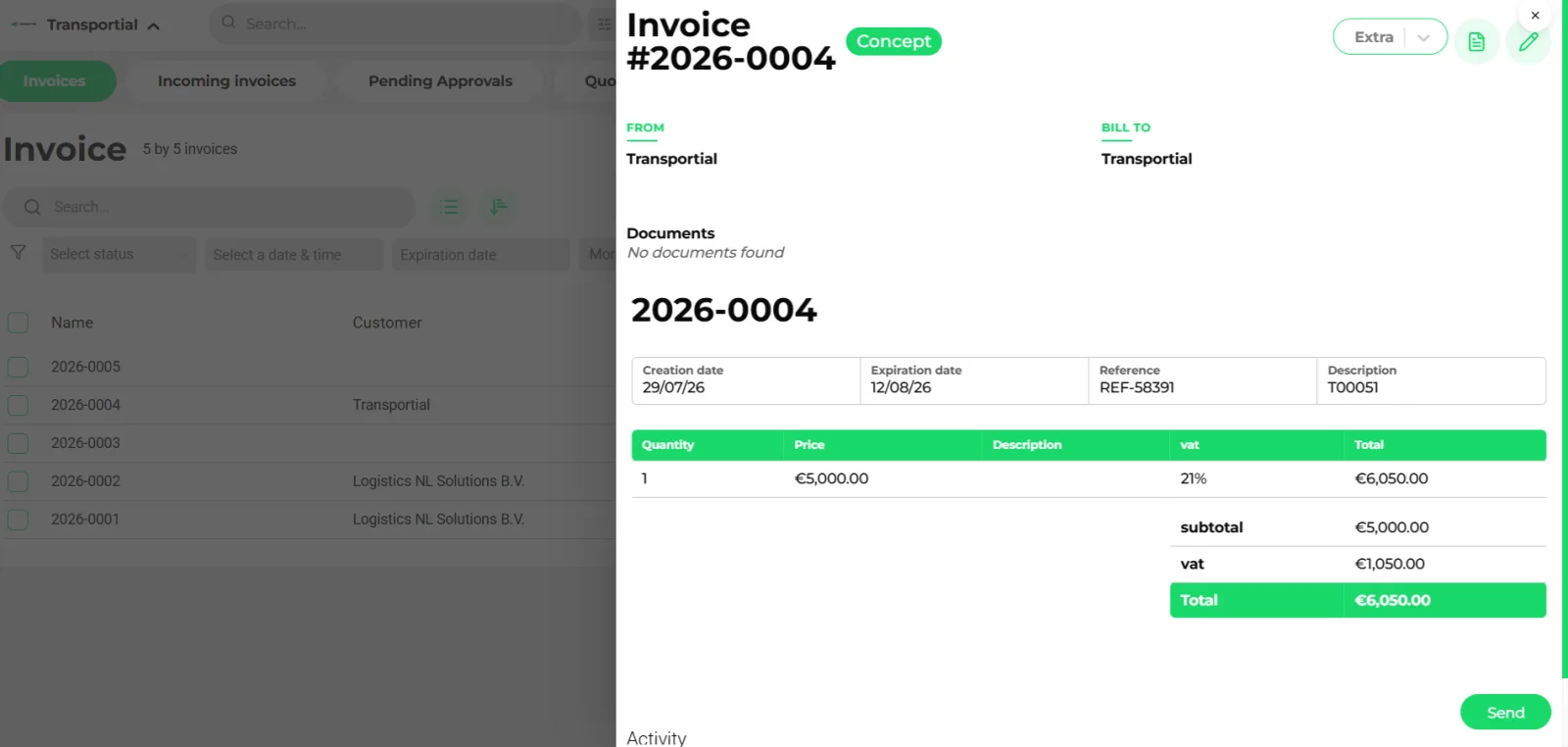
- Status badge: concept → open → paid, reminded or too late
- From, bill-to and references
- Lines with quantity, price, VAT rate and total
- Send: PDF by e-mail with a payment link
Transportial's financial module handles the entire revenue and cost cycle: quoting, invoicing, approval workflows, payment collection, and financial reporting, all attributed back to the transport orders that generated them.
What it does
Everything this module does, named the way you will find it in the product.
Quotes
- Lifecycle
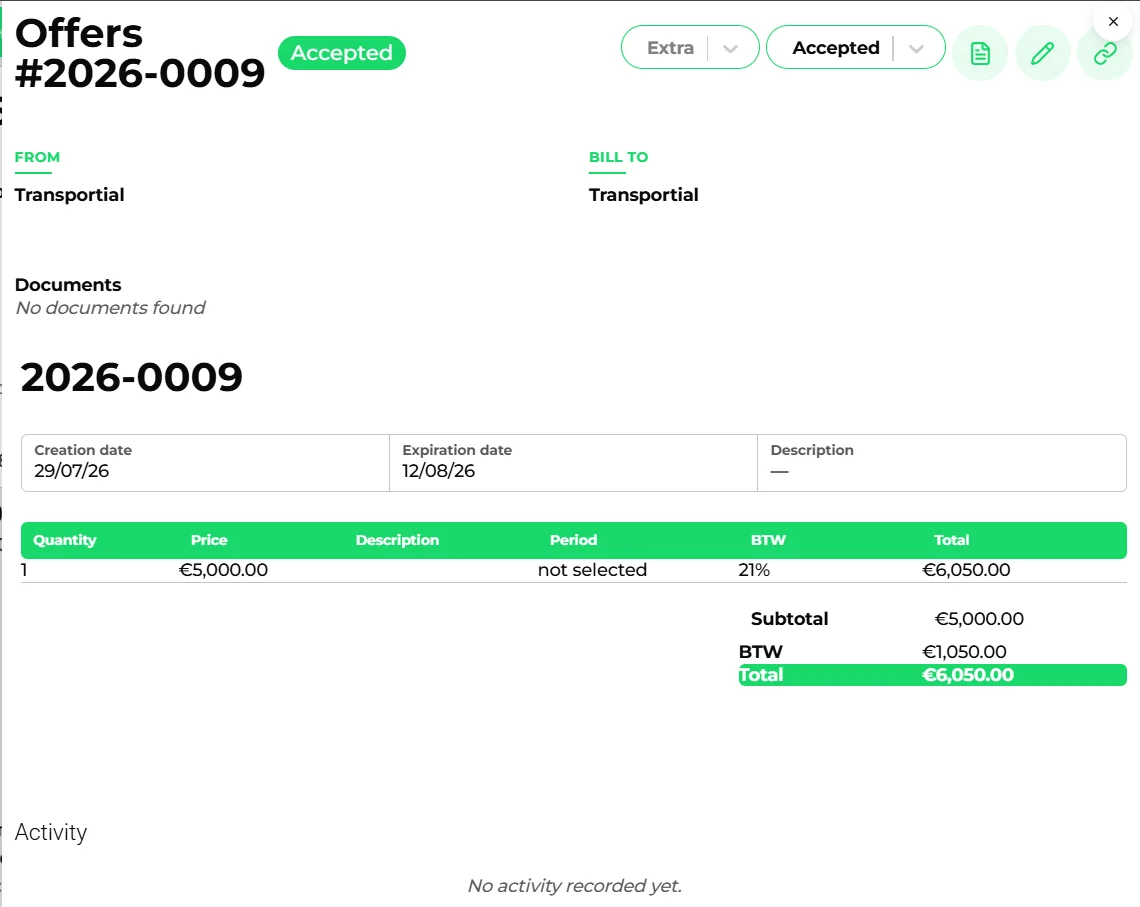
Concept, open, accepted, declined, invoiced and canceled, in both directions: quotes you send and incoming carrier quotes.
- Public accept or decline
A share link lets the customer accept or decline; accepted quotes convert to orders and later to invoices. Follow-ups and reminders are automations.
- Lines with cost
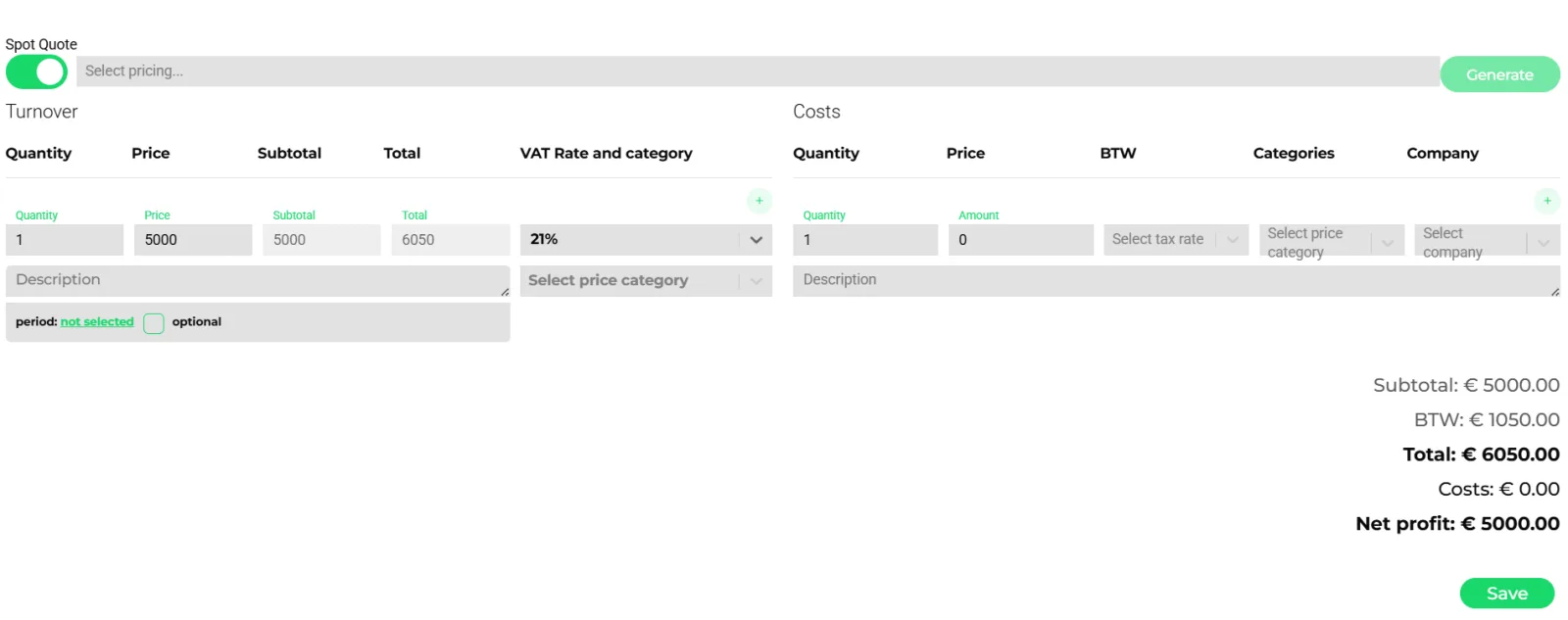
Turnover and cost lines with VAT rate and pricing category, net profit on screen. Generated by the pricing engine.
- Bulk
Send selected, create invoices, cancel and delete in bulk from the quotes tab.
Sales and purchase invoices
- States
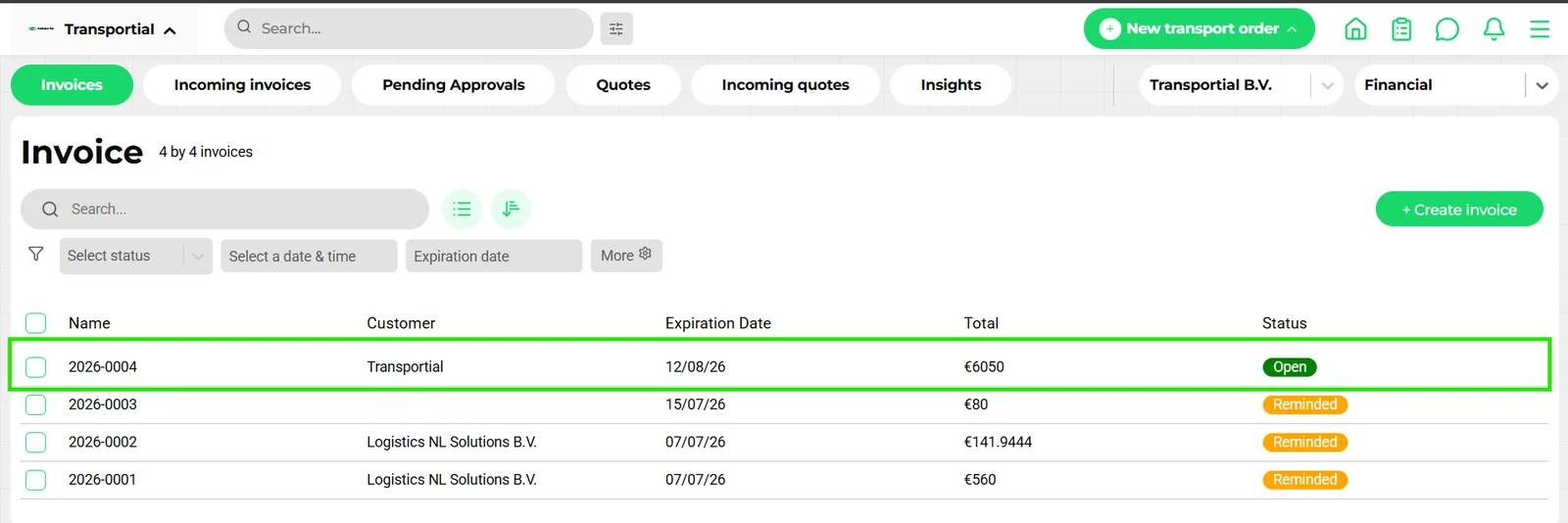
Concept, pending approval, approved, rejected, open, paid, reminded, too late and canceled, with reminder count and next reminder date per invoice.
- Incoming invoice approval
Request approval, approve or reject with a reason, a Pending Approvals tab, and a setting to show users only their team's invoices. "Check against" matches an incoming invoice to an incoming quote or a pricing element and shows the difference.
- Online payment
The public invoice link carries "Pay now" through Stripe, Mollie or Adyen (cards, iDEAL, SEPA, Bancontact and more); payment webhooks mark the invoice paid.
- Reminders and bulk
Send, send reminder, mark as paid, approve, cancel and delete in bulk; first, second and final payment reminders are automation templates.
Administrations, ledger and payouts
- Administrations
Separate administrations per business unit or white-label tenant with their own invoice, quote and order automations, invoice series and VAT settings.
- Ledger
Expected vs actual revenue, cost, debit and credit per business, category or combined, with revenue-and-cost-by-category and expected-vs-actual variance charts.
- Transactions and payouts
Transactions, payouts, withdrawals and credits per administration; iDEAL and card payment types.
- Activity log
Sent, reminder sent, approval requested, payment received, integration synced or failed and thirty more activity types per document.
Accounting connections
- Dutch and international packages
Exact Online, Twinfield, Moneybird, AFAS, e-Boekhouden and SnelStart: invoices out, relations both ways, ledgers and VAT codes in, payment status back.
- CRM
Salesforce (accounts, orders, invoices, quotes, transactions, contracts) and HubSpot (businesses, invoices). See integrations.
- Documents
Invoice and quote PDFs come from document templates with your branding; any entity can be downloaded from a template.
- Reports
Open invoices aging, revenue per customer, quote conversion and the financial management dashboard (pipeline, scheduled, in transit, revenue, margin per trip, invoices issued, paid and overdue). See reporting.
How it works
Quote
Generate a quote on the order from a pricing, send it, and let the customer accept on the public link.
Execute
The trip runs; realized costs, toll and subcontractor lines land in the ledger as actuals.
Invoice
Create the invoice from the order or quote, or let a pricing trigger (end of trip, end of month) create it. Approval flows apply where configured.
Send and collect
The PDF goes out by e-mail with a payment link; Stripe, Mollie or Adyen report the payment; reminders go out on schedule.
Book
The invoice syncs to your accounting package with relation and ledger codes; payment status flows back.
Purchase invoices are where margin leaks
Sales invoicing is the easy half. The subcontractor's invoice that arrives three weeks later, priced slightly above the quote, is where margin quietly disappears. Transportial's incoming-invoice flow puts the carrier quote or the pricing element next to the invoice, shows the difference, and routes it through approval before it can be paid or booked.
Self-billing under capacity contracts removes the reconciliation altogether: the executed work generates the purchase invoice at the agreed rate.
Expected versus actual, per order
Every quote line, cost element, toll and realized cost writes a ledger entry marked expected or actual, per business and category. The order, the trip and the management dashboards read from the same ledger, so "did we make money on this lane" is a filter, not a spreadsheet exercise.
Concepts & terminology
The words this module uses, with links to the full glossary where a term has its own page.
- Quote
- A priced offer with turnover and cost lines and a state from concept to invoiced; direction in (from carriers) or out (to customers).
- Invoice state
- Concept, pending approval, approved, rejected, open, paid, reminded, too late or canceled.
- Incoming invoice
- A purchase invoice from a carrier or supplier, checked against a quote or pricing element and approved before booking.
- Administration
- A financial entity with its own invoice series, VAT settings, automations, transactions and payouts.
- Ledger entry
- A debit or credit, expected or actual, per business and pricing category.
- Payment link
- The Pay now button on the public invoice page, processed by Stripe, Mollie or Adyen and reconciled by webhook.
- Self-billing
- Generating the supplier's invoice yourself from executed capacity-contract work.
Try it free first
Free tools that do part of what Invoicing & Financial Management does, no account needed. When doing it one by one gets old, the module does it for every order automatically.
Works with
Connectors that feed or consume this module out of the box.
 Stripe
 Adyen
Adyen Salesforce
Built for
Where this module carries the most weight.
Invoice PDFs are generated server-side using the document template engine. Payment webhooks from Stripe and Adyen are processed by the Worker node, automatically updating invoice status and ledger entries.
Frequently asked questions
Which accounting systems connect?
Exact Online, Twinfield, Moneybird, AFAS, e-Boekhouden and SnelStart. Invoices and relations sync out, ledger and VAT codes sync in, and payment status comes back.
Can customers pay online?
Yes. The public invoice page offers Pay now through Stripe, Mollie or Adyen, covering cards, iDEAL, SEPA and other local methods. Payments reconcile automatically.
Is there an approval flow for supplier invoices?
Yes. Incoming invoices go through request, approve or reject with a reason, a Pending Approvals tab, and a "check against" comparison with the carrier quote or the pricing element.
How are reminders sent?
First, second and final payment reminders are message-automation templates triggered on the invoice's due date; you can also send reminders in bulk.
Can invoices be created automatically?
Yes. Pricing trigger types create invoices at end of trip, end of order, end of week, month, quarter or year, or from a start date; combine-per-customer bundles lines onto one invoice.
Can I run several legal entities?
Yes. Administrations separate invoice series, VAT, automations and payouts; teams and white-label platforms can each map to their own administration.
View all features
Ready to put this to work?
Start free with full platform access, or talk to our team about your specific operation.