

A portal for your customers, in your branding
Your customers book orders, follow shipments live and download documents and invoices in a portal with your logo, colors and domain. Orders flow on to the system you run today.





















Your customers still have to call you
Bookings by phone and mail
Every order is typed in by your team, and every change is another mail.
The same question all day
"Where is my order?" is answered by a planner who has to look it up first.
Documents asked for twice
The proof of delivery and the invoice are sent again each time a customer cannot find them.
Between your customers and your own system
What your customers do
- Book a new order
- Ask for a change or a cancellation
- Follow shipments live
- Download documents and invoices
- Chat with your team
Customer Portal
- Checks your cut-off times
- Creates the order
- Shows the live status and ETA
- Keeps every customer to its own data
Where it goes
- Your TMS or ERP, by API, webhook, file or EDI
- Your planners
- Your customer's inbox, by message automation
From phone calls to self-service
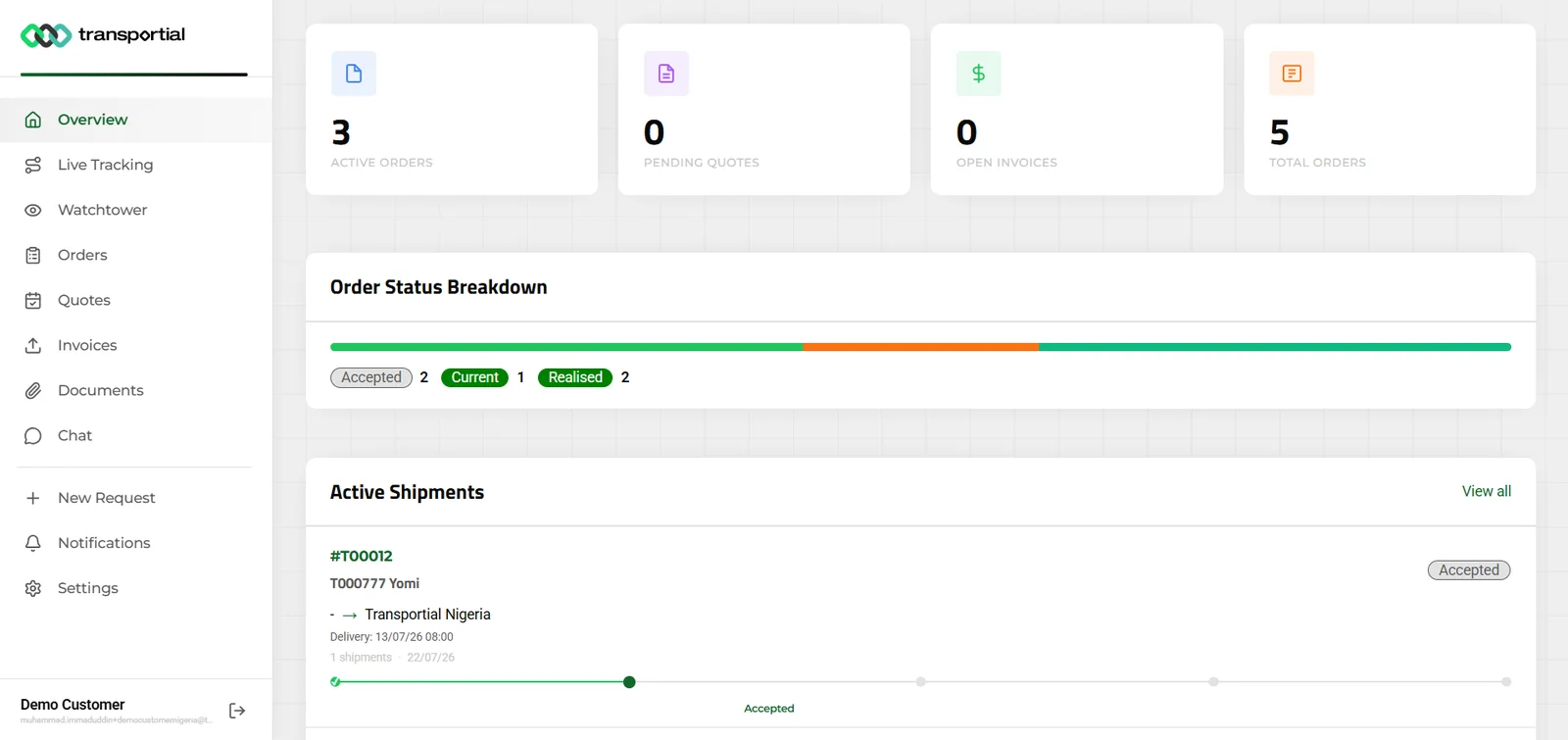
- Logo, colors and domain
Your brand, your domain
The portal carries your logo and colors, in a light and a dark theme, on your own domain name. Mail to your customers leaves from your own mailbox.
- Orders without retyping
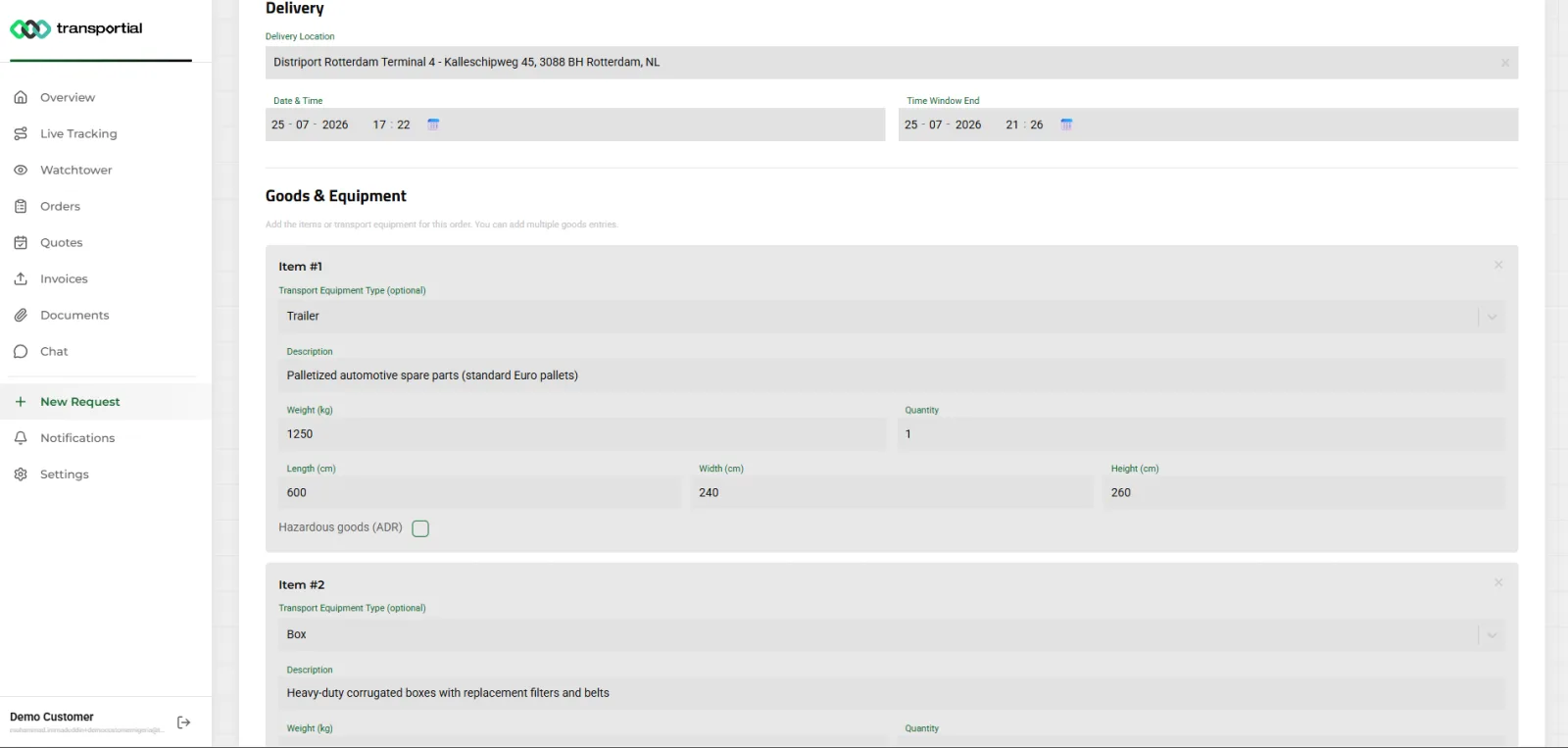
Customers book themselves
A customer enters a new order in a form made for it. Cut-off times apply, and changes and cancellations come in as requests that you approve or let pass automatically.
- Fewer status calls
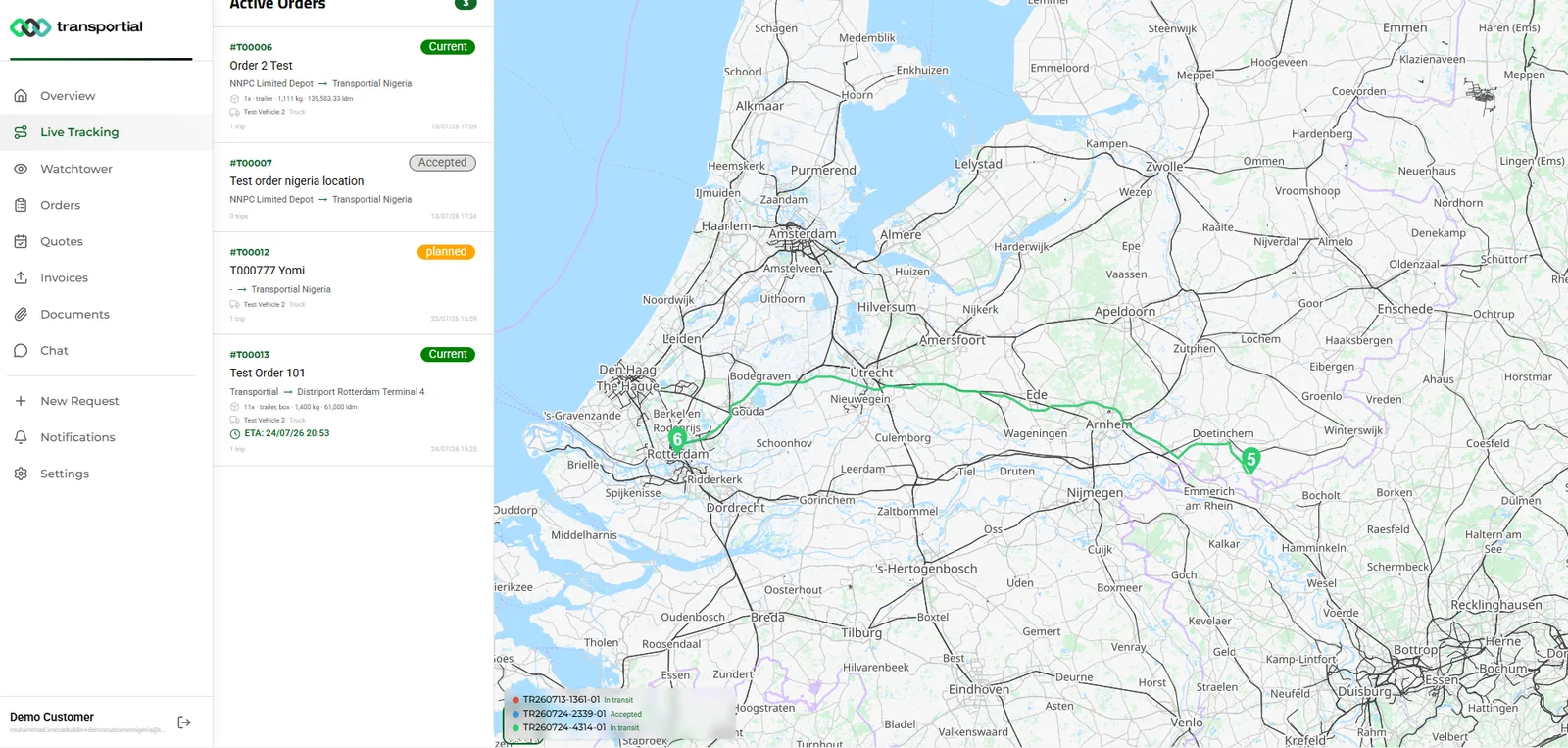
They follow it live
Active orders are shown on a map with their trips, with the status and the expected time of arrival.
- Documents and invoices on demand
Everything about an order in one place
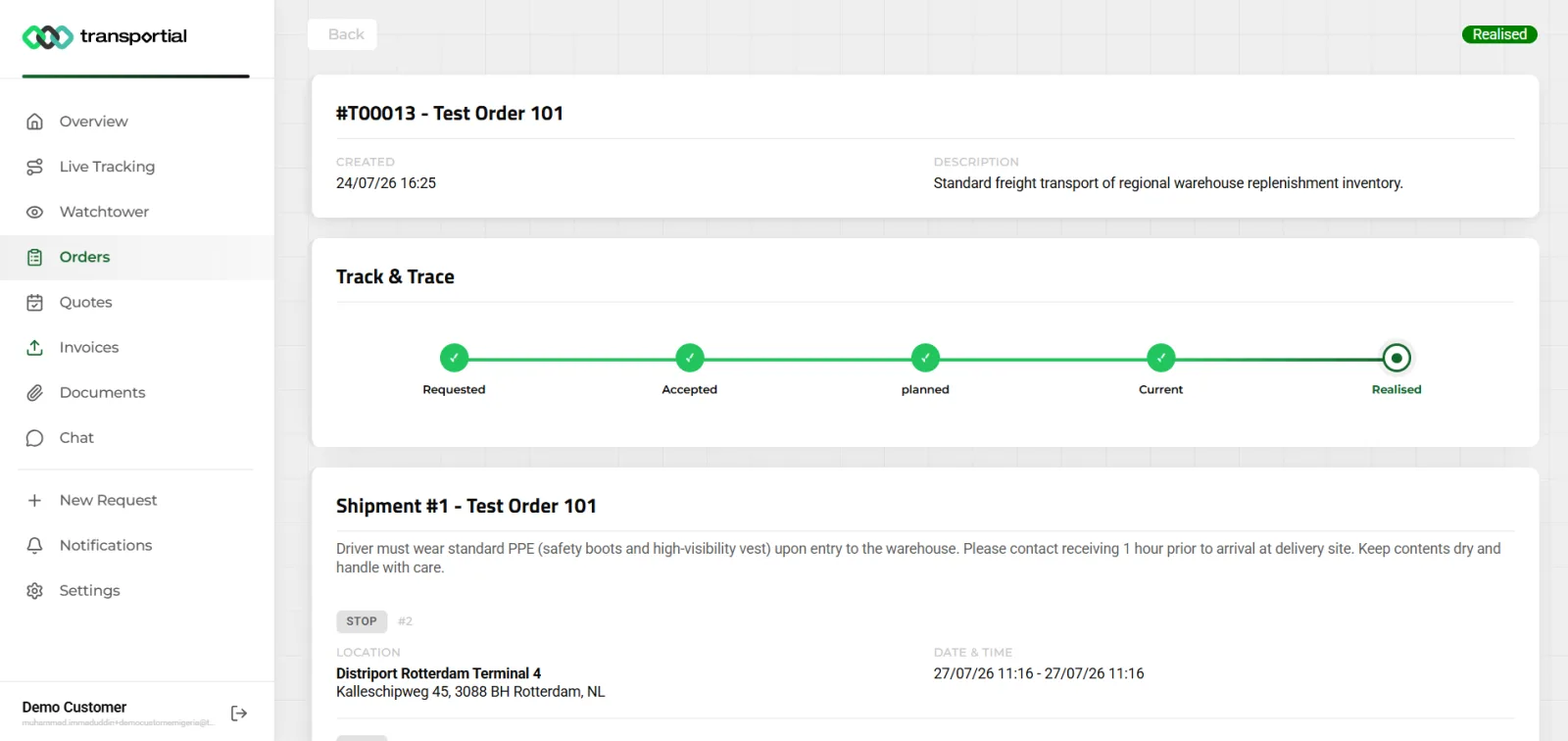
Per order the customer sees the status, the documents, the quotes and the invoices, and can upload their own documents or chat with your team.
- 11
- portal pages, each one you can switch off
- 2
- themes, light and dark, in your colors
- 1
- login for orders, documents and invoices
- 0
- apps to install for your customer
Payment providers for invoices paid online
Priced like the platform: you pay for what you use
No license fee, no minimum and no contract period. The full list is on the pricing page.
Free every month
The first 20 shipments, 10 trips and 10 invoices of every month are free, with no end date.
Above that
From $0.50 per shipment, trip or invoice, and cheaper per unit as your volume grows.
Connections
Runs of integrations and message automations are metered per run above a free amount.
When you want more than the portal
See everything the portal can do
Every page, setting and permission of the customer portal.
Tell customers automatically
Messages by email, SMS or WhatsApp on 75+ events of an order or trip.
One environment per client
Give each of your clients its own branded environment.
Customer portal: frequently asked questions
Can portal orders go to my own TMS?
Yes. A new order starts a push to your system with your field mapping, by REST API, webhook, file or EDI. Statuses and documents come back the same way. See the integration framework.
Can it run on my own domain?
Yes. You add your own host name, and the portal shows your logo, favicon and colors.
What can a customer see?
Only its own orders, documents, quotes and invoices. You decide which pages exist and what each user may do.
Can customers pay invoices online?
Yes, when you connect a payment provider. An invoice link then lets the customer pay online.
Do receivers need a login to track?
No. The portal is for your customers. A receiver gets a tracking link that opens without a login, as in Transport Visibility.