

Integration Framework
Connect Transportial to any external system (ERPs, telematics, ordering platforms, and more) with a full REST API and App Store.
![Field mapping table with incoming field names such as firma, kontaktperson, email and telefon on the left, a type per field, outgoing paths such as customer.name and customer.contactDetails[0].value on the right, a regex column and Add field buttons](/assets/screens/integration-data-mapping.webp)
- Incoming field from the partner file or API
- Type and transformation per field
- Outgoing path into the order, customer or shipment
- Add fields, or generate the mapping with AI
Modern logistics operations run on multiple systems. Transportial is designed to be connected. A full REST API with OpenAPI documentation, an embedded FTP server for legacy integrations, EDI file parsing, and an App Store for extending the UI. Every integration scenario is covered.
What it does
Everything this module does, named the way you will find it in the product.
Four ways to connect
- Preset connectors
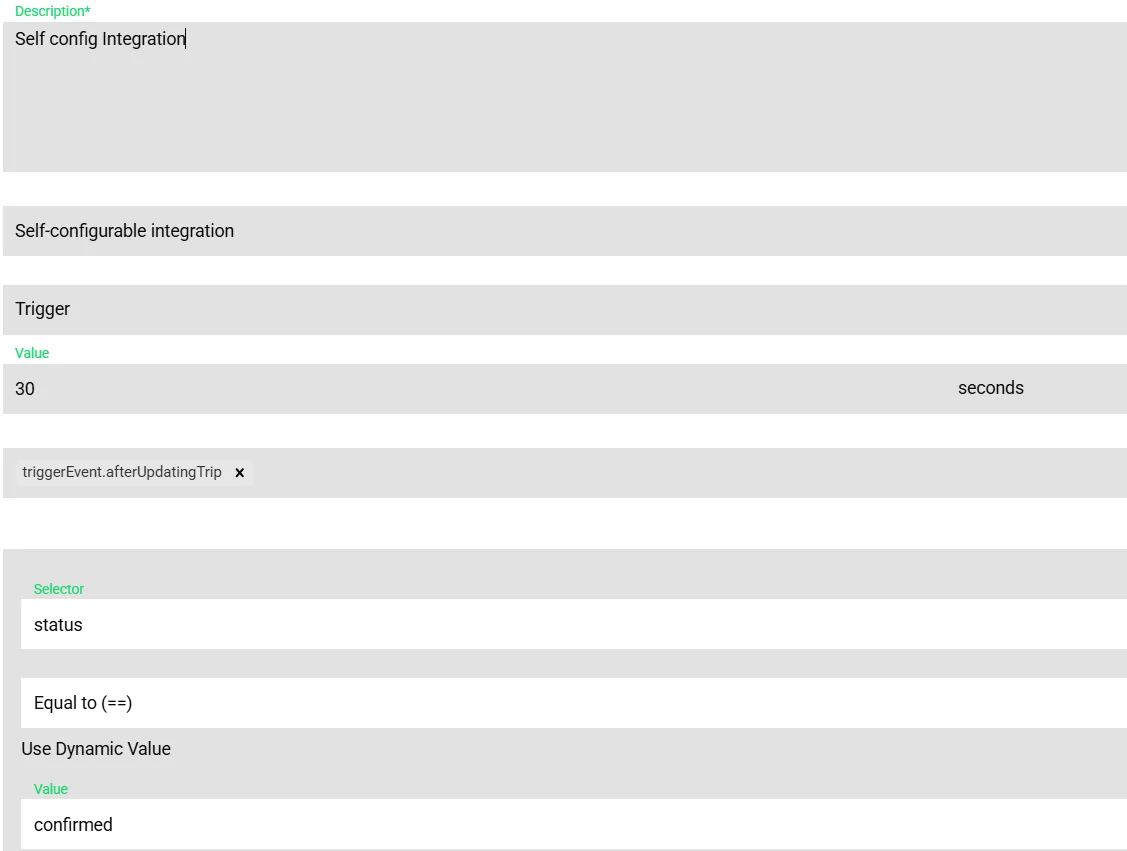
Built-in handlers for telematics, OEM rFMS, terminals, ferries, freight exchanges, accounting, CRM, payments, e-mail, messaging, calendars and more, listed in the integrations catalog.
- Self-configurable
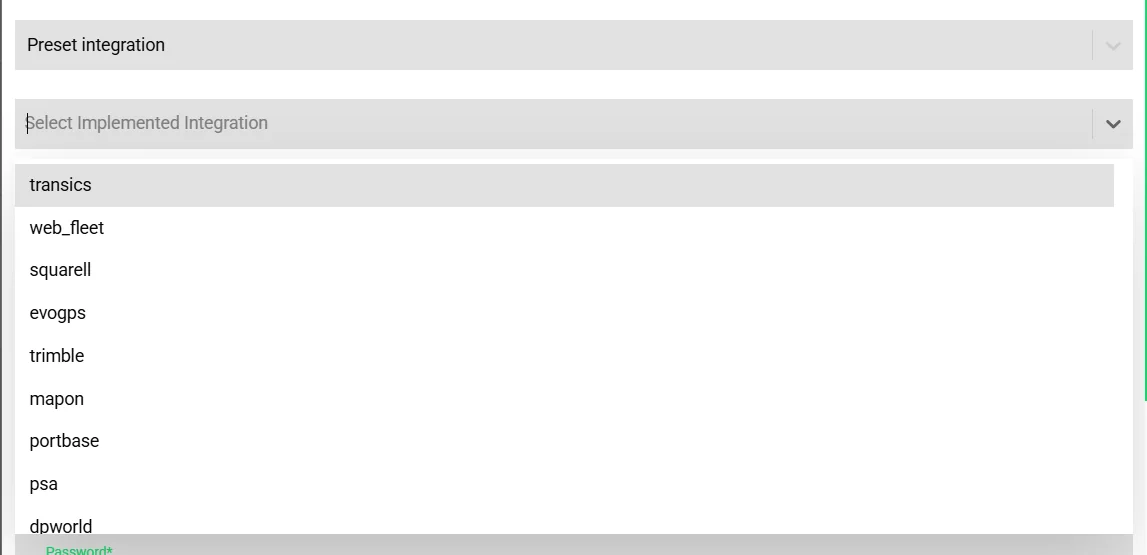
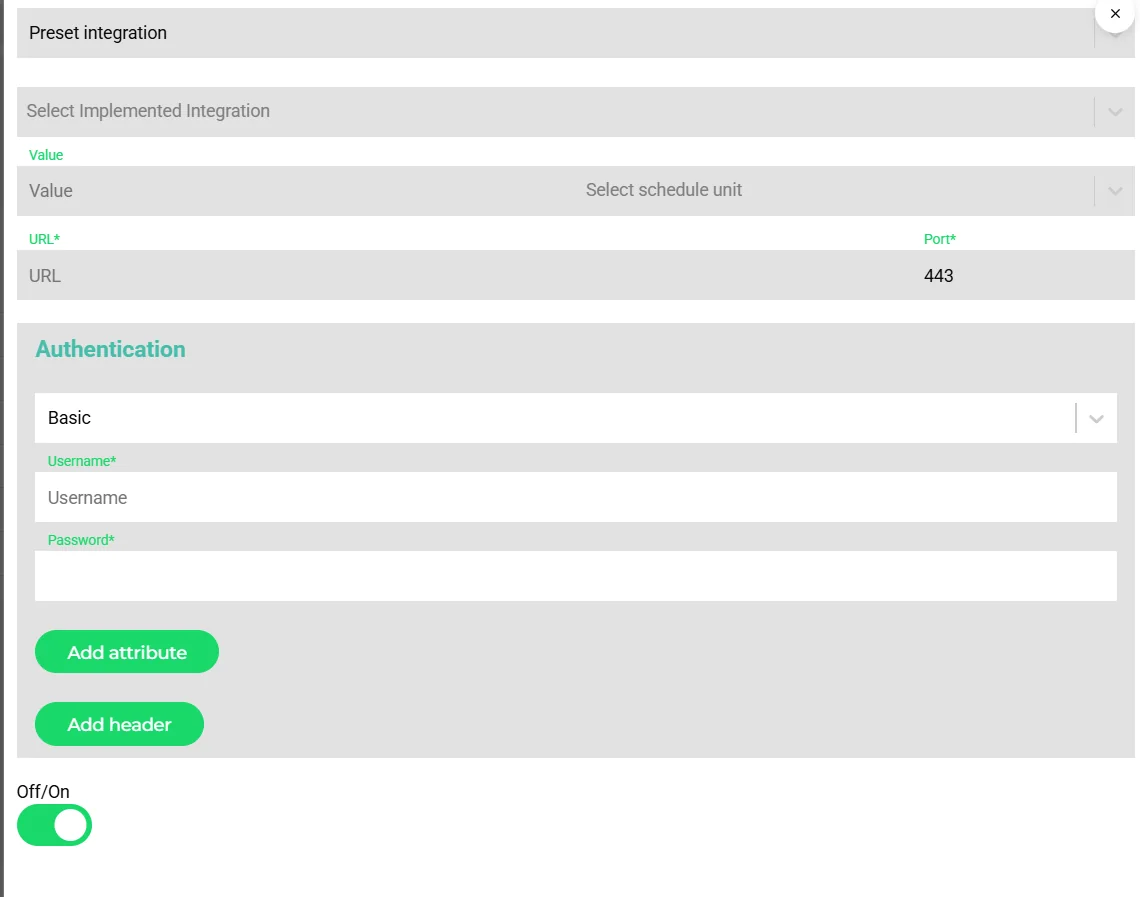
Any API, webhook, FTP, SFTP, SQL connection, e-mail receiver or the virtual FTP server that Transportial hosts for you; JSON, XML or CSV; inbound and outbound.
- API access
REST API under /api with routes generated from the model, OpenAPI documentation rendered with ReDoc, API keys and app tokens, and a rate limit of 500 requests per minute.
- File templates
Parse and produce files with selectors: matrix (positions in a sheet), HTML, text-variable position and constants, for partners that only do files.
Mapping without code
- Field mappings
Incoming field to outgoing path with type, regex, and options such as trim, capitalize, upper or lower case, remove spaces and identification fields.
- Value mappings
Translate partner codes to platform values, including provider-specific targets for Transics, Webfleet, Mapon, Squarell, telemetry slots and vehicle buttons.
- Filters and triggers
Comparison filters (==, !=, >, <, in, not in) with AND/OR; outbound triggers on any of the platform's trigger events with a condition.
- Generate with AI
Paste a sample file or an API response and the field mappings are drafted; or generate the whole integration from a description.
Operate it like software
- Trace view
Logs, tasks, objects, requests, tests, matrix and HTML tabs, and a trace that links object → task → log → request.
- Integration tests
Input and expected JSON, assertions at error or warning level, exact-match, assertions-only or both, run all, with failure notifications.
- Reliability
Health watchdog raising stuck and silent alerts, failure and stall notifications by e-mail, sync windows that cap the slice but never the reach, load-balanced dispatch across Kafka workers, echo suppression so an integration never receives its own change, request logging modes all, errors or off, and secret redaction.
- Authentication
API key, access keys, basic, OAuth, bearer, OpenID, client keys and custom headers.
Extend the platform
- App Store
Browse, install and configure apps with permissions, version history and hooks: webhook endpoints or UI hooks that add a dashboard tab or a menu tab.
- Developer portal
Apps, publishers, API keys, analytics, reviews and pricing models (free, freemium, one-time, subscription, usage-based per call, trip, shipment or vehicle), with supplier and developer self-registration.
- Webhooks
Outbound webhooks on trigger events; inbound webhooks for Stripe, Mollie, Adyen, Burger Ferry and Salesforce.
- Action buttons
Tenant-defined buttons on assets that call an integration, for instance to send a message to a board computer.
How it works
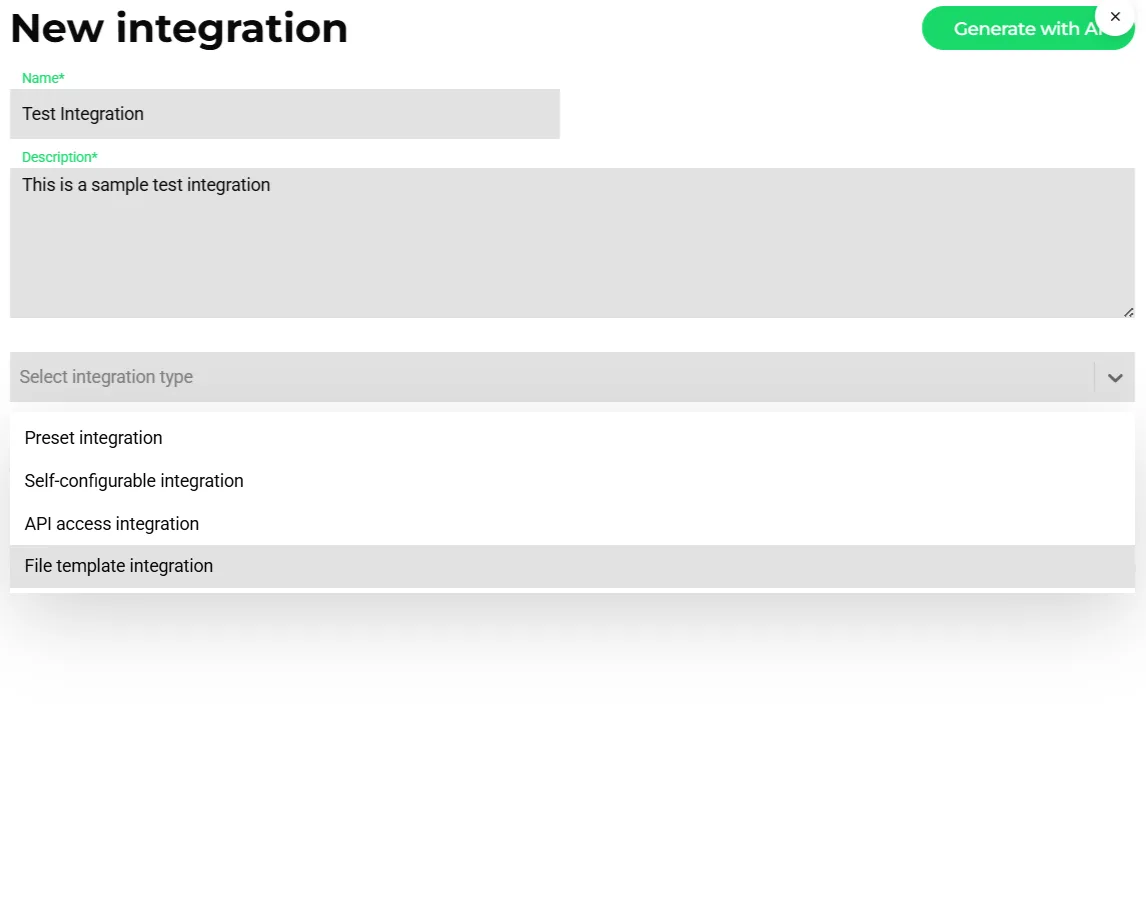
Pick the type
Preset for a known partner; self-configurable for a custom API or file exchange; API access for the partner's own client; file template for spreadsheets and fixed-position files.
Connect
Endpoint, schedule, authentication and headers, or let Transportial host a virtual FTP folder for you.
Map
Map fields to the OTM5 model, add value mappings and filters, or generate the mapping with AI from a sample.
Test
Create test cases with expected output and assertions; run them on every change.
Run and watch
Trace every object through tasks, logs and requests; the watchdog alerts when the integration stalls.
The framework beats one-off connectors
Every carrier eventually gets asked for "the XML the customer's ERP sends". A one-off script handles it until the format changes. Transportial treats every connection as configuration on the same framework: connection, format, mapping, filters, triggers, tests and logs. Preset connectors are simply mappings the team ships and maintains; a tenant's own integration gets the same tracing and health monitoring.
The framework also carries the operational safety: echo suppression stops loops between two systems, sync windows keep polling honest under load, and the same trigger events that drive automations drive outbound data.
Virtual FTP and file templates for the long tail
Not every partner has an API. Transportial hosts an FTP server so a partner can drop files into a folder that belongs to your platform, and file templates parse fixed-position text, spreadsheets by cell and HTML. The same mapping engine then puts the data into orders, shipments and businesses.
Concepts & terminology
The words this module uses, with links to the full glossary where a term has its own page.
- Preset integration
- A built-in connector for a named partner system, configured with credentials and options.
- Self-configurable integration
- A tenant-defined connection to any API, file server, database or mailbox with its own mapping.
- Field mapping
- The rule that copies an incoming field to a path in the platform model, with type, regex and options.
- Value mapping
- A translation table from partner codes to platform values.
- Virtual FTP
- An FTP server hosted by Transportial for your platform so partners can exchange files without their own server.
- Echo suppression
- Not sending a change back to the integration that caused it.
- EDIGlossary
- Electronic data interchange; Transportial exchanges JSON, XML and CSV on the framework and speaks EDIFACT to ferry and terminal partners.
- OTM5
- The open model every mapping targets.
Inside the product
Works with
Connectors that feed or consume this module out of the box.
 Salesforce
 DP World
 PTV xRoute/xTour
Built for
Where this module carries the most weight.
Integration tasks are dispatched across Kafka workers with load balancing, echo suppression and a health watchdog that raises stuck and silent alerts. API requests are rate-limited at 500 per minute. App Store apps extend the platform through webhook and UI hooks.
Frequently asked questions
Is there a public API?
Yes. A REST API with OpenAPI documentation, API keys and app tokens, and a 500-requests-per-minute rate limit. An OTM5 converter tool helps with the model.
Can we connect a system without an API?
Yes. Use FTP or SFTP, the virtual FTP that Transportial hosts, an e-mail receiver, an SQL connection or file templates for spreadsheets and fixed-position files.
Do you support EDI?
The framework exchanges JSON, XML and CSV with any partner, and EDIFACT messages are used with ferry and terminal partners such as P&O Ferries and DP World. Generic EDIFACT or X12 order messages are mapped per partner.
How do we know an integration is healthy?
A watchdog raises stuck and silent alerts, failures and stalls notify by e-mail, and the trace view links every object to its tasks, logs and requests.
Can integrations be tested before go-live?
Yes. Test cases with input, expected output and assertions run individually or all at once, and a failing test can notify.
Can third parties build on the platform?
Yes. The App Store and developer portal let publishers ship apps with webhook and UI hooks and price them free, freemium, one-time, subscription or usage-based.
View all features
Ready to put this to work?
Start free with full platform access, or talk to our team about your specific operation.