

Customer & Business Portal
Give customers direct visibility into their shipments and control over their transport requests, without flooding your inbox.
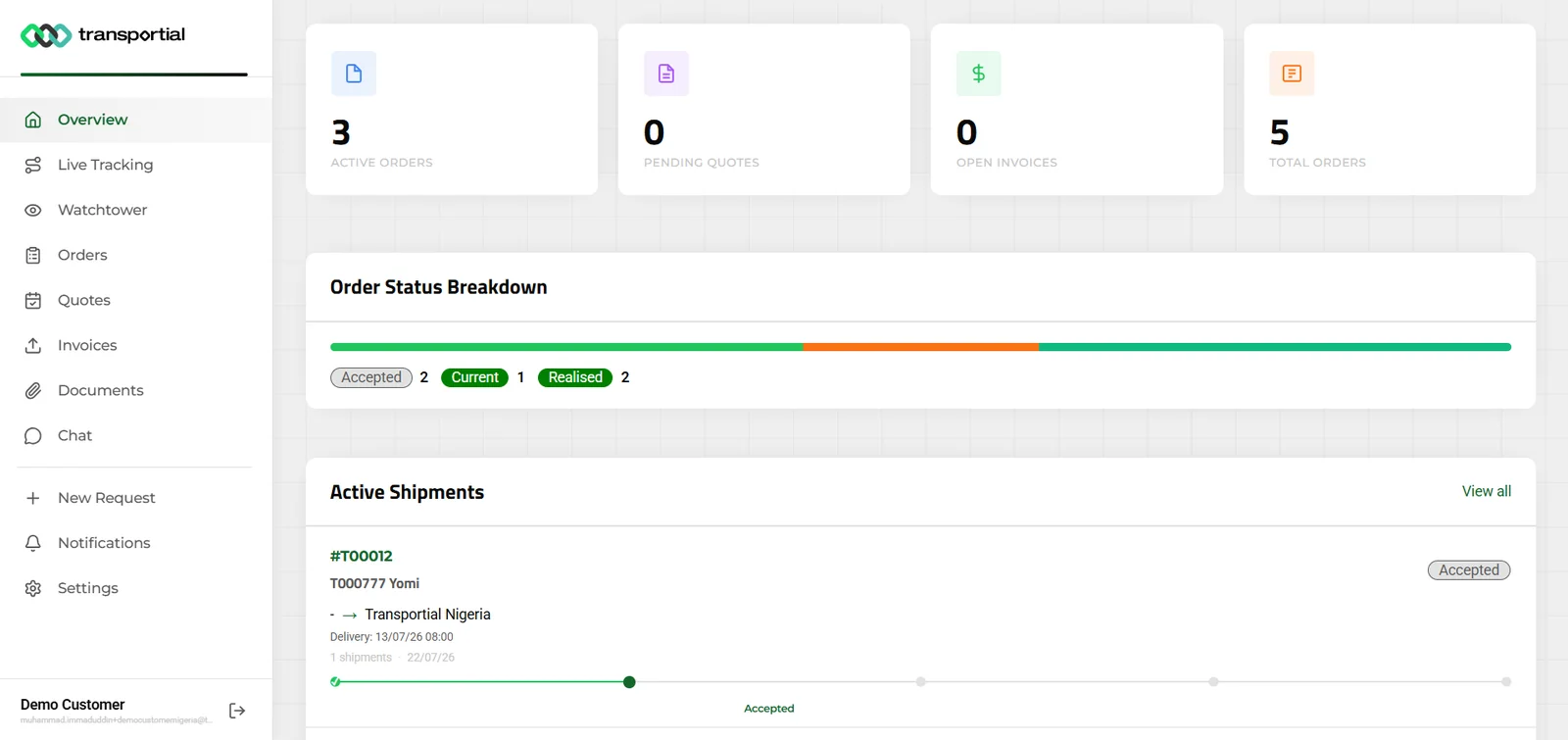
- Portal menu: overview, live tracking, watchtower, orders, quotes, invoices, documents, chat, new request
- Active orders, pending quotes, open invoices, total orders
- Order status breakdown
- Active shipments with their track-and-trace progress
Customers increasingly expect self-service visibility. Transportial's customer portal gives shippers and receivers their own scoped access to track shipments, submit transport orders, accept quotes, and manage their account, reducing inbound calls and emails.
What it does
Everything this module does, named the way you will find it in the product.
A portal you switch on per section
- Sections
Overview, live tracking, watchtower, orders, quotes, invoices, documents, chat, new request, notifications and settings, each toggled per platform.
- Scoped accounts
External users see only their own business's data; access is enforced in the API, not in the screen.
- Privacy controls
Location book visibility (own only, addresses without names, or all) and anonymisation of co-loaded customers' data on shared trips.
- Branding
The portal inherits the platform's logos, colors and domain. See white-label.
What customers do there
- Request transport
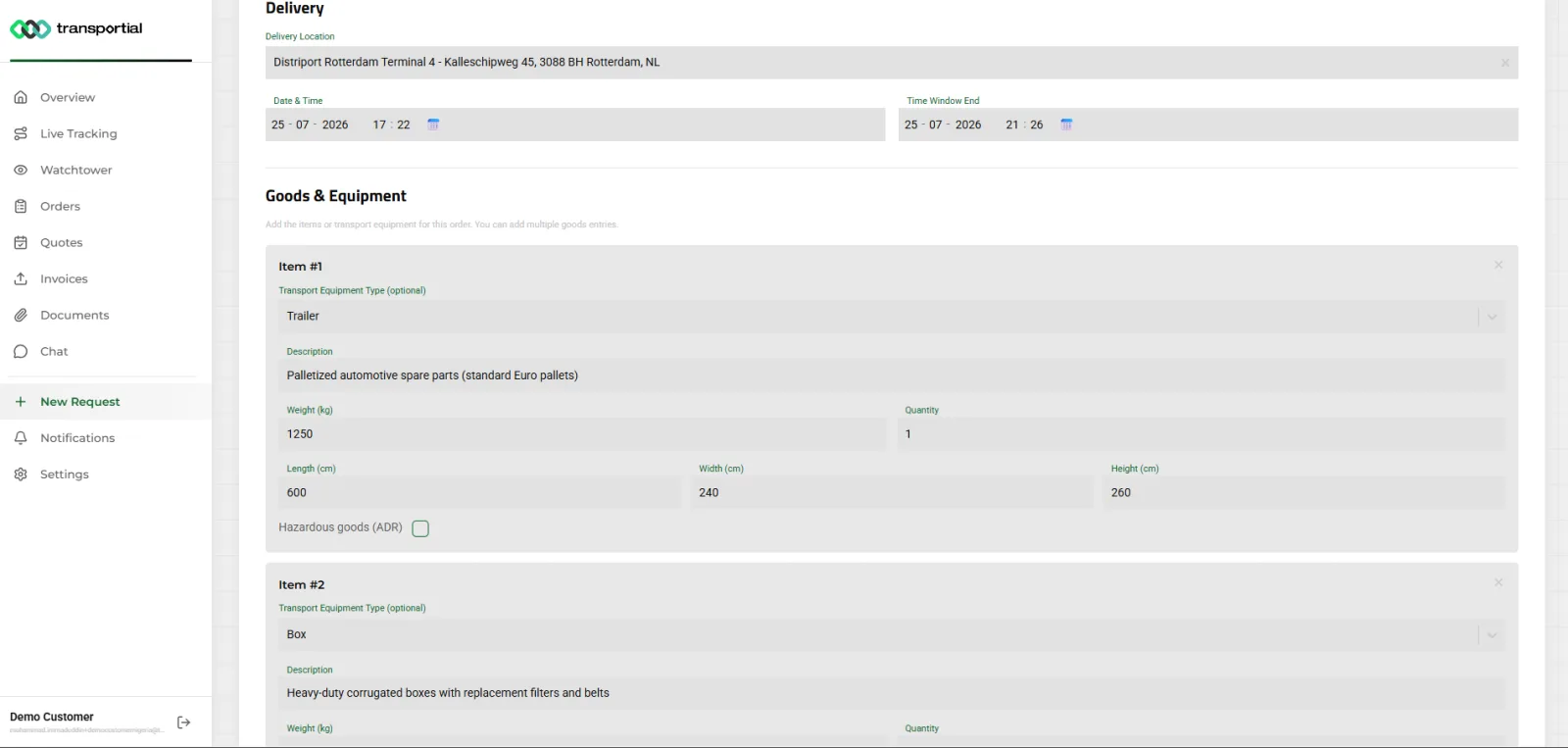
Order name, reference, description, pickup and delivery with date, time window and end, and goods with equipment type, quantity, weight, dimensions and ADR. Requests arrive as orders with status requested.
- Follow shipments
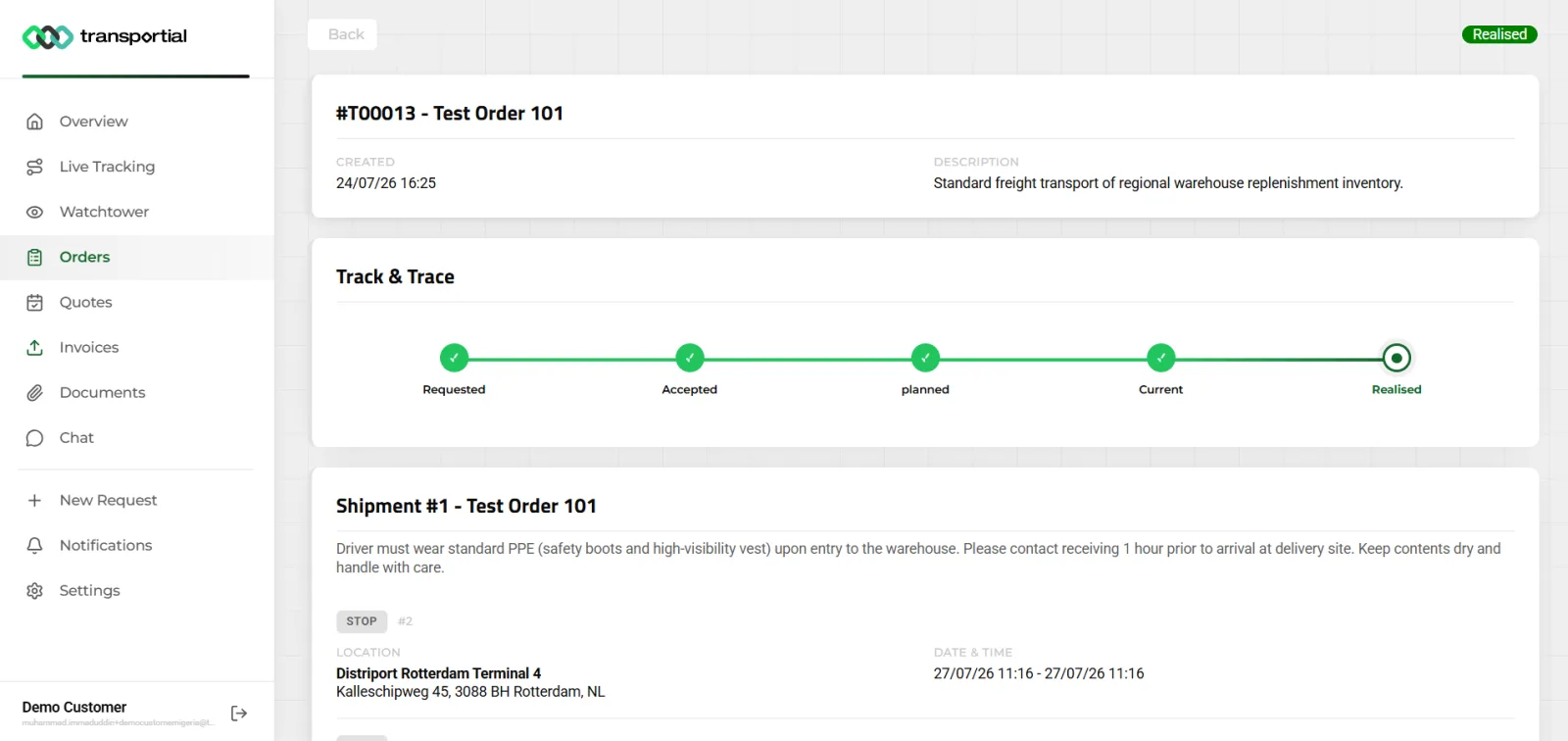
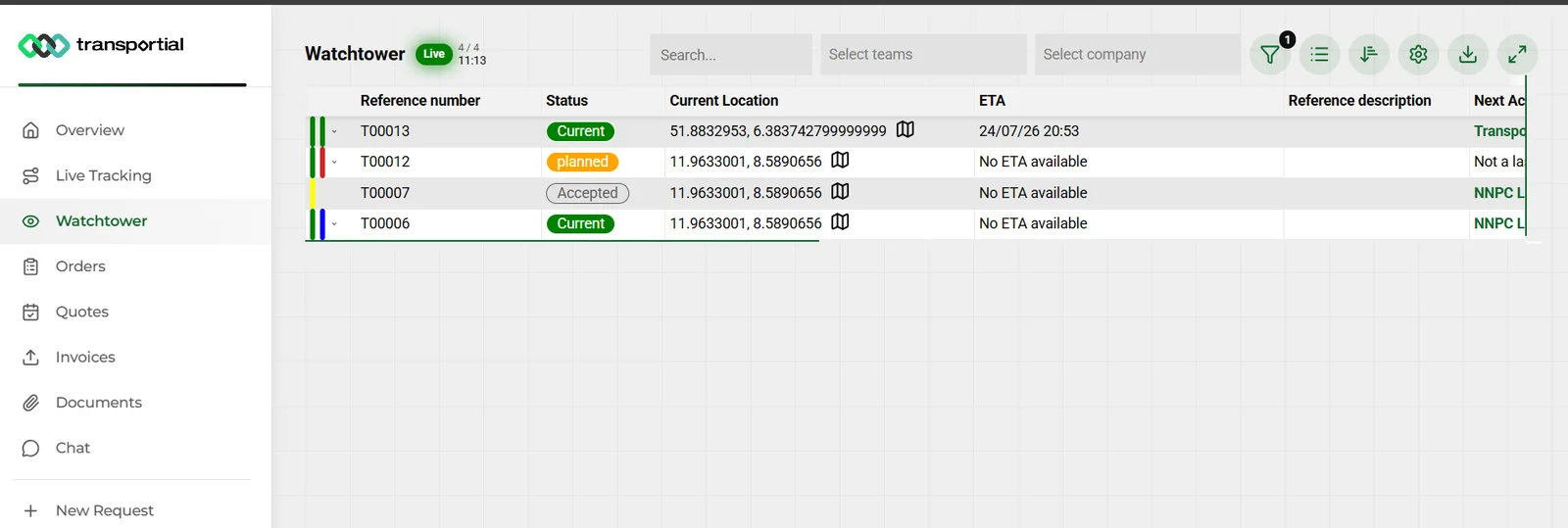
Track-and-trace timeline per order, a live map of active orders and the scoped Watchtower with location, ETA and next action. See vehicle tracking.
- Quotes and invoices
Quotes with statuses, accept or decline on the shared quote link; invoices with Pay now on the public invoice page. See invoicing.
- Documents and chat
Public documents for download, and a chat with the carrier scoped to their orders.
Outside the portal
- Public share links
Per order, trip, quote and invoice, with visibility toggles for driver, customer details, documents, tracking and vehicle. No login.
- Embeddable widgets
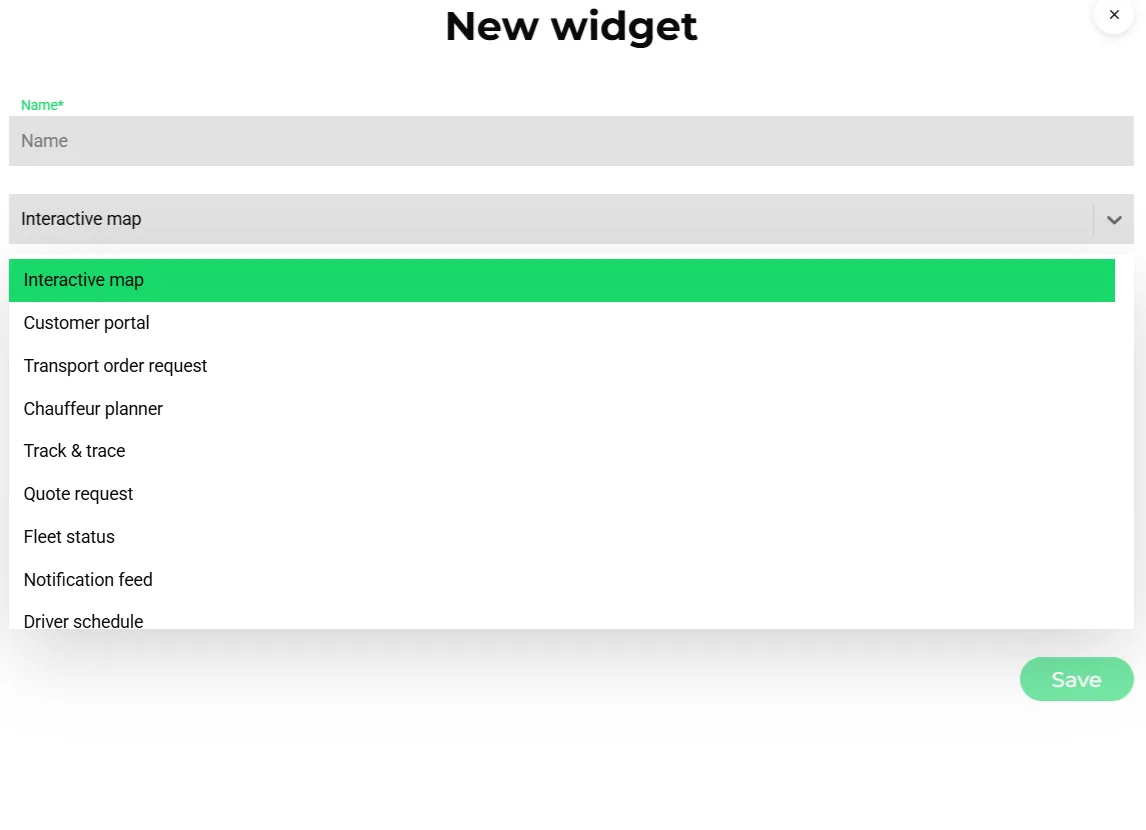
Interactive map, customer portal, transport order request, quote request, track and trace, fleet status, driver schedule, chauffeur planner and notification feed, restricted by hostname and IP.
- Automated updates
Order received, order confirmation, trip planned, ETA update, goods loaded, goods delivered and trip completed templates keep customers informed by e-mail, WhatsApp or notification. See message automations.
- Business verification
Verify companies before they can order, with an optional mandatory-verification setting and access requests approved by an admin.
How it works
Enable the sections
Choose which portal sections a customer sees and set the privacy rules for locations and co-loaded data.
Invite the customer
Create a customer user linked to their business, or approve their access request.
They request, you decide
A portal request arrives as a requested order; accept, quote or decline it on the order screen.
They follow along
Track-and-trace, the live map, the Watchtower and automated updates cover the shipment; quotes and invoices are handled on their public links.
Self-service is a data-quality strategy
Every order re-typed from an e-mail is a chance for a wrong ZIP code or a missed time window. The portal request form and the order-request widget put the entry where the knowledge is: with the customer. Requests carry goods dimensions and ADR flags from the start, and arrive as orders in the same model the planners use.
Share what you choose, not everything
A share link is a product decision. The visibility toggles let you show the tracking without the driver's name, the documents without the vehicle, or the full picture for a key account. On shared trips with several customers' goods, anonymisation hides the others' details by default.
Concepts & terminology
The words this module uses, with links to the full glossary where a term has its own page.
- Customer portal
- The scoped web application for a customer's users, with sections enabled per platform.
- External user
- A user of account type customer, redirected to the portal and limited to their own business's data.
- Share link
- A tokenized public page for an order, trip, quote or invoice with configurable visibility.
- Widget
- An embeddable component (map, portal, order request, quote request, track and trace, fleet status, driver schedule, planner, notification feed) served under a public key with hostname restrictions.
- Track and traceGlossary
- The order timeline from requested through accepted, planned, current and realized, plus live position.
- Access request
- A self-service request for a portal account that an admin approves or declines.
Inside the product
Works with
Connectors that feed or consume this module out of the box.
 Stripe
 Adyen
Adyen WhatsApp
Built for
Where this module carries the most weight.
Frequently asked questions
Do customers need an account to track a shipment?
No. Public share links work without login. Accounts add the portal with all orders, quotes, invoices, documents and chat in one place.
Can customers create orders?
Yes. The New request section and the embeddable order-request widget create orders with status requested, including goods and ADR details.
Can I control what a customer sees?
Yes. Sections are toggled per platform, share links have visibility toggles, and privacy settings control location visibility and anonymisation of other customers' data on shared trips.
Can customers pay and accept quotes in the portal?
Quotes are accepted or declined on the shared quote link and invoices are paid on the public invoice page with Stripe, Mollie or Adyen; both are reachable from the portal lists.
Can I embed tracking on my own website?
Yes. Track and trace, quote request, order request, customer portal and five more widgets embed with a public key and a hostname allow-list.
View all features
Ready to put this to work?
Start free with full platform access, or talk to our team about your specific operation.