

In-App Chat
Real-time messaging between office, dispatchers, and drivers, threaded by trip and fully logged.
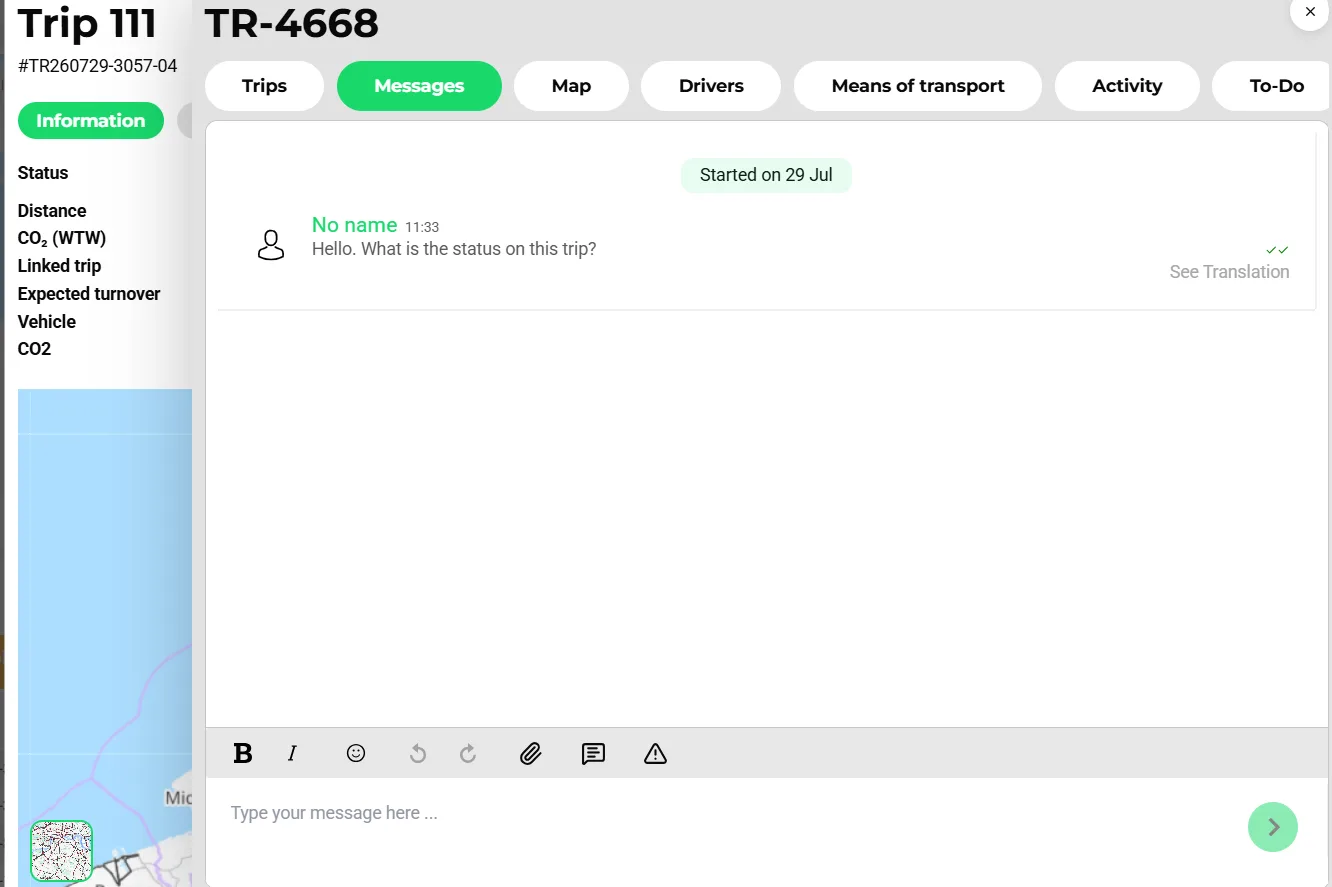
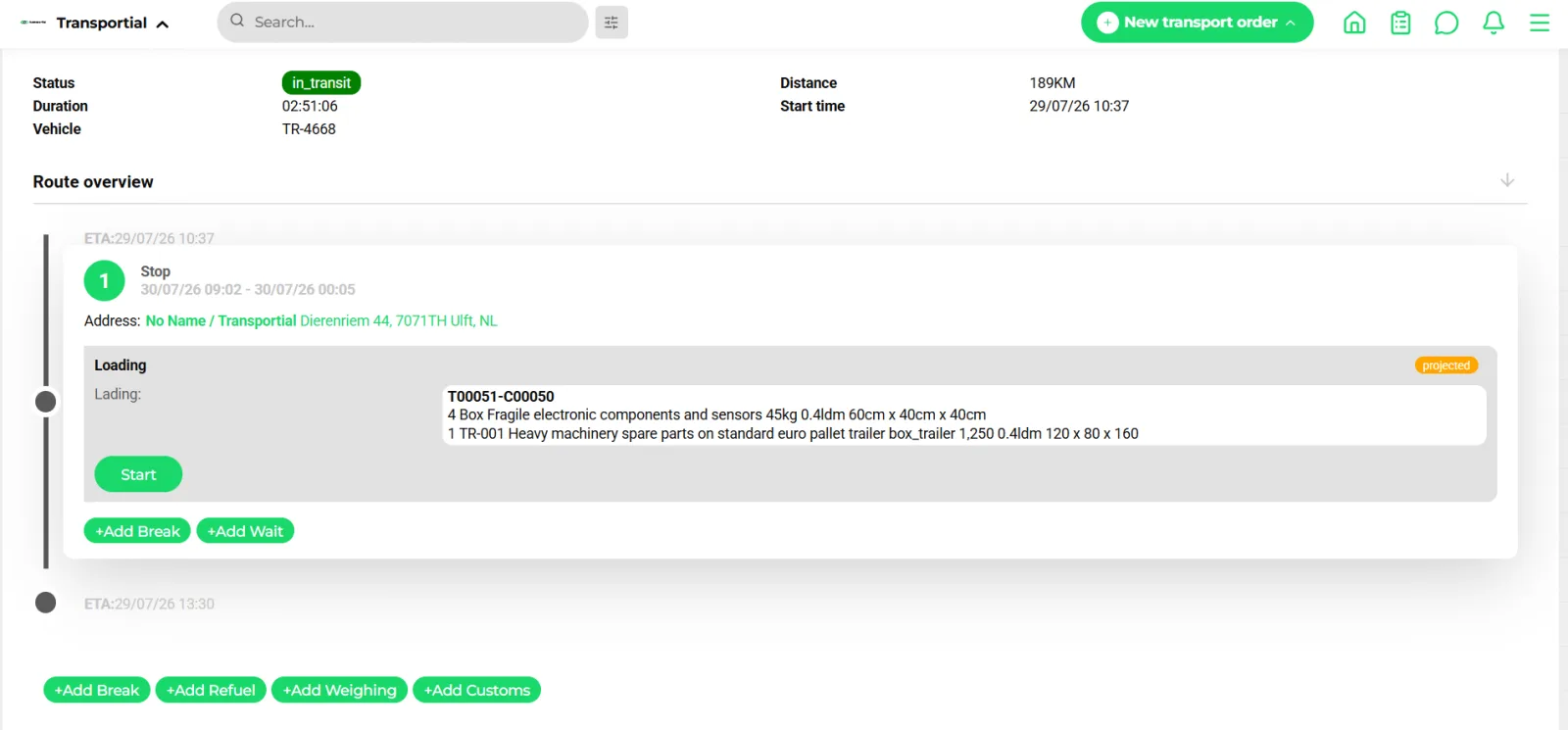
- Trip context: status, vehicle, distance, CO₂
- Message from the driver with "See translation"
- Compose with attachments, templates and formatting
No more WhatsApp groups, no more personal phone calls that leave no record. Transportial's in-app chat connects everyone in your operation in a structured messaging layer where every conversation is tied to the relevant trip or order.
What it does
Everything this module does, named the way you will find it in the product.
Threads that follow the work
- Entity chats
Every consignment and every vehicle has its own chat; drivers have theirs. Filters for 1:1, groups, vehicles and consignments keep the list navigable.
- Direct and group chats
Private or public chats with members holding none, read, chat, moderator or admin permissions, pinned chats and a "send to multiple chats" action.
- System messages
Board-computer status messages land in the same thread as human messages and can be hidden.
- Templates
Message templates with a context (vehicle, trip, upcoming trips) and a language, picked from the composer.
Reach people where they are
- External channels
WhatsApp (Meta Graph API), Telegram and e-mail bridge into the same thread, inbound and outbound; a chat reply can also go out as a threaded e-mail reply.
- Read receipts
Read by the driver, delivered to everyone, read by everyone, so an acknowledged route change is provable.
- Push and desktop
Mobile push through Firebase and native desktop notifications from the Electron app; unread counts show on the plan board.
- Auto-translation
DeepL or Google Cloud Translation with "see translation / see original", a per-tenant translation memory and a monthly character ceiling with a usage report.
Chat as an operational record
- Files to the trip
Photos and documents shared in a trip chat can be attached to the trip with one action.
- Message states
Normal, important, pinned and deleted states; the message source (internal, WhatsApp, Telegram or e-mail) is stored on each message.
- Automations into chat
Message automations can post to chat as a channel, so trip confirmations and ETA updates appear in the thread the driver already reads.
- Customer chat
Customers with portal access chat with you from the customer portal, scoped to their own orders.
How it works
Open the thread
From a trip, consignment, vehicle or driver, or from the Messages page with its filters.
Write or pick a template
Compose with attachments and formatting, or select a message template for the context.
Deliver on the right channel
The recipient gets it in the app, on the board computer, by WhatsApp, Telegram or e-mail, depending on the channels connected to the chat.
Confirm it landed
Receipts show delivery and reading; unread counts sit on the board row.
Concepts & terminology
The words this module uses, with links to the full glossary where a term has its own page.
- Entity chat
- A chat that belongs to a consignment, vehicle or driver and shows up on that entity's detail page.
- Message source
- Where a message came from: internal, WhatsApp, Telegram or e-mail, inbound or outbound.
- Read receipt
- Delivery and read confirmations per message: read by the driver, delivered to everyone, read by everyone.
- Translation memory
- A per-tenant cache of translated messages that avoids paying twice for the same sentence.
- Message template
- A reusable message with a context (vehicle, trip, upcoming trips) and a language.
Works with
Connectors that feed or consume this module out of the box.
 WhatsApp
 Telegram
 Microsoft 365
 Transics / ZF
Built for
Where this module carries the most weight.
Chat runs over Socket.IO with tenant-scoped rooms per consignment, vehicle, direct or group chat. Messages are persisted with their source (internal, WhatsApp, Telegram or e-mail). Push notifications use Firebase Cloud Messaging.
Frequently asked questions
Can drivers without the app take part?
Yes. WhatsApp, Telegram and e-mail bridge into the same thread, and board-computer messages from Transics, Webfleet, Trimble or Mapon appear as system messages.
Are messages translated?
Yes, with DeepL or Google Cloud Translation. Readers switch between translation and original, a translation memory reuses earlier translations, and a monthly character limit caps the cost.
Can I see whether a driver read a message?
Yes. Receipts show read by the driver, delivered to everyone and read by everyone.
Can automations write into chat?
Yes. Chat is one of the message automation channels, next to e-mail, notification, WhatsApp and Telegram.
View all features
Ready to put this to work?
Start free with full platform access, or talk to our team about your specific operation.