

AI-Powered Trip Optimisation
Automatically assign consignments to vehicles with a built-in VRP solver, and preview the result before committing.
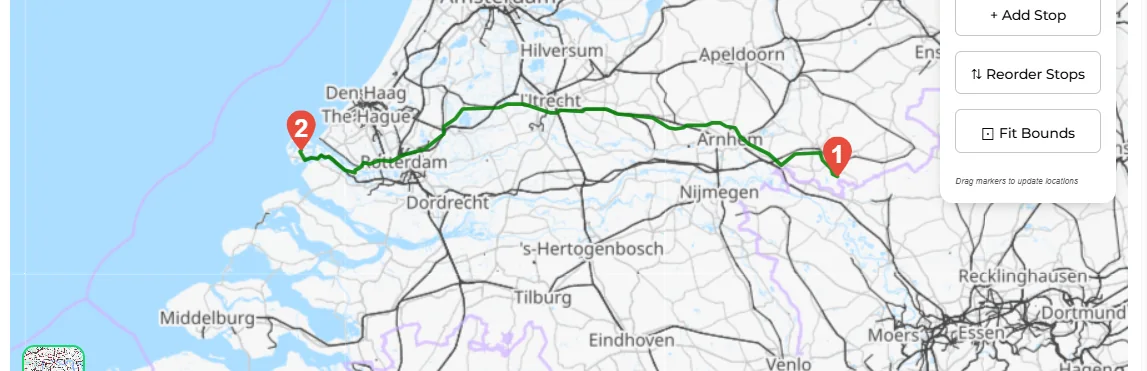
Stop spending hours building route plans manually. Transportial's built-in Vehicle Routing Problem (VRP) solver analyses every open consignment, every available vehicle, driver capacity, time windows, and EU driving regulation constraints, then produces an optimised plan in seconds.
What it does
Everything this module does, named the way you will find it in the product.
Choose the engine that fits the job
The optimiser is pluggable per platform; the constraints below depend on the engine you select.
- PTV OptiFlow
PTV Developer's route optimisation with configurable routing profiles, traffic mode, cost per hour, kilometre, stop, route and unused vehicle, outsourcing costs, compactness, duration balancing, planning horizon, driver break rules and ADR or high-value vehicle attributes.
- PTV xTour
Tour planning on PTV xServer for platforms that still run it (xServer 1 reaches end of life on 1 September 2026; OptiFlow is the successor).
- OSRM and CloverOpt
OSRM solves single-vehicle trip ordering (TSP); CloverOpt is a cloud VRP service for platforms that prefer it.
- Transportial solver
The in-house solver builds trips with nearest-neighbour construction, improves them with relocate, swap, merge and split moves under greedy local search or simulated annealing, and polishes each route with 2-opt. It minimises distance.
What the optimiser respects
- Vehicle operating intervals
Default operating windows per vehicle, a maximum driving period and a maximum total period per route.
- Route shape limits
Maximum stops per route and maximum colli per route, plus toggles to ignore location, consignment or action constraints when you want a rough first cut.
- Optimisation objective
Distance, time, CO₂ or cost, depending on the engine. PTV, OptiFlow, OSRM and CloverOpt expose all four; the in-house solver optimises distance.
- Constraints from the data
Time windows, weight, size, speed, sensor value, fuel type, vehicle type, emission standard, equipment type and route constraints on consignments and locations, each enforced or preferred.
Preview, adjust, commit
- Preview before saving
The optimiser returns completed trips and a list of consignments it could not place. Nothing is saved until you press "Save all trips".
- Edit the result
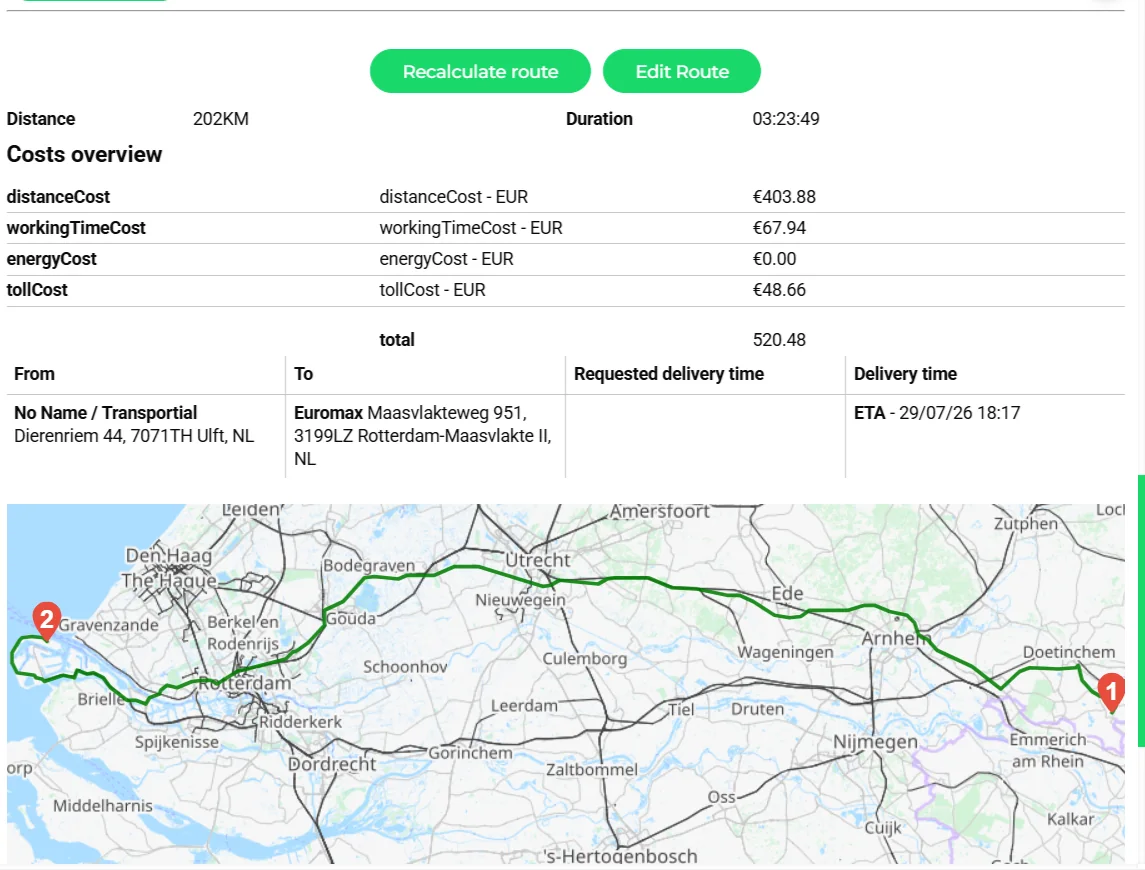
Open any generated trip on the map, add or reorder stops, reverse the route and recalculate; the plan board shows the effect on ETAs and plan status.
- Driver-hour aware ETAs
Optional EU 561/2006 planning inserts breaks and daily rests into the route and into the ETA chain, so promised times already contain the driver's rest.
- Recommendations for one consignment
For a single consignment, the recommendation engine scores vehicles, drivers, equipment, capacity contracts and existing trips with weighted rules (proximity, driving time, ADR, licence, language, schedule conflicts, headroom) and explains each score.
How it works
Select the scope
Open the Optimizer tab and pick the open consignments and the vehicles it may use; set operating intervals, max driving period and max period.
Run
Press "Optimize!". The selected engine composes routes against the indicated capacity and constraints and reports back with completed trips and unplanned consignments.
Inspect
Each proposed trip shows its stops, distance, duration, cost and emissions. Unplaced consignments list the reason so you can relax a constraint or add capacity.
Adjust by hand
Drag a consignment to another trip, reorder stops on the map, or pin an assignment you do not want changed, then recalculate.
Save and dispatch
Save all trips. They appear on the boards with plan status, ready to confirm and send to drivers.
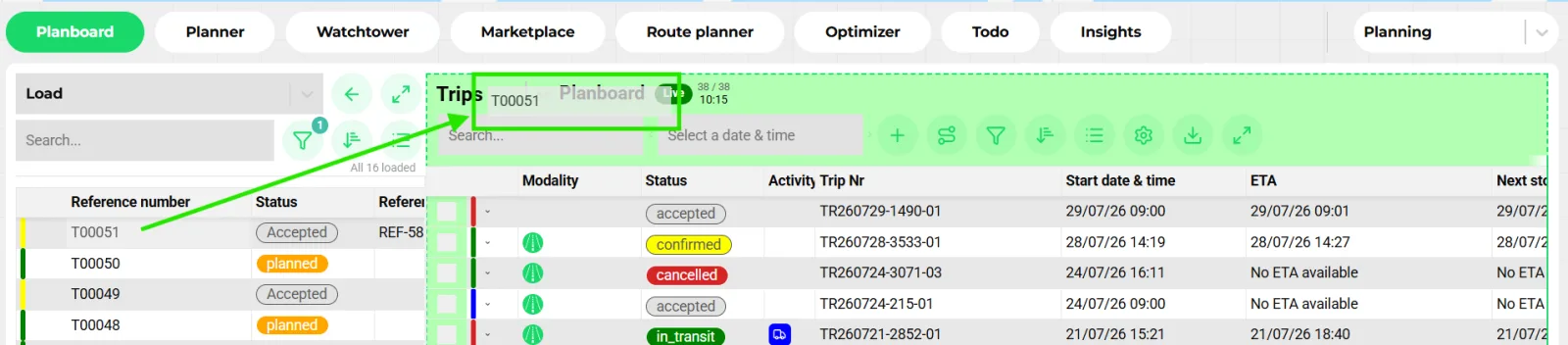
Optimisation is a tool for planners, not a replacement
Transportial treats the optimiser as a first draft. It produces routes quickly against explicit constraints, then hands control back: the planner sees every trip on the map and the board, moves what local knowledge says should move, and only then saves. That is why the output goes through the same trips panel as manual drag-and-drop planning.
The plan board guardrails run on the saved result as well. Driver-hour, capacity, ADR and conflict alerts do not care whether a human or an algorithm built the trip.
Why the engine is pluggable
No single optimiser fits every operation. A parcel operation with 200 stops per van needs different heuristics than a tanker fleet with strict ADR and time windows. Transportial runs the engine as a platform setting, so a tenant can start on the in-house solver and switch to PTV OptiFlow when its constraints justify the licence, without changing how planners work.
The same applies to routing. The route calculator behind the optimiser can be PTV, HERE, Google, OSRM or the self-hosted GraphHopper, and routing work can be offloaded asynchronously to worker nodes over Kafka when many routes must be computed at once.
Concepts & terminology
The words this module uses, with links to the full glossary where a term has its own page.
- Vehicle routing problem (VRP)Glossary
- Assigning a set of consignments to a fleet of vehicles and ordering the stops so total distance, time, cost or CO₂ is minimised under capacity and time-window constraints.
- Objective
- What the engine minimises: distance, time, CO₂ or cost. Available objectives depend on the selected engine.
- 2-opt
- A route-polishing move that reverses a segment of a route when doing so shortens it; used by the in-house solver after construction.
- Operating interval
- The window in which a vehicle may work during an optimisation run, with a maximum driving period and total period.
- Constraint
- A rule on a consignment, location or trip (time window, weight, size, vehicle type, emission standard, equipment type, sensor value, route) marked as enforced or preferred.
- Recommendation
- A scored, explained candidate (vehicle, driver, equipment, capacity contract or existing trip) for one consignment.
- EU 561/2006Glossary
- The driving-time regulation whose breaks and rests can be inserted into routes and ETAs during optimisation.
Try it free first
Free tools that do part of what AI-Powered Trip Optimisation does, no account needed. When doing it one by one gets old, the module does it for every order automatically.
Works with
Connectors that feed or consume this module out of the box.
 PTV xRoute/xTour
 Transics / ZF
 Webfleet
Built for
Where this module carries the most weight.
The optimiser engine is a platform setting. Routing and optimisation work is offloaded asynchronously to worker nodes over Apache Kafka. PTV OptiFlow, PTV xTour, OSRM and CloverOpt expose distance, time, CO₂ and cost objectives; the in-house solver minimises distance.
Frequently asked questions
Which optimisation engines are available?
PTV OptiFlow, PTV xTour (xServer 1, retiring September 2026), OSRM, CloverOpt and Transportial's own solver. The engine is a platform setting.
Does the optimiser respect driving-time rules?
PTV OptiFlow applies driver break rules directly. For any engine, the optional EU 561/2006 planner inserts breaks and daily rests into routes and ETA chains, and the built-in alerts flag insufficient remaining drive time on the saved trip.
Can I keep some assignments fixed?
Yes. Pinned assignments and constraints marked as enforced are kept; the optimiser works around them. You can also ignore location, consignment or action constraints for a rough first draft.
What happens with consignments the optimiser cannot place?
They are listed as unplanned with the reason, so you can add capacity, relax a window or plan them by hand on the board.
Can it optimise for CO₂ instead of distance?
Yes with PTV, OptiFlow, OSRM and CloverOpt, which expose distance, time, CO₂ and cost objectives. The in-house solver optimises distance.
Does it work for a single new order arriving mid-day?
Use the recommendations on the consignment: it scores existing trips by time overlap, headroom in weight, volume and load meters, pickup proximity and ADR compatibility, and lets you apply the best combination in one click.
View all features
Ready to put this to work?
Start free with full platform access, or talk to our team about your specific operation.