

Security & Access Control
Enterprise-grade security built in from the start: authentication, authorization, 2FA, SSO, and a full audit trail.
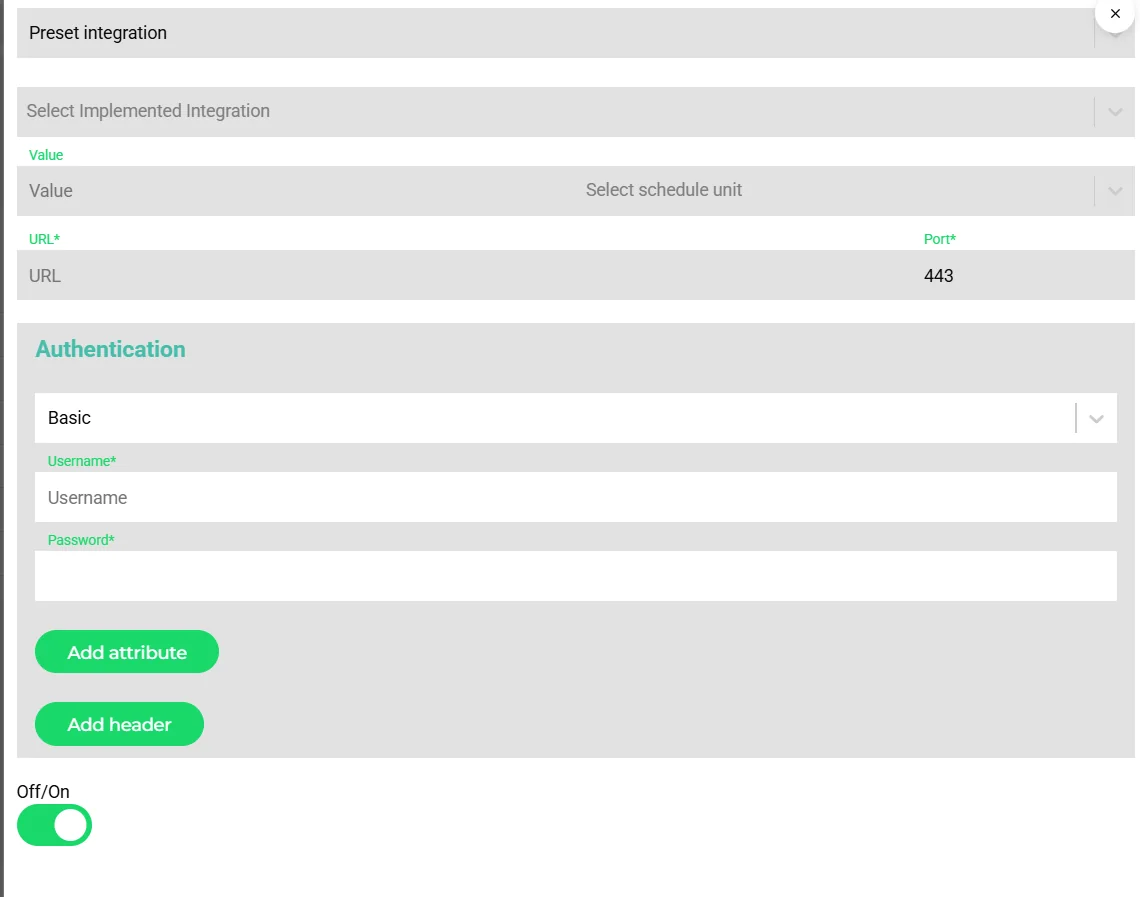
- Authentication method per connection
- Custom headers and attributes
- On/off switch without deleting configuration
Security is not an afterthought at Transportial. JWT-based authentication with short-lived tokens, two-factor authentication, 550+ named permissions, SAML 2.0 SSO, Argon2 password hashing, and per-API-key rate limiting are all standard, not add-ons.
What it does
Everything this module does, named the way you will find it in the product.
Authentication
- Sessions and tokens
JWT sessions, login-attempt tracking, and login levels from not logged in through needs two-factor to full access.
- Two-factor
TOTP with QR enrollment and recovery codes, managed under the user's security settings with active-session control.
- SAML 2.0 single sign-on
Per platform, with SP and IdP metadata, downloadable SP metadata and an exchange log.
- Domains and access
Allowed e-mail domains per platform, access requests approved by an admin, and account types default, customer, supplier, planning and financial.
Authorization
- Roles and levels
Roles with a numeric level (300 planner, 800 admin, above 1000 super admin) and a list of permissions.
- Hundreds of permissions
Roughly 556 verb-resource permissions such as create transport order, approve invoice, confirm trip or convert tachograph, each with read, write and delete and a scope of public, private or owner.
- Property level
Fields can carry their own permission, and platforms hide fields per entity type.
- Teams
Team-scoped visibility, for instance invoices only for the user's team, and order auto-assignment to teams.
Integration and API security
- Keys and tokens
API integrations, app tokens and user sessions are distinct auth types; API keys per consumer; 500 requests per minute.
- Secrets
Credentials per integration with redaction in request logs, retention limits, and logging modes all, errors or off.
- Public surfaces
Share links with per-link tokens and visibility toggles; widgets with hostname and IP allow-lists; tenant-checked socket subscriptions.
- Webhooks
Signed inbound webhooks for payment providers and partners.
Auditability
- Revision history
Every entity is audited with previous values, user and timestamp.
- Activity logs
Financial documents log sent, reminded, approved, paid and integration events; integrations log tasks and requests.
- Notifications
A password-changed security notice is part of the automation catalog.
How it works
Define roles
Create roles with a level and the permissions each needs; assign fields their own permissions where necessary.
Enforce sign-in policy
Require two-factor, connect SAML for enterprise users, restrict e-mail domains.
Scope external access
Customers get portal accounts; partners get API keys or app tokens; public pages get tokens and allow-lists.
Audit
Use revision history and activity logs when something needs explaining.
Concepts & terminology
The words this module uses, with links to the full glossary where a term has its own page.
- Role level
- A numeric rank on a role; above 1000 is super admin.
- Permission
- A verb-resource pair with read, write and delete flags and a scope of public, private or owner.
- TOTP
- Time-based one-time passwords for two-factor authentication, enrolled by QR code with recovery codes.
- SAML 2.0
- The single-sign-on standard supported per platform with SP and IdP metadata.
- Share token
- The per-link secret that protects a public order, trip, quote or invoice page.
Works with
Connectors that feed or consume this module out of the box.
 Microsoft 365
Built for
Where this module carries the most weight.
JWT sessions with login levels, TOTP two-factor and SAML 2.0 single sign-on per platform. Every route declares its verb-resource permission, properties can carry their own permission, and tenant scoping is enforced in the API and the live push channel.
Frequently asked questions
Is two-factor authentication available?
Yes. TOTP with QR enrollment and recovery codes, managed in the user's security settings.
Which identity providers work for SSO?
Any SAML 2.0 identity provider, configured per platform with SP and IdP metadata.
How fine-grained are permissions?
About 556 verb-resource permissions with read, write and delete and scopes public, private or owner, on top of role levels, team scoping and field-level permissions.
Are integration credentials protected?
Yes. Credentials are stored per integration, redacted in request logs and subject to retention limits.
Is there an audit trail?
Yes. Every entity has revision history, and financial documents and integrations have activity and request logs.
View all features
Ready to put this to work?
Start free with full platform access, or talk to our team about your specific operation.