

Fleet & Resource Management
Full lifecycle management for every vehicle, driver, and piece of equipment in your operation.
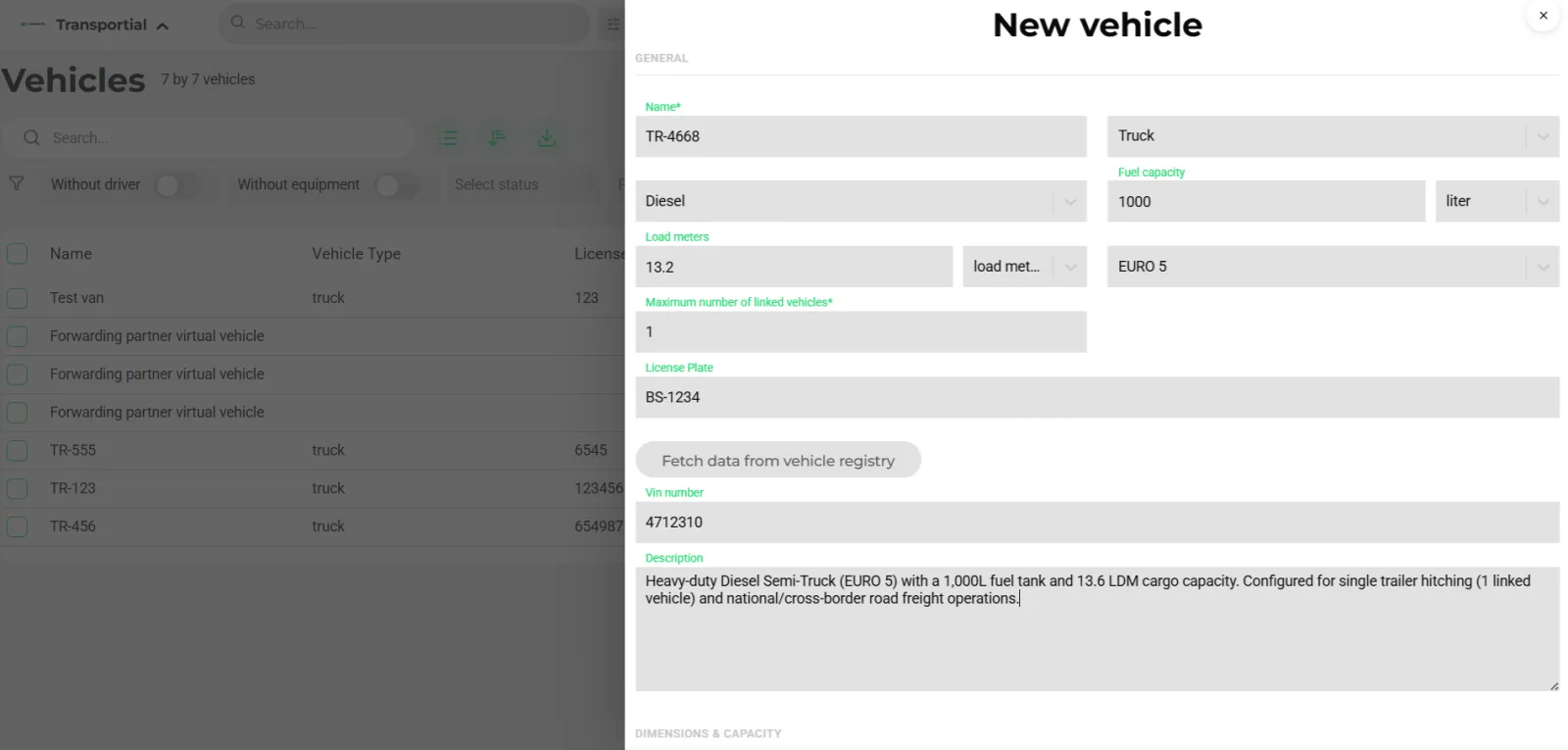
- Name, type and license plate
- Fuel type and emission standard used for CO₂
- Fetch data from the RDW vehicle registry
Transportial treats every asset in your fleet as a first-class entity, with its own profile, history, and real-time state. Vehicles, drivers, trailers, and containers are all managed in one place, giving planners and dispatchers the full picture when making assignments.
What it does
Everything this module does, named the way you will find it in the product.
Vehicles
- Full profile
License plate, VIN, configurable vehicle type and transport mode, emission standard (Euro 0 to Euro 7, EEV, 6c/6d-temp/6d/6e) and Dutch CO₂ class, fuel type and tank capacity, dimensions and load dimensions, weights, load meters, axles, brand, board computers, sensors and cameras.
- Registry lookup
Fetch make, model and technical data from the Dutch RDW register by license plate.
- Detail tabs
Information, map with sensor overlay and speed and activity layers, sensors, past and future trips, cameras, activity, drivers, means of transport, messages, driving style, damages, tires, complaints, to-dos and notes.
- Fleets and groups
Fleets with numbered slots and a history of which vehicle held each slot; vehicle groups for teams and filtering; "switch or add to fleet" from the vehicle.
Drivers (chauffeurs)
- Qualifications
Driving license with validity, ADR certificate with number and files, tachograph card, certificates, languages, nationality and preferred vehicle. Driver types cover driver, captain, pilot and conductor.
- Driving and rest times
Remaining daily, weekly and two-weekly driving time, days of reduced rest, days over nine hours, consecutive driving days and daily amplitude, fed by board computers and tacho sensors.
- Availability
Activities available, work, driving, rest, vacation, free, holiday, sick and unavailable on the planner; bans per customer or actor; reviews with score and category; complaints and service cards.
- Cost
An hourly rate per driver and default driver cost pricing feed trip cost and the pricing engine.
Means of transport
- Independent assets
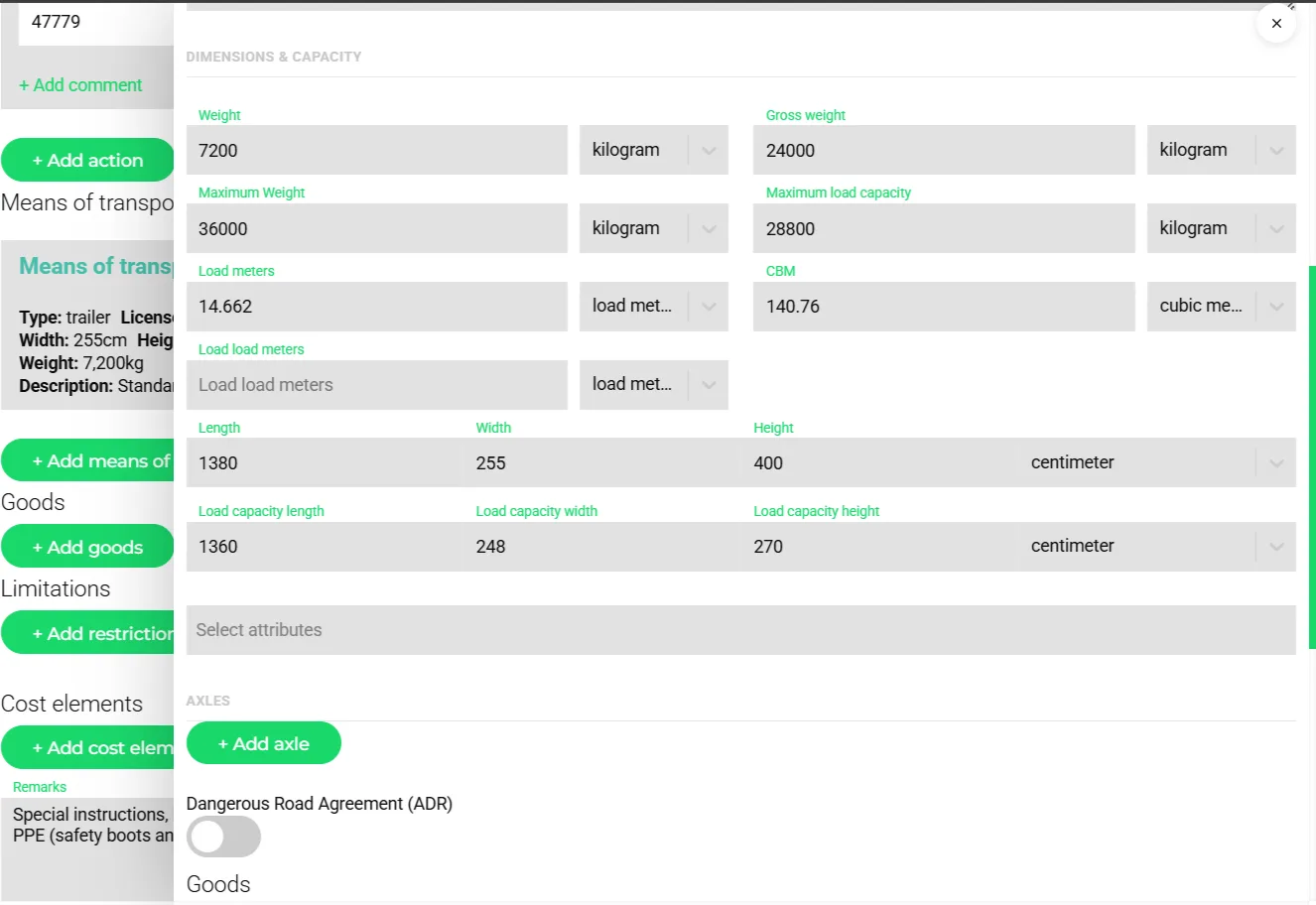
Trailers, containers, chassis, boxes, pallets and load carriers are goods that can contain goods, with their own plate, VIN, seal, ADR, sensors, board computers and latest location.
- Couple and uncouple
Attach and detach actions on the trip and planned attachments with a pending state, mirroring drop-and-swap operations.
- Tires, damages and to-dos
Tire class, fabric and load index; damage records; to-dos on the unit.
- Capacity contracts
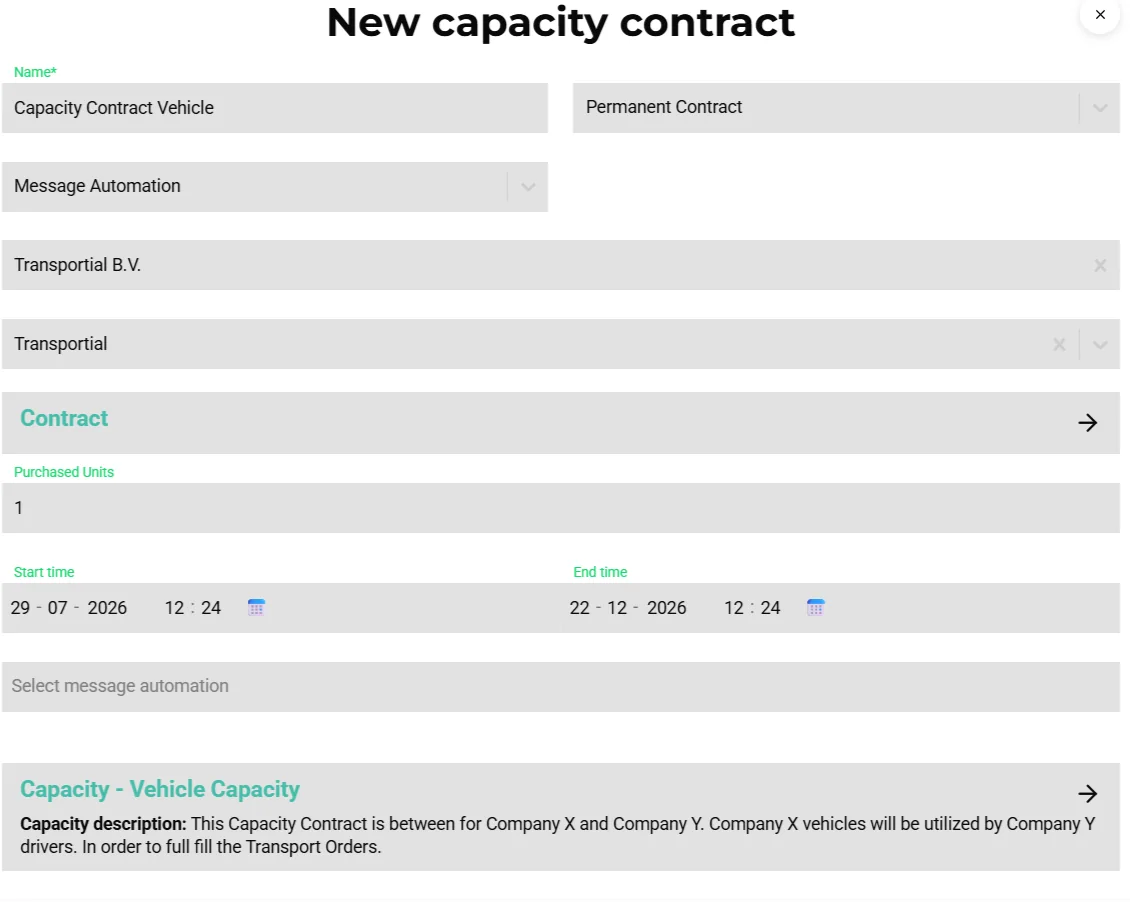
Hire in a subcontractor, a vehicle or a driver under a one-time, order or permanent contract with a communication method (integration, message automation or PDF), self-billing and its own pricing modules.
Fleet FMS dashboard
- Sensors and aggregates
Temperature, pressure, speed, humidity, accelerometer, current, voltage and weight sensors, aggregated server-side per minute to per week with average, minimum, maximum and count, compare view and CSV export.
- Driving style
Harsh acceleration and braking, over-speeding, idling, cruise control and fuel efficiency, with a leaderboard and a coaching trend.
- Utilization and cost per mile
Fuel l/100 km, fuel cost, cost per mile, idling fuel cost and a vehicle comparison view.
- Compliance
Remaining driving times until break, today, this week and two weeks; tachograph download deadlines (driver card 28 days, vehicle unit 90 days) with OK, due soon and overdue states; cabotage counters; certificate expiry warnings.
How it works
Register the asset
Create a vehicle (or fetch it from the RDW register), a driver or a means of transport with its capacity, qualifications and cost.
Connect telematics
Link a board computer or an OEM rFMS connection so position, fuel, engine data, remaining driving times and tachograph files arrive by themselves. See vehicle tracking.
Group and staff
Put vehicles into fleets and groups, pair drivers, plan availability and hire extra capacity through capacity contracts.
Plan with the data
The plan board shows driver hours, cabotage, capacity and qualifications per lane; alerts flag conflicts on save.
Review
The Fleet FMS dashboard reports utilization, cost per mile, driving style and compliance; insights cover vehicle CO₂, idling fuel cost and temperature compliance.
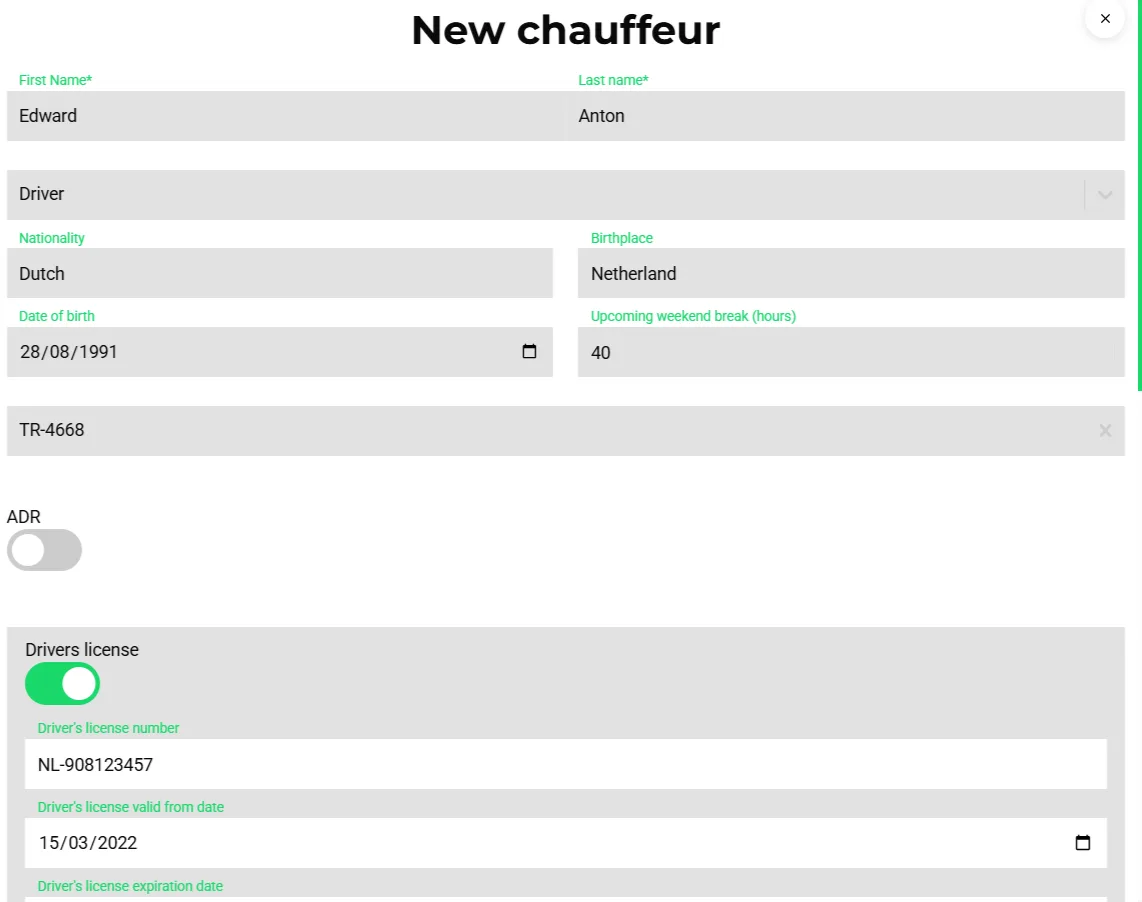
Every asset is a first-class entity
A trailer is not a property of a truck. It is dropped in a yard, picked up by another tractor and carries its own seal, sensors and history. Transportial models means of transport as their own entities that can be coupled to and uncoupled from vehicles by explicit actions, so the record of who pulled what, when, is exact and the trailer's temperature log stays with the trailer.
The same holds for drivers. Qualifications, remaining driving times and bans live on the driver, and the recommendation engine, the board columns and the alerts read them from there.
Hired capacity, planned like your own
Most carriers run part of their volume on subcontractors. Capacity contracts make that capacity visible on the board next to owned vehicles, with a contract type, a period, a communication method and pricing. Confirmed trips go out by integration, by message automation or as a PDF, and self-billing turns the executed work into a purchase invoice without a second data entry.
The recommendation engine also protects you from an embarrassing mistake: it blocks subcontracting a shipment back to the customer who ordered it.
Concepts & terminology
The words this module uses, with links to the full glossary where a term has its own page.
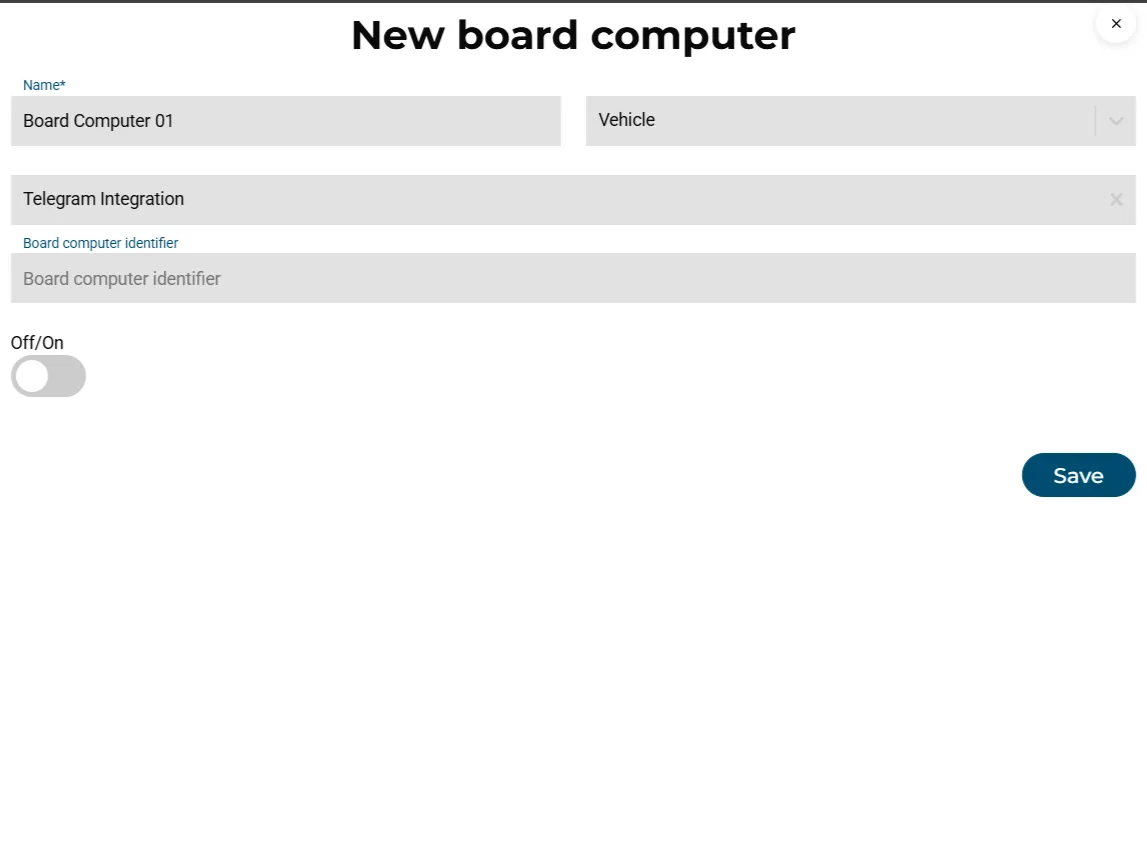
- Board computer
- The telematics identity of a vehicle, a mobile device or a trailer, connected through a telematics integration or the driver app.
- Tachograph card
- The driver's digital tachograph card; its validity is tracked and its data downloaded remotely every 28 days.
- ADR certificate
- A driver's dangerous-goods qualification with validity; checked against ADR goods on every trip.
- Fleet
- A named set of numbered slots; the history records which vehicle held which slot over time.
- Capacity contract
- Hired-in capacity from a subcontractor, hired vehicle or hired driver, with its own type, period, communication method and pricing.
- Emission standard
- The Euro class of a vehicle (Euro 0 to Euro 7 and EEV), used with the fuel type to compute CO₂.
- Cabotage
- Domestic trucking by a foreign vehicle; counted per vehicle with an alert at the legal limit.
- Driving style score
- A per-driver score from harsh acceleration and braking, over-speeding, idling and cruise-control use.
Inside the product
Try it free first
Free tools that do part of what Fleet & Resource Management does, no account needed. When doing it one by one gets old, the module does it for every order automatically.
Works with
Connectors that feed or consume this module out of the box.
 Webfleet
 Squarell
 FleetAccess
 Volvo Connect
Vehicle telemetry is ingested via the OpenMove driver app or Transics board computer integration. IoT sensor data is processed through the Worker node and stored against the relevant vehicle/trip entity.
Frequently asked questions
Can I import my fleet?
Yes. The onboarding wizard and the import tab take spreadsheets, telematics integrations pull vehicles and drivers, and Dutch plates can be fetched from the RDW register.
How are remaining driving times known?
From board computers such as Transics and from tachograph sensors via Squarell, FleetAccess or OEM rFMS. The board shows them as columns and alerts use them on trip save.
Do trailers have their own tracking?
Yes. A means of transport can carry its own board computer and sensors, so a trailer's position and temperature log stay with the trailer even when it changes tractor.
Can I manage subcontractors?
Through capacity contracts: hire vehicles, drivers or whole carriers under a one-time, order or permanent contract, plan them on the board, send trips by integration, automation or PDF, and self-bill the executed work.
Is there a maintenance module?
Vehicles hold damages, tires and to-dos, and a service-distance warning fires from odometer data. Deep workshop planning lives in your maintenance system, connected through the integration framework.
View all features
Ready to put this to work?
Start free with full platform access, or talk to our team about your specific operation.