

Real-Time Vehicle Tracking
Know where every vehicle is, what every sensor is reading, and how every trip is progressing, in real time.
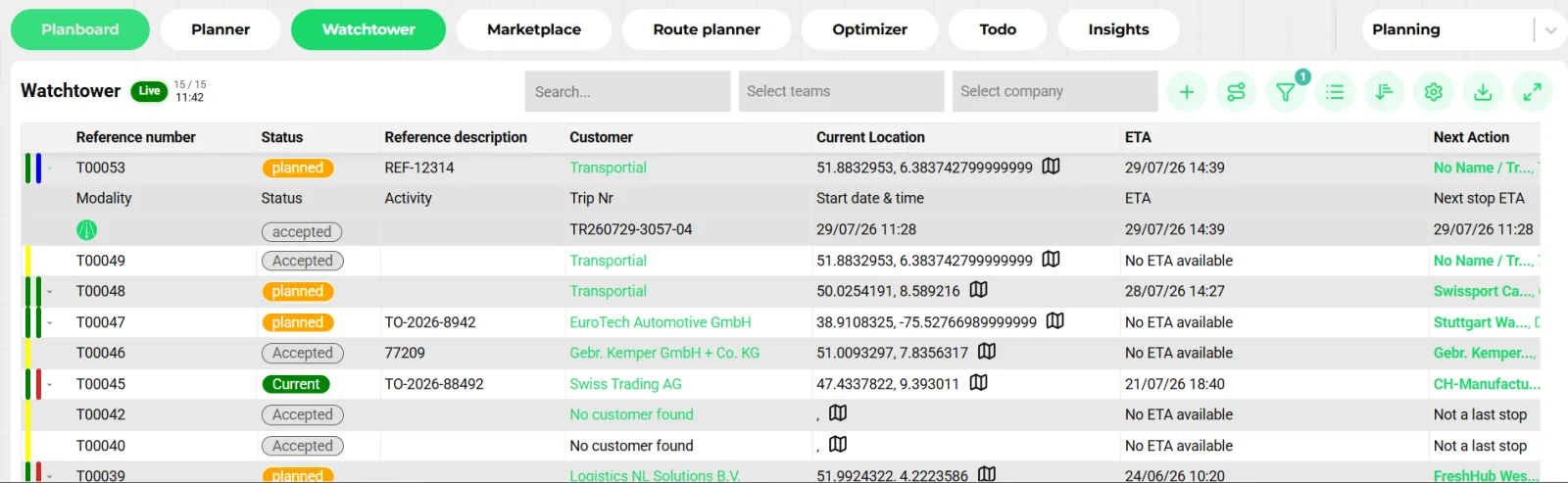
- Live toggle and refresh time
- Status per shipment and trip
- Current location from telematics
- ETA and next action per row
Transportial consolidates GPS tracking, IoT sensor data, and trip progress into a single live view. Whether you use the OpenMove driver app, Transics board computers, or third-party telematics, all data flows into the same tracking layer, with configurable alerts when things need attention.
What it does
Everything this module does, named the way you will find it in the product.
Position from wherever it comes
- Board computers and telematics
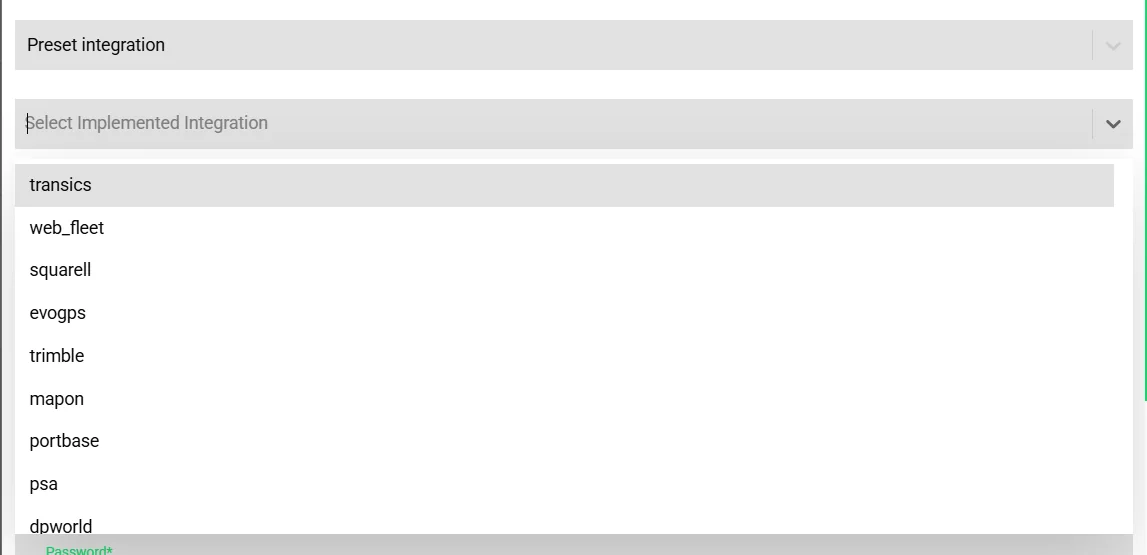
Transics, Webfleet, Trimble, Mapon, Squarell, EvoGPS, FleetAccess and Fleets Online send positions, activities, driver status and remaining driving times; several also accept planning and messages back.
- Direct OEM connections (rFMS)
DAF, Scania, Volvo, Renault, Mercedes-Benz, MAN and IVECO trucks connect over the ACEA rFMS standard: position, fuel, AdBlue, odometer, engine hours, battery state, weights and remote tachograph files, with no extra box.
- OpenMove and the execution link
Drivers on the app broadcast as a mobile board computer.
- Containers, ocean and air
project44, SeaRates and Qubictron feed container and air-cargo milestones onto maritime and air trips by bill of lading, booking or AWB number.
Sensors and telemetry
- Sensor types
Temperature, pressure, speed, humidity, accelerometer, current, voltage and weight, plus telemetry such as odometer, RPM, fuel, engine and coolant temperature, battery voltage, service distance and tacho work state.
- Slot mapping
Provider inputs (digital and analogue slots, CAN datasets) map to sensors, entity fields, statuses and action completion, with tenant rules on top of defaults.
- Aggregates and charts
Server-side buckets from a minute to a week with average, minimum, maximum and count; line, area or bar charts; compare sensors; CSV export. See the fleet FMS dashboard.
- Sensor health
A sensor that stops reporting for 24 hours raises an alert.
Alerts: built-in, telemetry and custom
Every alert has a type (trip, vehicle, driver, shipment, integration), a level and a tenant SLA in minutes.
- Trip checks on save
Twenty-seven opt-in checks: ADR qualification and certificate expiry, license and tacho validity, driver bans, non-operational assets, insufficient drive time, rest due, weekly limit, weight and load meters exceeded, high-value goods, missing location, missing weight, missing customer, constraint violated, expired document, negative margin, unpriced order, empty trip, preferred-vehicle and language mismatch, vehicle suddenly idle.
- Telemetry thresholds
Engine temperature above 100 °C, fuel below 10 %, battery below 23 V, cargo temperature outside its band, service due or overdue, fuel drop while parked (theft), stale sensor, geofence enter and exit.
- Custom alert rules
Any trigger event plus a condition, with level error, warning or information, a target type, an action such as open trip, and automatic resolution when the condition clears.
- Conflict and capacity alerts
Vehicle, driver and means-of-transport double bookings, capacity availability and "actions done, no documents".
Where the data shows up
- Watchtower and boards
Live position, ETA, next action and plan status per shipment and trip; fuel, speed, heading and current country per vehicle.
- Customer-facing
Public tracking links with visibility toggles, the customer portal watchtower and live-tracking map, and embeddable track-and-trace widgets.
- Events
Gate in and out, arrival, departure, engine start and stop, start and stop moving and waiting, location updates and capacity changes are stored as events on the vehicle and trip.
- Reports
Insights for vehicle CO₂, idling and fuel cost, temperature compliance, sensor value by date, border crossings and driver-on-truck.
How it works
Connect the source
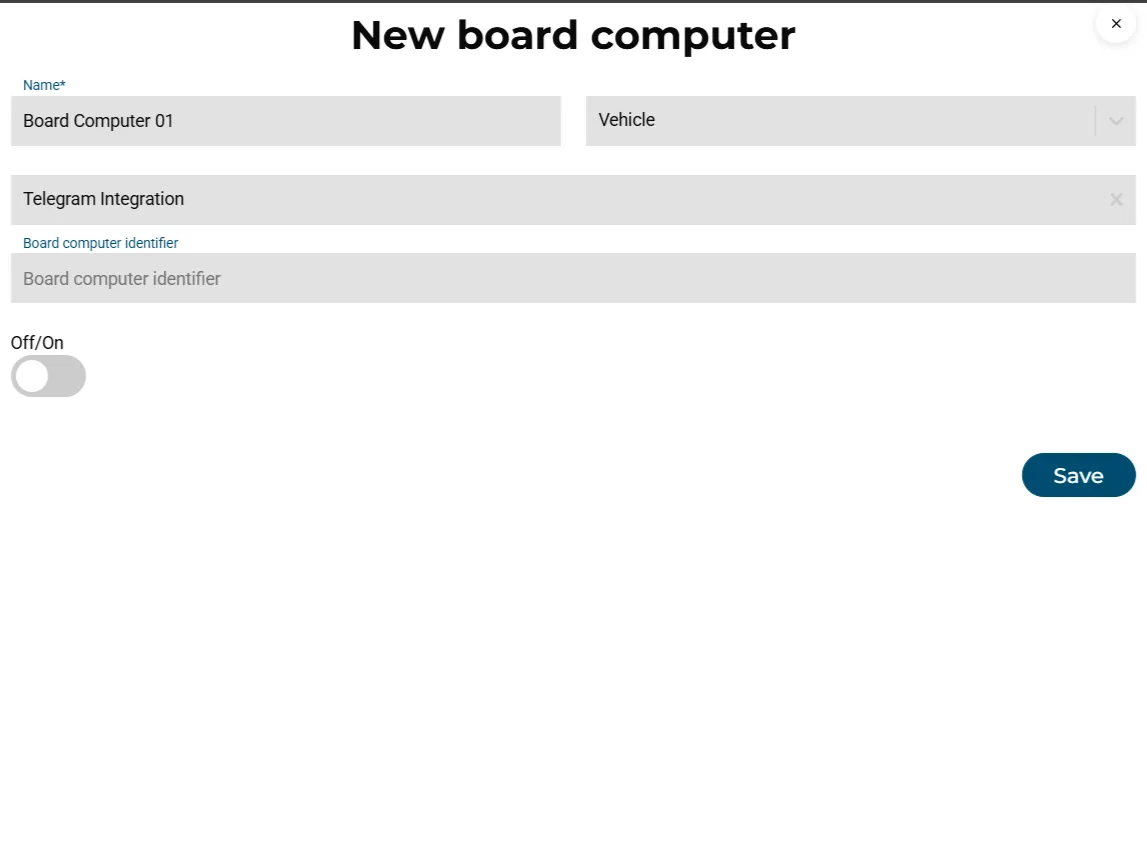
Add a preset integration for your telematics provider or an OEM rFMS connection, or let drivers use the app. Board computers are matched to vehicles by identifier.
Map what matters
Sensor slots map to temperature, fuel, door or weight; value-mapping rules translate provider codes into activities and statuses.
Watch live
Positions, events and sensor values arrive continuously; the Watchtower, boards and maps update by push, and ETAs recalculate.
Let alerts do the watching
Enable the built-in checks you care about, set sensor thresholds, add custom rules. Alerts carry an SLA and auto-solve when the condition clears.
Share
Send tracking links, open the portal for customers, or trigger a "Trip ETA update" automation when the ETA moves.
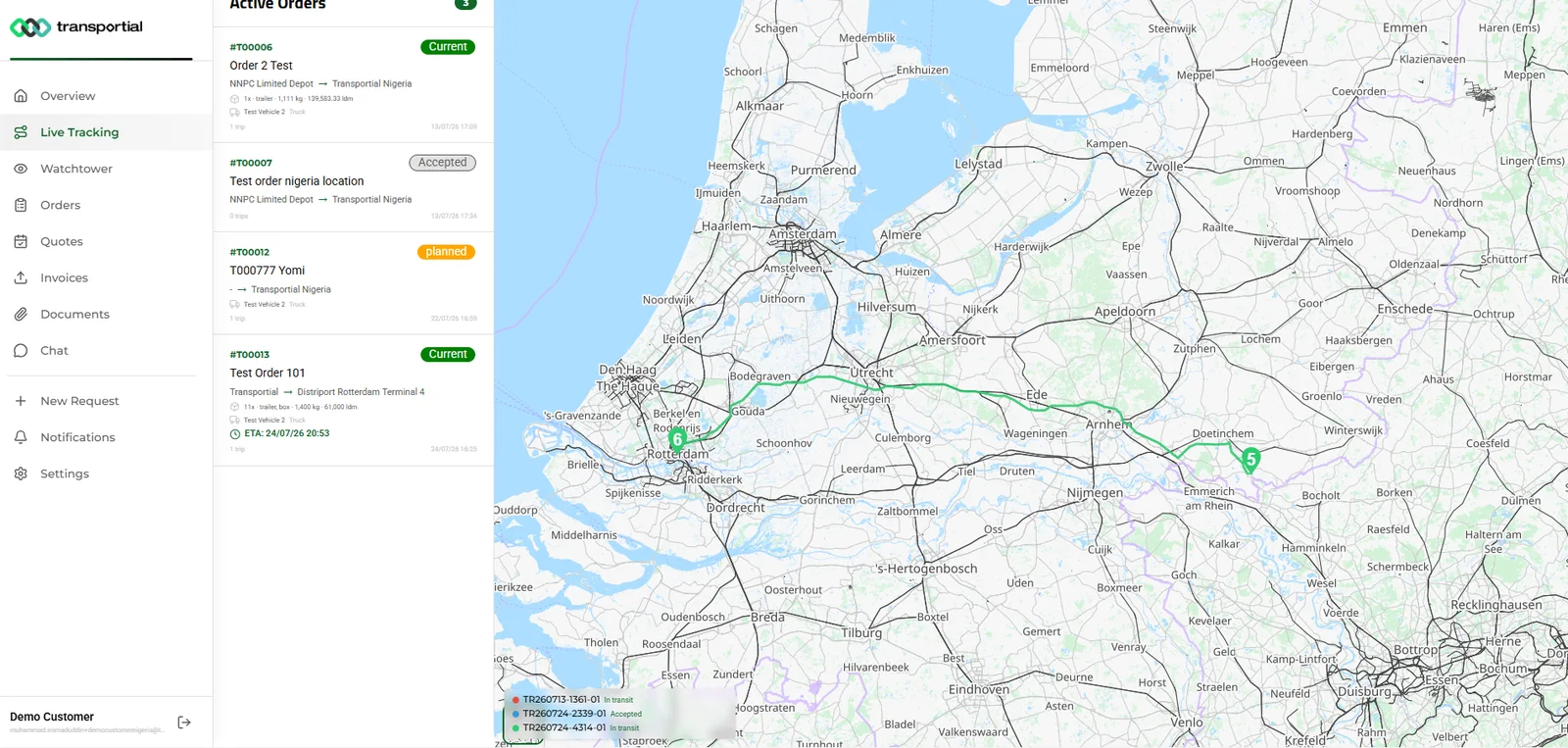
One tracking layer for a mixed fleet
Fleets are rarely single-brand or single-provider. A Dutch carrier may run DAF and Scania tractors on their factory connectivity, a few older trucks on Webfleet, hired drivers on the app, and reefers with a separate temperature logger. Transportial normalizes all of it into board computers, sensors and events, so the Watchtower shows one row per trip regardless of where the position came from.
Telemetry slot mapping is what makes this practical. A provider's "digital input 3" becomes "reefer door", a CAN dataset becomes the fuel level, and tenant rules override defaults where a fleet is wired differently.
Alerts with a service level
An alert nobody owns is noise. Each alert level carries a tenant-configurable SLA (errors 60 minutes, warnings 4 hours, information 24 hours by default), alerts auto-solve when the condition clears, and custom rules deduplicate per rule and entity. The result is a list that shrinks when the operation is healthy, instead of a log that grows forever.
Compliance rides along
Remote tachograph download over rFMS, FleetAccess, Squarell and Transics files, parsed to EU 1360/2002 for first and second generation cards and units, with the 28-day and 90-day deadlines tracked per driver and vehicle. Cabotage counts per vehicle, posting-of-workers declarations per country and certificate expiry warnings complete the picture.
Concepts & terminology
The words this module uses, with links to the full glossary where a term has its own page.
- Board computer
- The device or app identity that reports a vehicle, trailer or driver's position and activities.
- rFMS
- The ACEA remote fleet management standard that truck makers expose for read-only vehicle data and remote tachograph download.
- Telemetry slot
- A provider input (digital, analogue or CAN) mapped to a sensor, a field, a status or an action completion.
- Event
- A timestamped fact about a vehicle or trip: location update, gate in or out, arrival, departure, engine start or stop, capacity change.
- Alert SLA
- The time within which an alert of a given level should be resolved, configured per tenant.
- Geofence
- A radius around a location that raises enter and exit alerts and can auto-start actions.
- Track and traceGlossary
- Following a shipment's position and milestones from pickup to delivery, exposed to customers through links, the portal and widgets.
- ETAGlossary
- The estimated arrival time at the next stop, recalculated from live position, route and dwell times.
Try it free first
Free tools that do part of what Real-Time Vehicle Tracking does, no account needed. When doing it one by one gets old, the module does it for every order automatically.
Works with
Connectors that feed or consume this module out of the box.
 Webfleet
 Trimble
 Squarell
 FleetAccess
 EvoGPS
 Volvo Connect
 Project44
 SeaRates
Built for
Where this module carries the most weight.
Location data is processed by the Worker backend mode and stored against trip entities. The Watchtower board uses a Socket.IO channel for push-based live updates, avoiding polling.
Frequently asked questions
Which telematics systems are supported?
Transics, Webfleet, Trimble, Mapon, Squarell, EvoGPS, FleetAccess and Fleets Online, plus direct rFMS connections to DAF, Scania, Volvo, Renault, Mercedes-Benz, MAN and IVECO. Container and air milestones come from project44, SeaRates and Qubictron.
Do I need extra hardware in new trucks?
No. Trucks from the seven rFMS manufacturers connect through their factory-fitted unit with the manufacturer's consent flow.
Can I monitor cargo temperature?
Yes. Temperature sensors on vehicles or trailers feed live charts, a cargo temperature band raises alerts, and a temperature-compliance report exists per vehicle and period.
How do alerts avoid becoming noise?
Every built-in check is opt-in, alerts have levels with SLAs, they auto-resolve when the condition clears, and custom rules are deduplicated per rule and entity.
Can customers see the same live view?
Yes, scoped to their own orders: public tracking links, the portal live-tracking map and watchtower, and embeddable widgets.
Is tachograph data collected remotely?
Yes. Driver-card and vehicle-unit files are downloaded over rFMS, FleetAccess, Squarell and Transics, parsed in-house, and tracked against the 28-day and 90-day deadlines.
View all features
Ready to put this to work?
Start free with full platform access, or talk to our team about your specific operation.