

Transport Order Management
Manage the full lifecycle of every shipment, from booking to delivery.
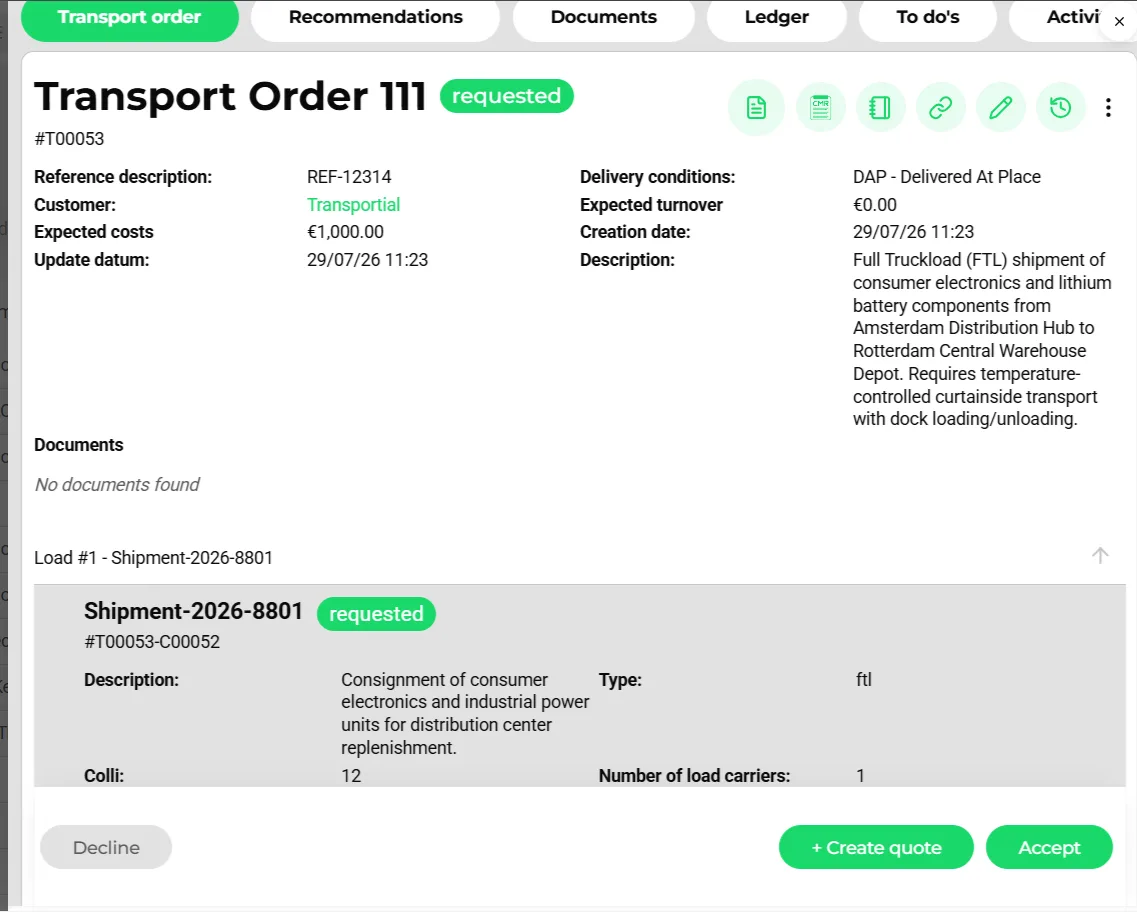
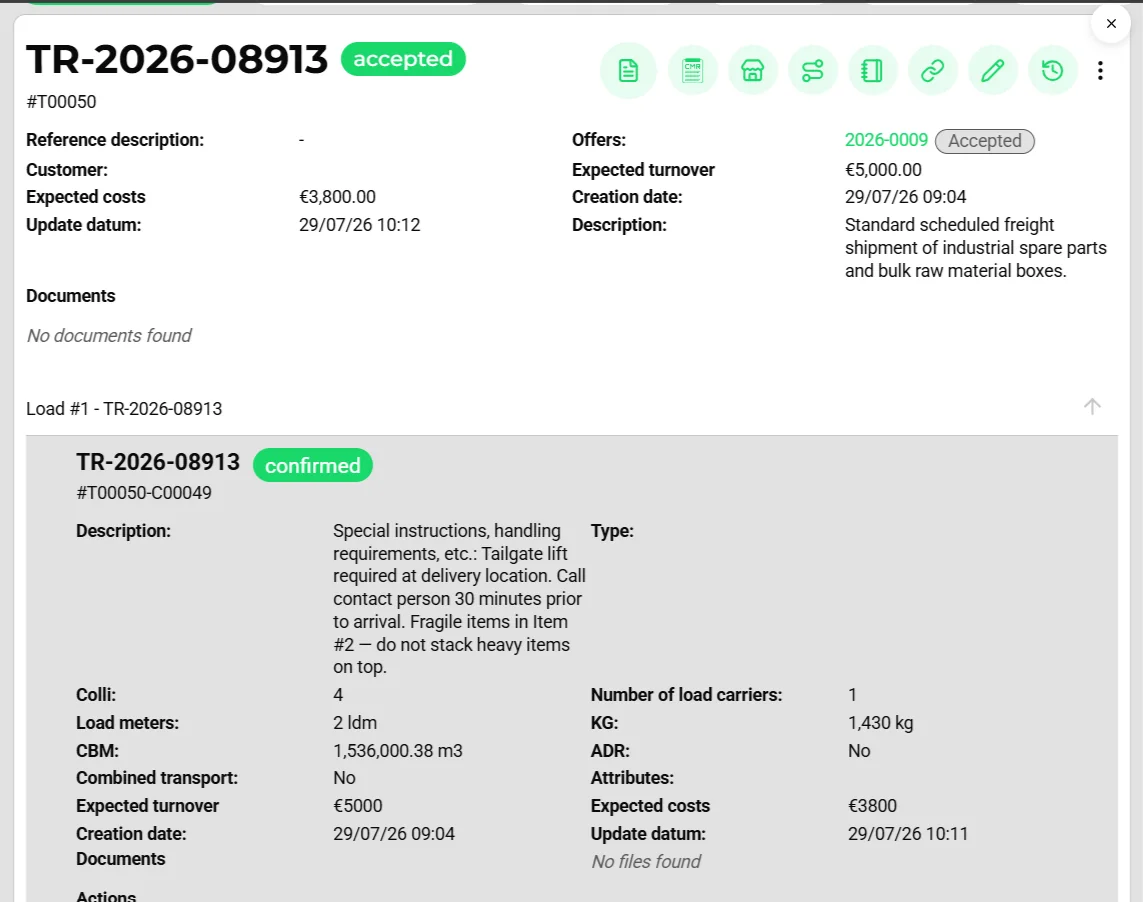
- Order status badge (requested → accepted → planned → actual → realized)
- Order actions: PDF, template download, share link, edit, version history
- Delivery terms (Incoterms 2020) and expected cost and revenue
- Load #1: a shipment with its own status, goods and references
- Decline, quote or accept straight into planning
Transportial gives you a single, authoritative record for every transport order, from the moment a booking is created to the final signed proof of delivery. Built on the OTM5 open standard, every order is structured for seamless data exchange with partners, ERPs, and customers.
What it does
Everything this module does, named the way you will find it in the product.
Capture orders from any channel
Every route into the system lands on the same order record.
- Guided or fast form
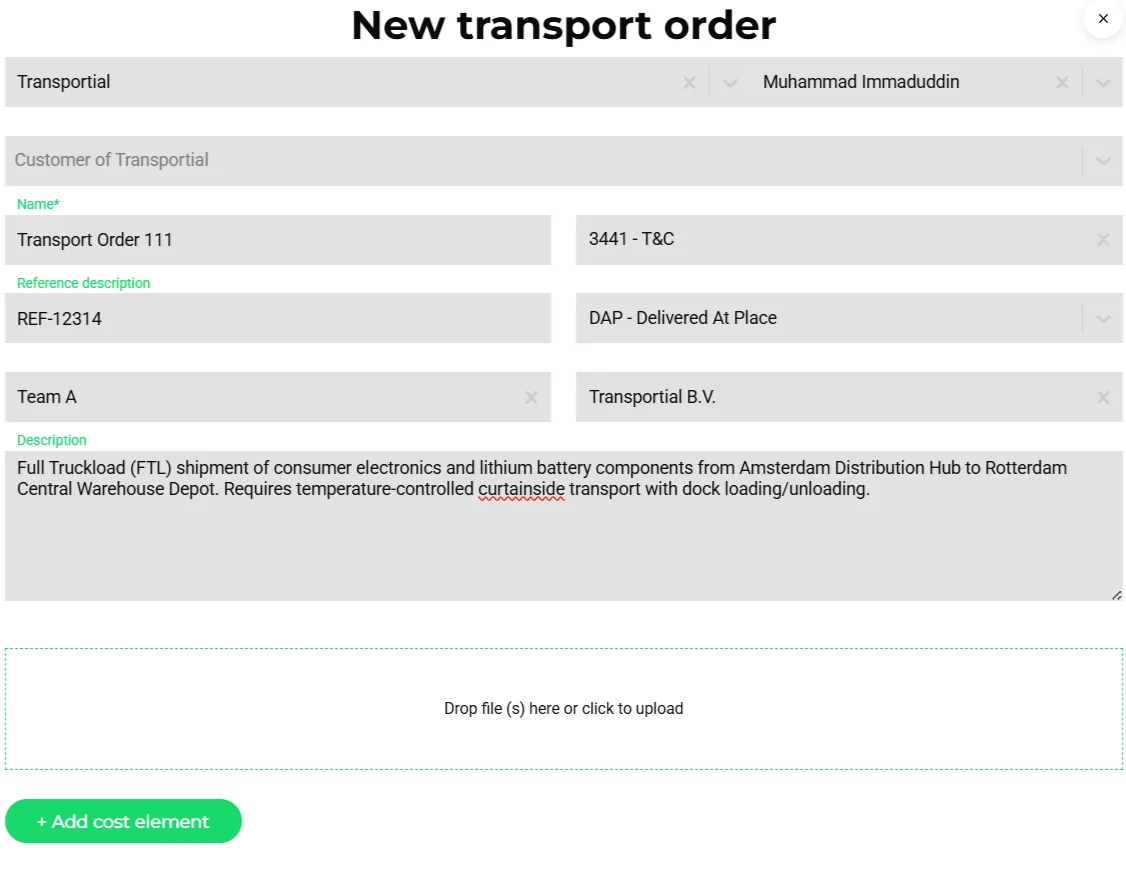
Create orders in the full form or a fast form; users choose card, list, table, flat or dynamic layouts. Order templates let you save recurring orders and create new ones with "Use template".
- From documents or e-mail
Upload a PDF, photo or spreadsheet and the order is extracted by AI, or forward the e-mail to your platform's dedicated order address. Classification decides whether the mail is an order, a quote or an invoice. See the integrated inbox.
- Customer portal and widgets
Customers submit requests through the customer portal or an embeddable "Transport order request" widget on your own website. Requests arrive with status requested.
- Integrations and API
Orders flow in from ERPs, marketplaces such as Timocom, container carriers such as Samskip, or any system through the REST API and the integration framework.
Model the shipment the way OTM5 does
Order → shipment → goods → actions, following the Open Trip Model.
- Shipments as the planning unit
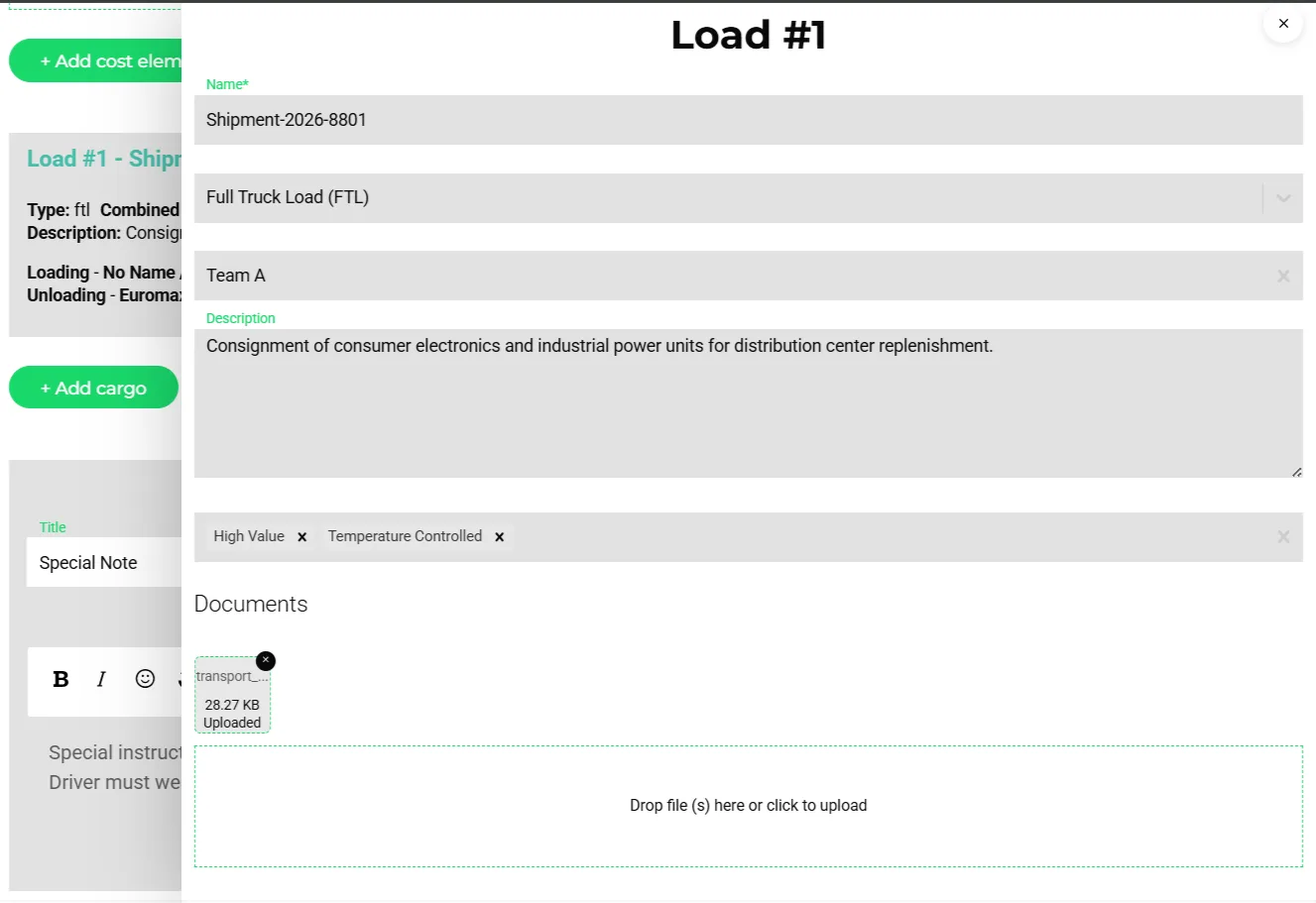
An order holds one or more shipments; each carries its own goods, actions, chat, pricing elements and status, so a partial delivery or a split across two trucks stays visible per shipment.
- Goods and means of transport
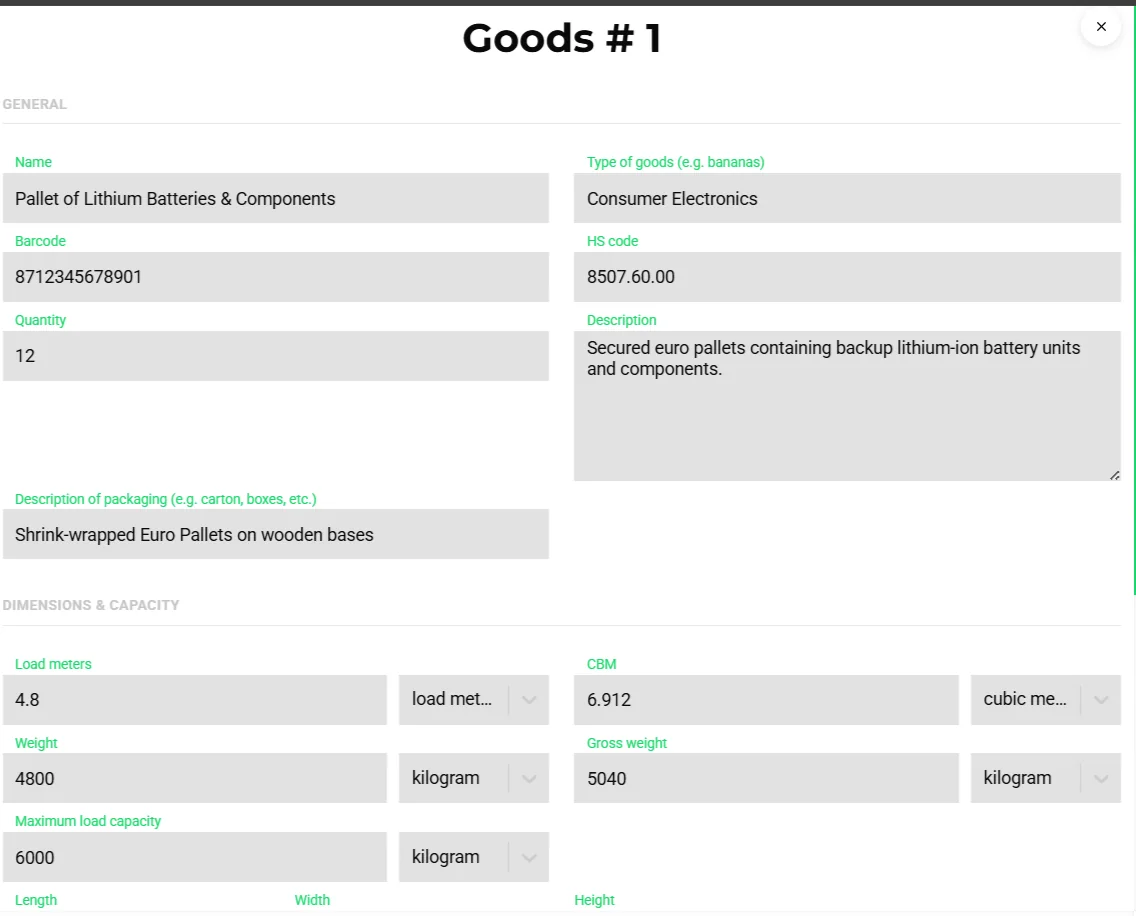
Goods lines hold quantity, weight, gross weight, dimensions, load meters and CBM (derived automatically), barcode, HS code, packaging, product type and ADR data. Trailers or containers travel as "means of transport" goods.
- Shipment types per modality
Configurable types with defaults and hidden fields: FTL, LTL, groupage, express, temperature controlled, ADR, abnormal load for road; FCL, LCL, bulk, RoRo, break bulk for sea; wagon load, intermodal and groupage for rail; general, express, charter and DG for air; barge full, bulk and container.
- Delivery terms
Incoterms 2020 on every order: EXW, FCA, FAS, FOB, CPT, CIP, CFR, CIF, DAP, DPU and DDP, with DDP as the default.
Stops, time windows and locations
- Seventeen action types
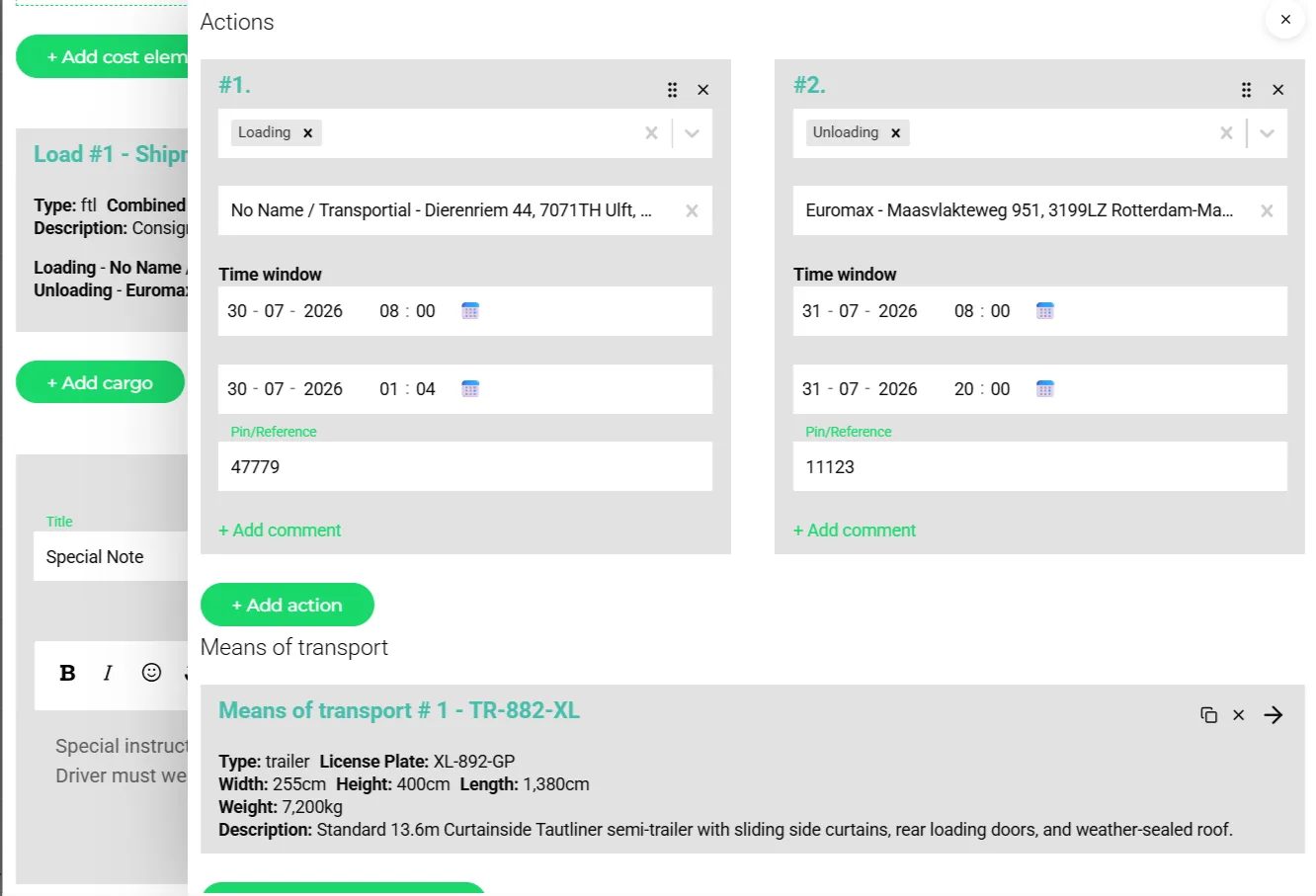
Loading, unloading, move, wait, stop, break, refuel, customs, weighing, booking, transfer (hand-over), coupling and uncoupling drivers and equipment, pallet exchange (emballage) and generic actions. A stop groups its sub-actions.
- Requested vs realized times
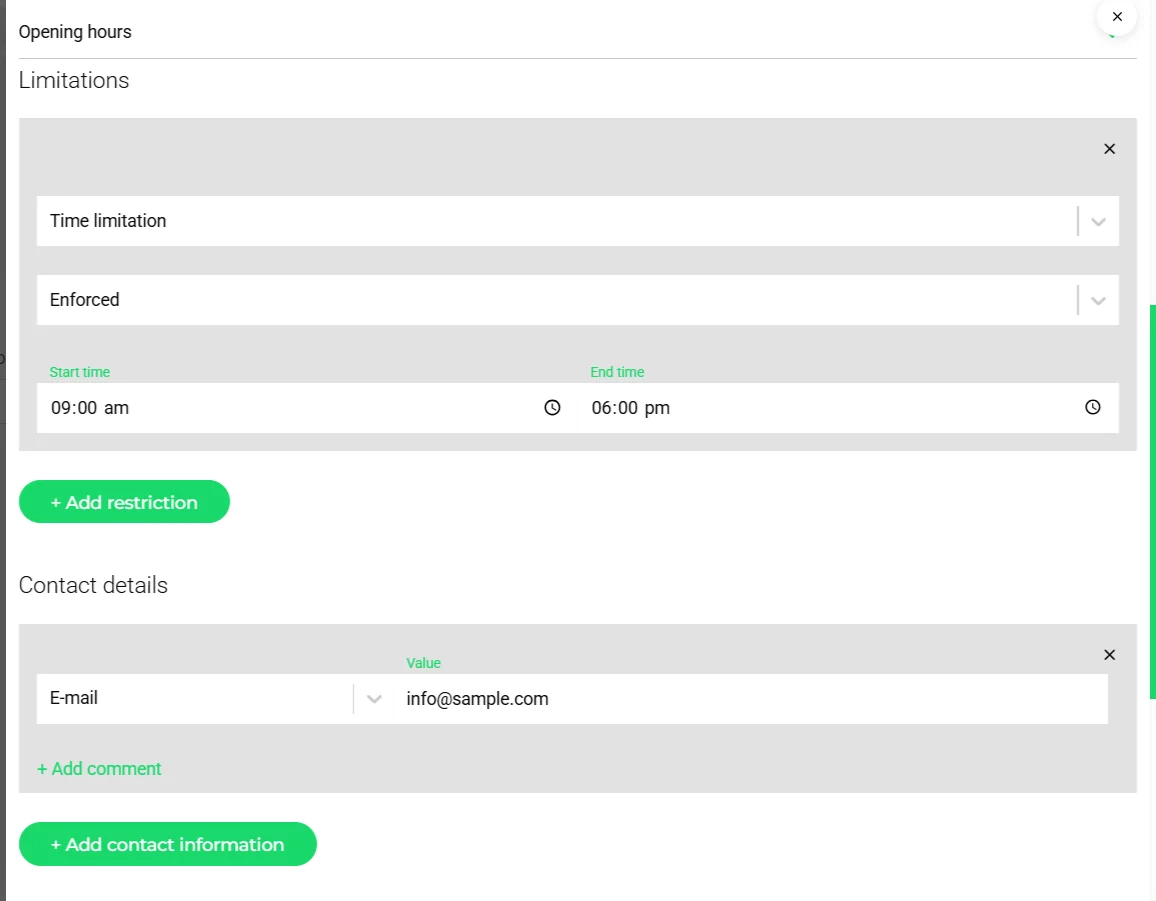
Each action has a requested window, an ETA/ETD and realized start and end times, tracked through the lifecycle requested → planned → projected → actual → realized. Times outside a location's opening hours are flagged.
- Locations with memory
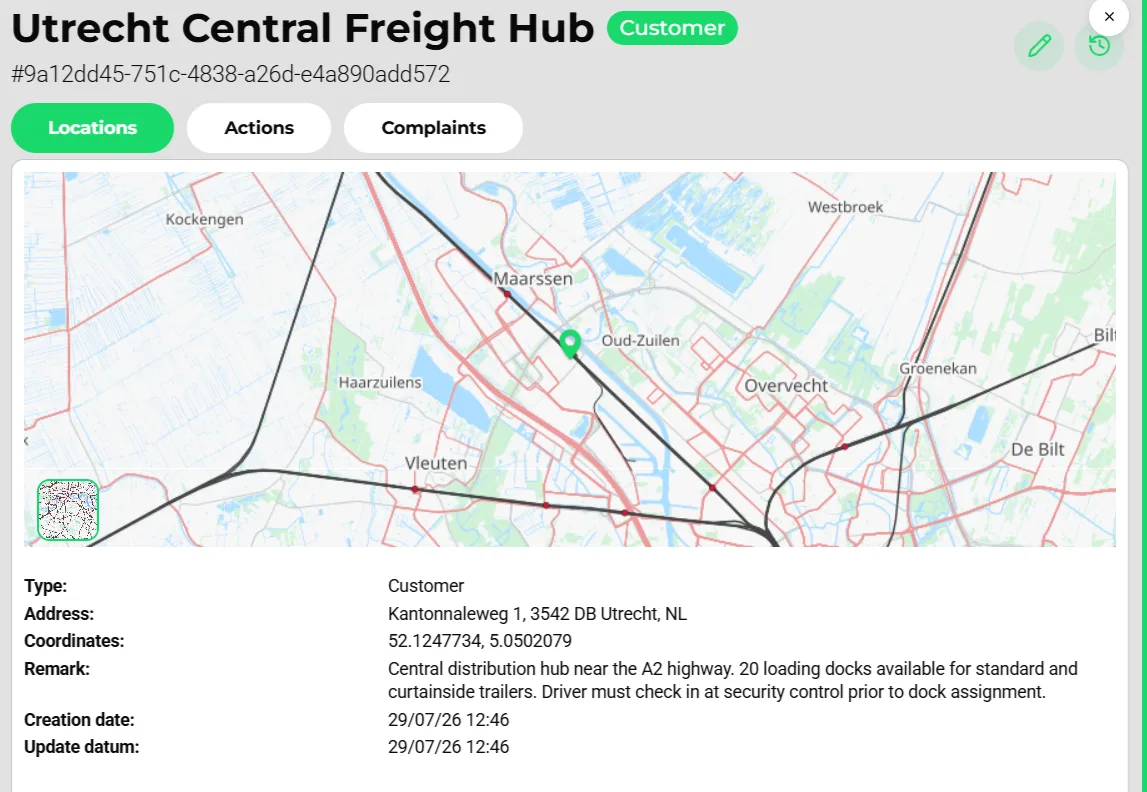
Saved locations bring opening hours, loading docks, geofence radius, driver remarks and average loading, unloading and stop times. Addresses are validated against Google Maps and duplicate locations are detected.
- Timeslot and dock booking
Locations that require a slot get a "Book timeslot" action per stop with statuses requested, confirmed, canceled, completed and failed.
Manage the order through its life
- Ten order statuses
Concept, requested, accepted, declined, trip calculated, partially planned, planned, actual, realized and canceled. Order types cover standard, urgent, expected and forwarded orders.
- Split into trips
Split an order into legs or stops, request a carrier quote, reuse the shipment route, or forward the order to a subcontractor with a copy of the full route per shipment.
- Bulk edit
Shift time windows by an offset or set them absolutely across many orders at once, and change status, customer, executing business, team or administration in bulk, with a per-platform cap.
- Share, audit and version
Public share links with visibility toggles for driver, customer details, documents, tracking and vehicle. Every order keeps a version history, an activity log, e-mail threads, to-dos and notes.
How it works
Capture the order
Create it by hand, from a template, from an uploaded document, from an inbound e-mail, through the portal or through an integration. Customer, references, Incoterms, team and documents land on the header.
Describe the loads
Add one or more shipments, each with goods lines (weights, dimensions, load meters, CBM, HS code, ADR) and attributes such as temperature controlled or high value.
Define the stops
Add loading and unloading actions with locations, requested time windows, references or pin codes and instructions. Saved locations fill in docks, opening hours and driver remarks.
Quote and accept
From the same screen, decline the request, send a priced quote generated by the pricing engine, or accept it straight into planning.
Plan and execute
Accepted shipments appear on the Watchtower and the plan board, or go to the optimizer. Status changes, documents and messages stay attached to the order.
Close the loop
Proof of delivery, the CMR and the realized costs land on the order, which feeds invoicing. The order is the audit trail from request to payment.
Why the order record is the backbone of a TMS
Most operational chaos in transport traces back to one cause: information about a single shipment scattered across e-mails, spreadsheets, chat threads and someone's memory. Transportial's answer is structural. One order record that trips, documents, messages, prices, quotes and invoices hang off, with a version history and an activity log underneath.
That design changes how disputes and handovers work. Anyone in the office can open a shipment cold and see its full history. A late-delivery claim is answered with the requested windows, the driver's realized action times, the questionnaire answers and the signed proof of delivery, not with reconstruction work.
OTM5: what an open standard buys you
Transportial structures orders on OTM5, the Open Trip Model. Orders, shipments, goods, actions, locations, vehicles and actors follow a published model that shippers, carriers and software vendors can read and write, instead of a proprietary format only one TMS understands.
In practice this is what keeps integrations cheap. When a customer's ERP sends orders in a known structure, or a subcontractor needs trip data back, the mapping shrinks from a custom project to configuration in the integration framework. It also protects you from lock-in: data that follows an open standard leaves the platform in a form other systems understand.
Shipments that survive contact with reality
Plans change after booking: a full load becomes two partials, two small orders combine onto one truck, a delivery moves to tomorrow. Transportial models this directly. A shipment can be split across several trips and several shipments can share one trip, while each keeps its own status, references and paperwork.
Statuses stay granular through all of it. A shipment moves through requested, confirmed, planned, partially planned, in transit, partially in transit, completed, partially completed, canceled or requires replanning, independently of the order. Customers on a tracking link see the truth per shipment, not an average across the order.
Concepts & terminology
The words this module uses, with links to the full glossary where a term has its own page.
- Transport order
- The commercial request from a customer: who ships, under which delivery terms, at what expected cost and revenue. It contains one or more shipments.
- Shipment
- The unit of planning: a set of goods moving from A to B with its own actions, status, chat and pricing. Several shipments can share a trip; one shipment can be split over several trips.
- Goods line
- A line of items or a means of transport inside a shipment, with quantity, weight, dimensions, load meters, CBM, barcode, HS code and ADR data.
- Action
- A stop or an activity on the route: loading, unloading, move, wait, break, customs, weighing, refuel, booking, hand-over, coupling or pallet exchange. A stop groups sub-actions.
- Time windowGlossary
- The requested earliest and latest time for an action. The planner and optimizer respect it; the ETA is compared against it to compute plan status (OK, too early, too late).
- Delivery terms (Incoterms)
- The Incoterms 2020 rule on the order (EXW to DDP) that settles who pays and who carries risk at each stage.
- Load meter (LDM)
- Floor length a load occupies in a trailer, derived automatically from goods dimensions (length × width ÷ 2.4).
- OTM5
- The Open Trip Model, the open European standard the order, shipment, action and location model follows.
- CMR
- The international road consignment note, generated from the order through a document template.
- FTL / LTL / groupageGlossary
- Consignment types for a full truck, a part load or consolidated small shipments; each type can carry its own defaults and hidden fields.
Inside the product
Try it free first
Free tools that do part of what Transport Order Management does, no account needed. When doing it one by one gets old, the module does it for every order automatically.
Works with
Connectors that feed or consume this module out of the box.
 Salesforce
 HubSpot
 Microsoft Dynamics 365
 Pipedrive
 Odoo
Odoo DHL Express
 UPS
UPS FedEx
FedEx DSV
DSV Microsoft 365
Built for
Where this module carries the most weight.
Orders are structured according to the OTM5 standard. The REST API exposes full CRUD operations on transport orders, shipments, and stops, including real-time status webhooks.
Frequently asked questions
Can customers submit transport orders themselves?
Yes. Through the customer portal, an embeddable order-request widget, the public API, or by e-mailing your platform's order address. Requests arrive with status requested so you can accept, decline or quote them without re-typing.
What is the OTM5 standard and why does it matter?
OTM5 (Open Trip Model) is the open European standard for exchanging transport data. Because Transportial structures orders, shipments, actions and locations on it, connecting ERPs, shippers and partner systems means mapping to a published model rather than reverse-engineering a proprietary one.
Can one order be delivered across multiple trips?
Yes. A shipment can be split across trips and several shipments can be combined onto a single trip. Each shipment keeps its own status, so partial deliveries stay visible and trackable.
Which delivery terms are supported?
All eleven Incoterms 2020 rules: EXW, FCA, FAS, FOB, CPT, CIP, CFR, CIF, DAP, DPU and DDP. DDP is the default and every order, quote and contract can carry its own terms.
How are dangerous goods handled?
Goods lines carry a full ADR block: UN number, class, classification code, packing group, hazard number, tunnel code, technical name, waste and environmentally hazardous flags. A lookup by UN number fills the entry from the ADR Table A dataset, and planning checks driver ADR certificates against it.
Can I change many orders at once?
Yes. Bulk edit shifts action time windows by an offset or sets them absolutely, for all actions, first and last only, or a selection, and changes status, customer, executing business, team or administration in one go.
Is there a history of who changed what?
Every order has a version history and an activity log, and every entity is audited at database level, so previous values, timestamps and users are always available.
View all features
Ready to put this to work?
Start free with full platform access, or talk to our team about your specific operation.