

Document Management & Generation
Generate professional, branded documents in seconds, auto-populated from your operational data.
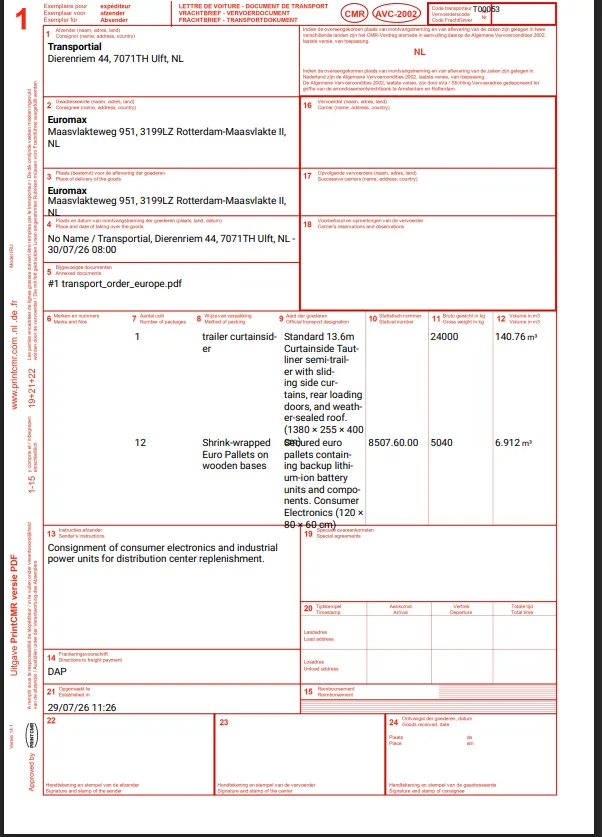
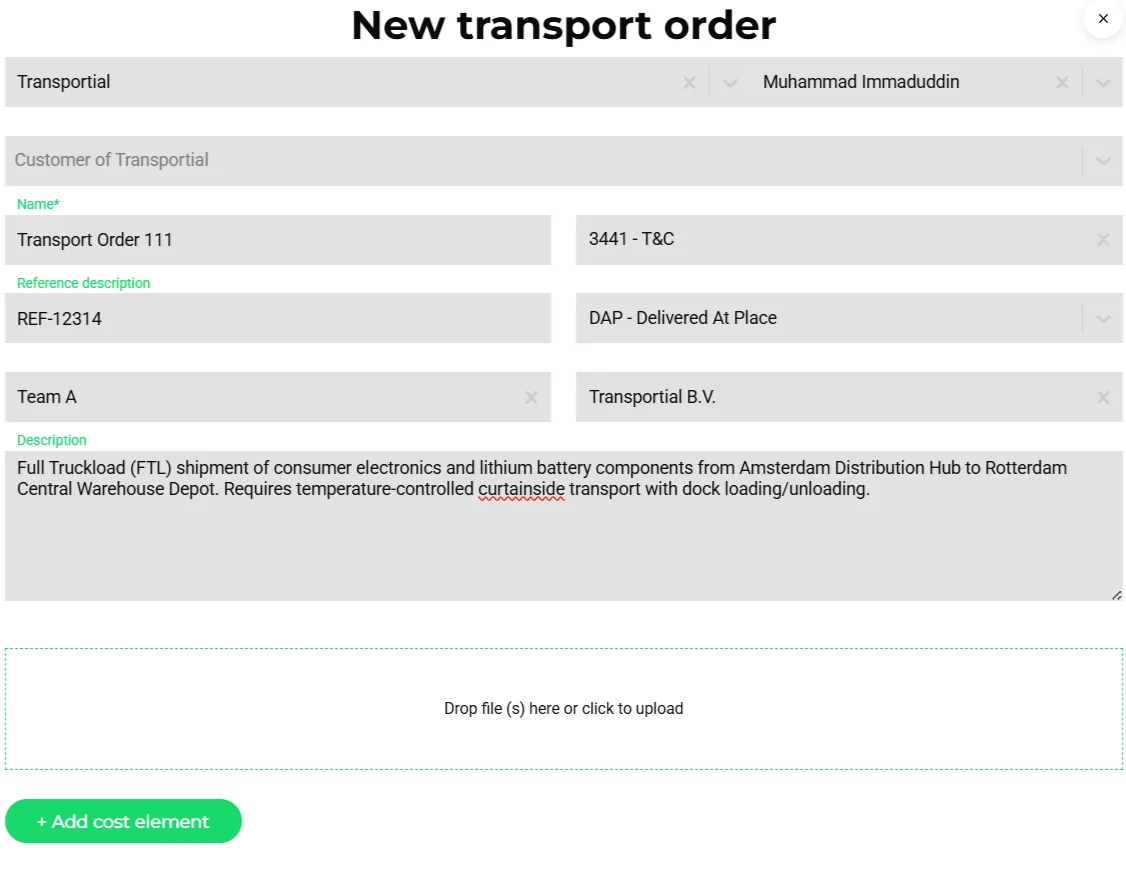
From CMR waybills to invoices to custom delivery notes, Transportial generates professional documents automatically, pulling data directly from transport orders, consignments, and financial records. A rich template designer means your documents look exactly as you want them, every time.
What it does
Everything this module does, named the way you will find it in the product.
The document designer
- Elements
Text, image, table, line, shapes, barcode, QR code, link, input field, container, repeater and conditional blocks, with layers, grid and snap, undo and redo, zoom, portrait or landscape pages and a background image for pre-printed forms.
- Data binding
Variables by path into the transport order, trip, consignment, invoice, quote or business; loops over goods or stops; conditionals and fallbacks; sample data while designing.
- Document types
Transport order, trip, invoice, quote, CMR, waybill and custom.
- Generate with AI
Upload a photo or PDF of an existing document and the designer drafts a template that reproduces it.
The built-in catalogue
Start from a template; platform branding is substituted automatically.
- Commercial
Invoice, quote, transport order and transport order confirmation.
- Transport
CMR on the pre-printed form, CMR consignment note, house waybill, packing list, loading list, driver trip document (with a QR code to the driver execution link) and driver trip document with goods.
- Labels
A5 shipping label with a CODE128 barcode.
- Anywhere
"Download from template" on any order, trip, consignment, invoice, quote or business; "Print CMR" on trips and orders.
Files on the record
- Attach to anything
Orders, loads, stops, trips, vehicles, drivers, equipment, businesses and invoices hold documents; drivers add photos, signatures and files from the app.
- Document library
Verified and not verified states, valid-until dates, public flag, and in-app preview of Office files (.docx) and Outlook messages (.msg).
- Expiry alerts
An expired document on a trip, consignment or equipment raises a warning; certificate expiry warnings cover drivers and businesses.
- Customer-facing
Public documents appear in the customer portal; share links can include or exclude documents.
Documents in automations and requests
- Attachments
Message automations attach the entity PDF, a custom template, an insight report or a static file.
- File requests
File-request automations ask a customer or carrier for a document and track the reply into the record.
- Order from documents
Uploaded PDFs, photos and spreadsheets become orders, quotes or invoices through AI extraction, respecting hidden fields and existing businesses and locations.
How it works
Pick or design a template
Start from the catalogue or design your own, binding fields by path and looping over goods and stops.
Generate
Download from any entity, print the CMR from a trip, or attach the PDF to an automation.
Collect
Drivers capture photos and signatures at the stop; customers upload through the portal or a file request.
Keep
Everything sits on the entity with a validity date and a verification state; expiries raise alerts.
Pre-printed forms and the CMR
The CMR is still printed on pre-printed forms in much of Europe. The designer's background image and exact positioning exist for this: the built-in template places the fields onto the form layout, and a second template renders a self-contained consignment note where no form is at hand. Both fill from the order, so consignor, consignee, goods, weights and references are typed once.
Templates as branding, not as a print job
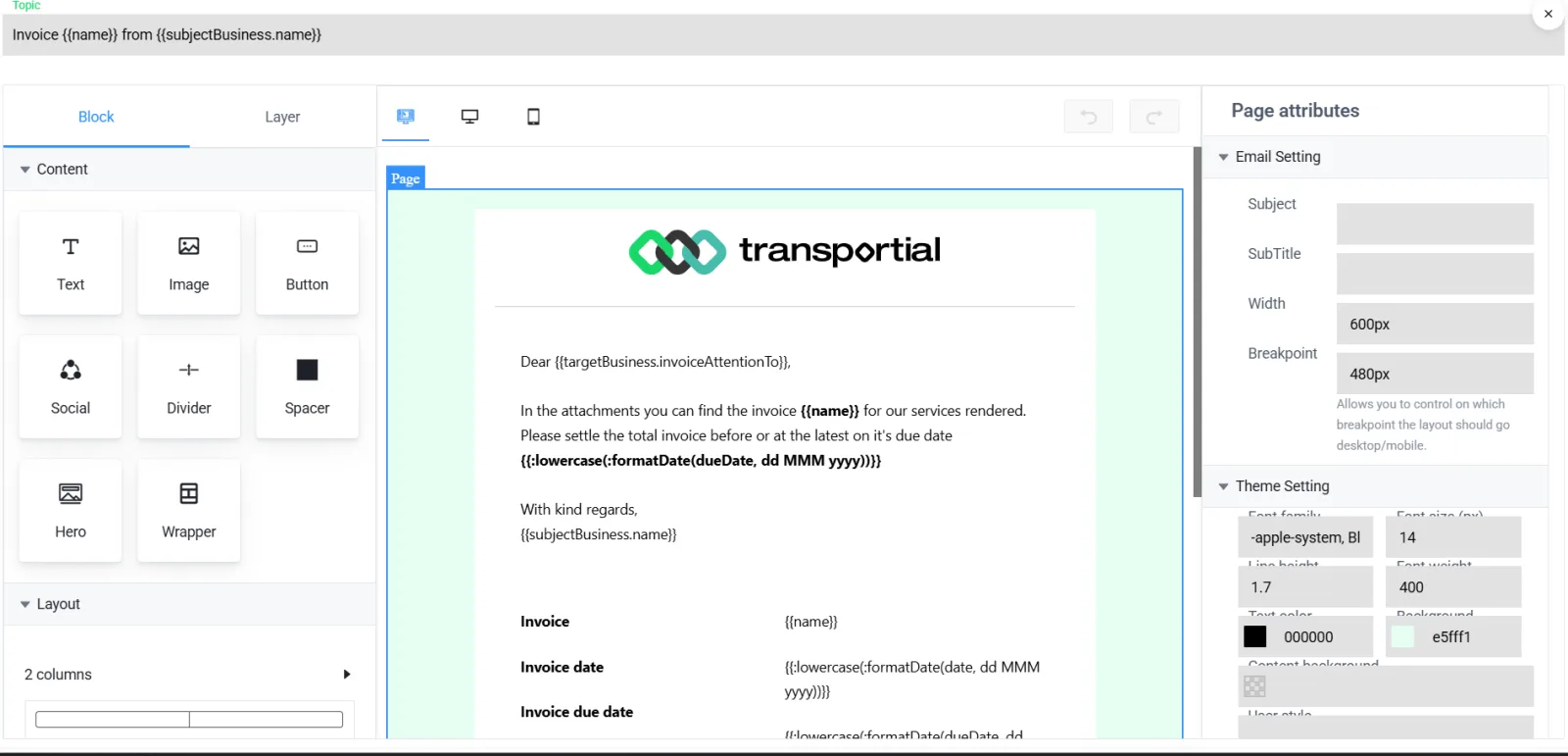
On white-label platforms the catalogue templates substitute the tenant's logos and colours, so a reseller's customers get invoices and trip documents in the reseller's brand without anyone editing a template per tenant. See multi-tenancy.
Concepts & terminology
The words this module uses, with links to the full glossary where a term has its own page.
- Document template
- A designed layout with data bindings that renders a PDF for a given entity type: order, trip, consignment, invoice, quote or business.
- CMRGlossary
- The consignment note under the CMR convention for international road transport; generated on the form layout or as a consignment note.
- WaybillGlossary
- A transport document listing the shipment; a house waybill template is included.
- Repeater
- A designer block that repeats for every item in a list, such as goods lines or stops.
- Variable path
- The dotted path from the entity to the field a text block prints, for example the consignee's city.
- File request
- An automation that asks a customer or carrier for a document and files the answer on the entity.
Try it free first
Free tools that do part of what Document Management & Generation does, no account needed. When doing it one by one gets old, the module does it for every order automatically.
Works with
Connectors that feed or consume this module out of the box.
 TransFollow
 Microsoft 365
Built for
Where this module carries the most weight.
Frequently asked questions
Is the CMR generated automatically?
Yes. Print CMR on any trip or order renders it from the order data on the pre-printed form layout or as a consignment note.
Can I reproduce our existing documents?
Yes. Upload a photo or PDF of the document and the AI generator drafts the template; then adjust bindings and layout in the designer.
Which document types exist?
Transport order, trip, invoice, quote, CMR, waybill and custom, with a catalogue of twelve ready templates including loading list, packing list, house waybill, driver trip documents and a shipping label.
Where do driver photos and signatures go?
On the action they were captured at, attached to the consignment and order, visible on the order's documents tab and in the portal if public.
Can documents be requested from customers?
Yes. File-request automations send the request on e-mail, chat, WhatsApp or Telegram and file the reply on the record.
Does Transportial support eCMR?
Yes. With eCMR switched on, each consignment gets an electronic consignment note with a hash-chained event log, signatures in the driver app or by link, and a QR inspection link. Without it, the CMR PDF stays as it is.
View all features
Ready to put this to work?
Start free with full platform access, or talk to our team about your specific operation.