

Integrated Email Inbox
Manage logistics email without leaving Transportial, with automatic linking to transport orders and customers.
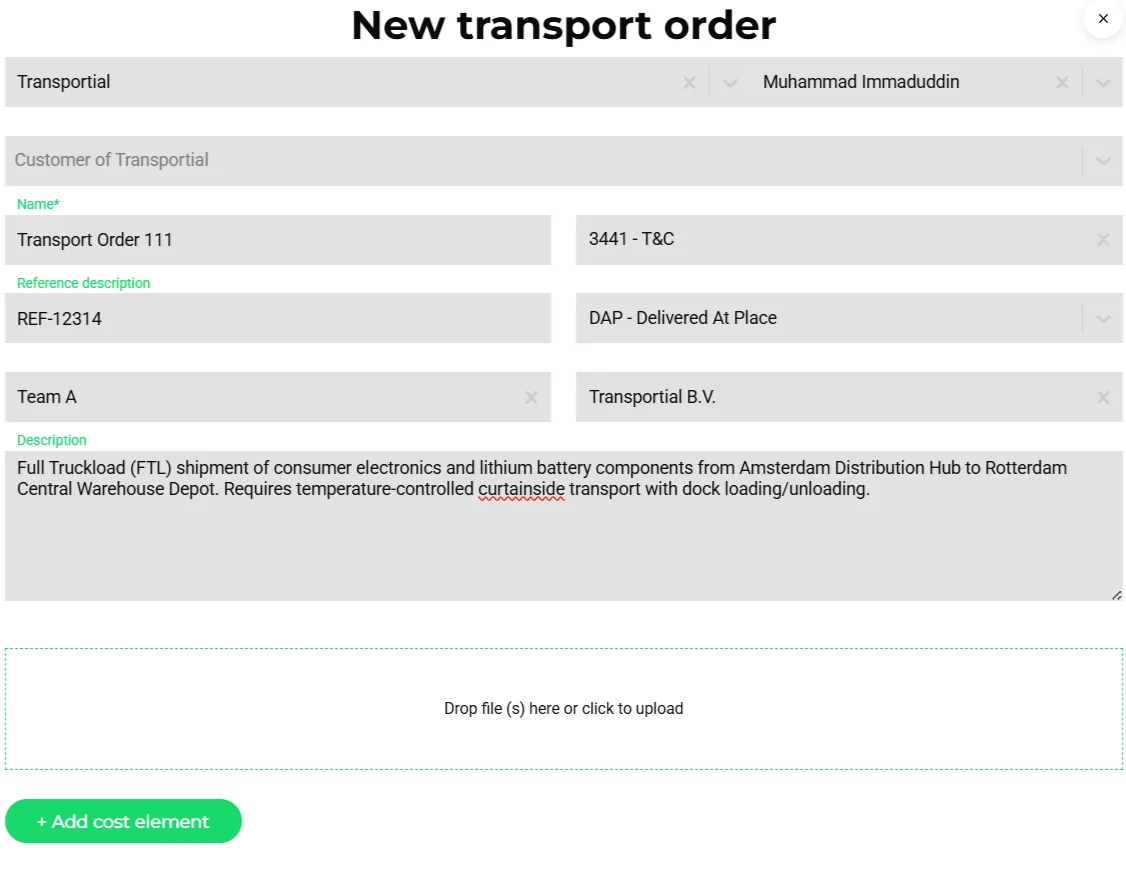
- Customer and contact matched to existing businesses
- Description and references extracted from the mail body
- Attachments carried over as documents
Logistics runs on email. Transportial brings that email into the platform so you can manage it in context, linking threads to specific orders, customers, and businesses, without constantly switching between your email client and your TMS.
What it does
Everything this module does, named the way you will find it in the product.
A real mail client inside the TMS
- Providers
Gmail and Microsoft 365 via OAuth, or any IMAP and SMTP server; Microsoft 365 uses the Graph API for fetch and send.
- Folders and labels
Inbox, sent, drafts, starred, archive, spam, trash and all mail, plus custom labels.
- Shared inboxes
Inboxes with members at no access, read, write or admin level, so operations@ and invoices@ are worked by teams.
- Compose
Reply, reply all, forward, CC and BCC, signatures, drafts, archive, star, move, print and view original.
Mail that knows the operation
- Link to entity
Link a thread to a transport order or consignment by hand, or accept the automatically detected links from references in the mail.
- Convert to transport order
"Make order from this email" extracts the order with AI, matches businesses and locations to existing records, and opens the guided form for review. See transport orders.
- Classification
Inbound mail is classified as order, quote or invoice and imported to the right entity; a dedicated address per platform receives orders straight from customers.
- On the order
E-mail threads appear on the order's Emails tab, and a chat reply can go out as a threaded e-mail reply. See chat.
Outgoing mail from the platform
- Automations
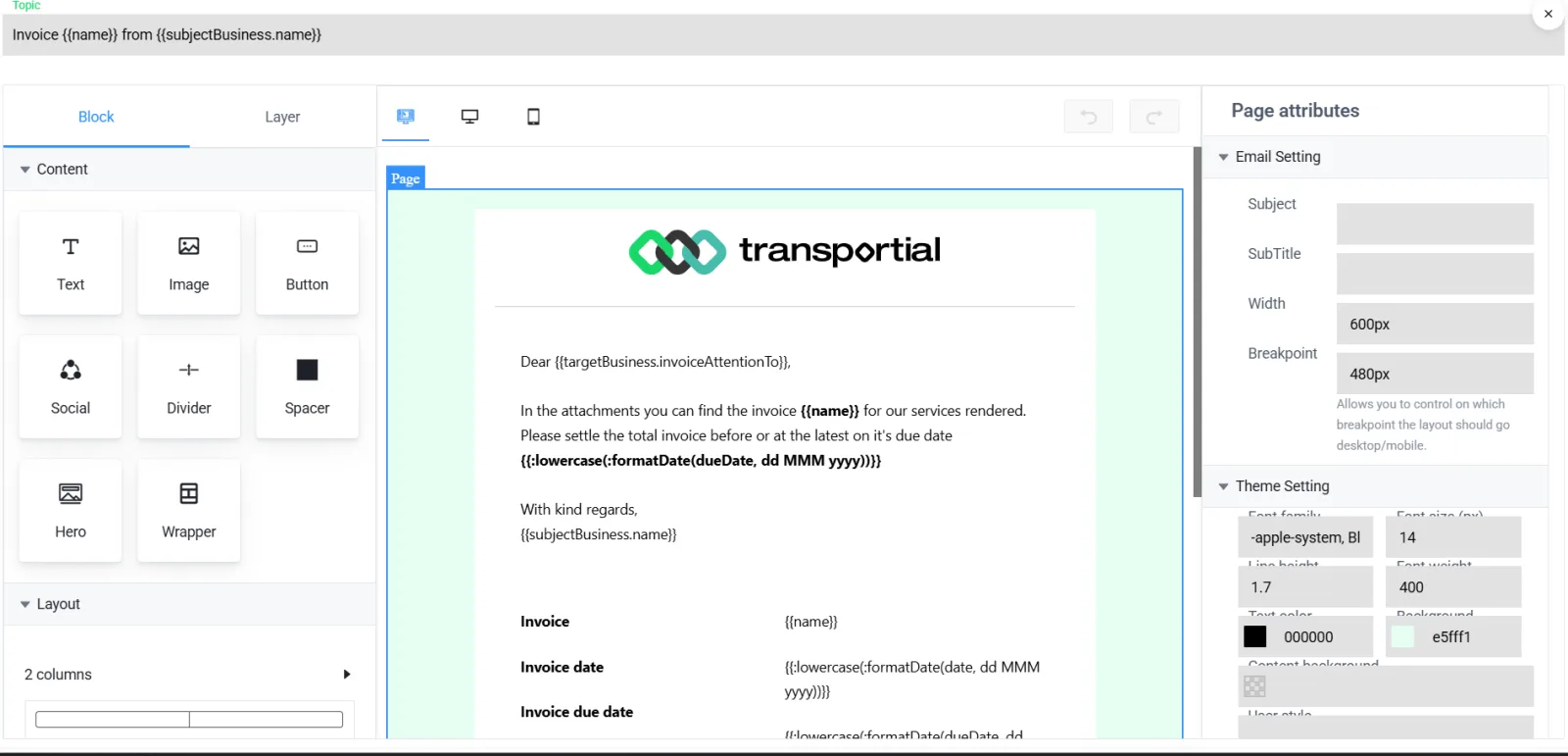
Message automations send through the connected SMTP or Exchange integration, so invoices, quotes and updates leave from your own domain.
- Per team and administration
Teams can carry their own e-mail integration; administrations carry their own invoice and quote automations.
- Feature-gated
The mail module is a platform feature with its own permission, so only the users who work mail see it.
How it works
Connect
Sign in with Google or Microsoft, or enter IMAP and SMTP details, and share the inbox with a team.
Triage
Detected links show which order a thread belongs to; star, label, archive or convert.
Convert
Make an order, quote or invoice from the mail with AI extraction; attachments come along as documents.
Reply in context
Reply from the inbox or from the order's Emails tab; automations reply through the same account.
Concepts & terminology
The words this module uses, with links to the full glossary where a term has its own page.
- Shared inbox
- A connected mailbox with members at read, write or admin level.
- Entity link
- The relation between a mail thread and an order or consignment, detected from references or set by hand.
- Mail classification
- Sorting inbound mail into order, quote or invoice before extraction.
- Order address
- The platform's dedicated inbound address that turns received mail into transport orders.
- Exchange integration
- Microsoft 365 mail through the Graph API, used for both the inbox and outgoing automations.
Works with
Connectors that feed or consume this module out of the box.
 Microsoft 365
Built for
Where this module carries the most weight, plus the free tools on the same topic.
IMAP mailboxes are polled on a configurable interval; Microsoft 365 uses the Graph API with OAuth2 token refresh; Gmail sends over SMTP with an app password. Inbound mail is classified as order, quote or invoice before AI extraction.
Frequently asked questions
Which mail providers work?
Gmail and Microsoft 365 through OAuth, and any IMAP/SMTP server. Microsoft 365 uses the Graph API; Gmail sending uses SMTP with an app password.
Can several people work one inbox?
Yes. Shared inboxes have members with no access, read, write or admin rights.
How does an e-mail become an order?
Press "Make order from this email" or send to the platform's order address. The mail and attachments are classified and extracted with AI, matched to existing businesses and locations, and opened for review.
Do automation e-mails appear in the inbox?
They are sent through the connected SMTP or Exchange account and are logged on the entity's activity; replies arrive in the inbox and link to the order.
View all features
Ready to put this to work?
Start free with full platform access, or talk to our team about your specific operation.