

Reporting & Insights
Turn operational data into decisions with configurable dashboards, TQL-powered queries, and a complete audit trail.
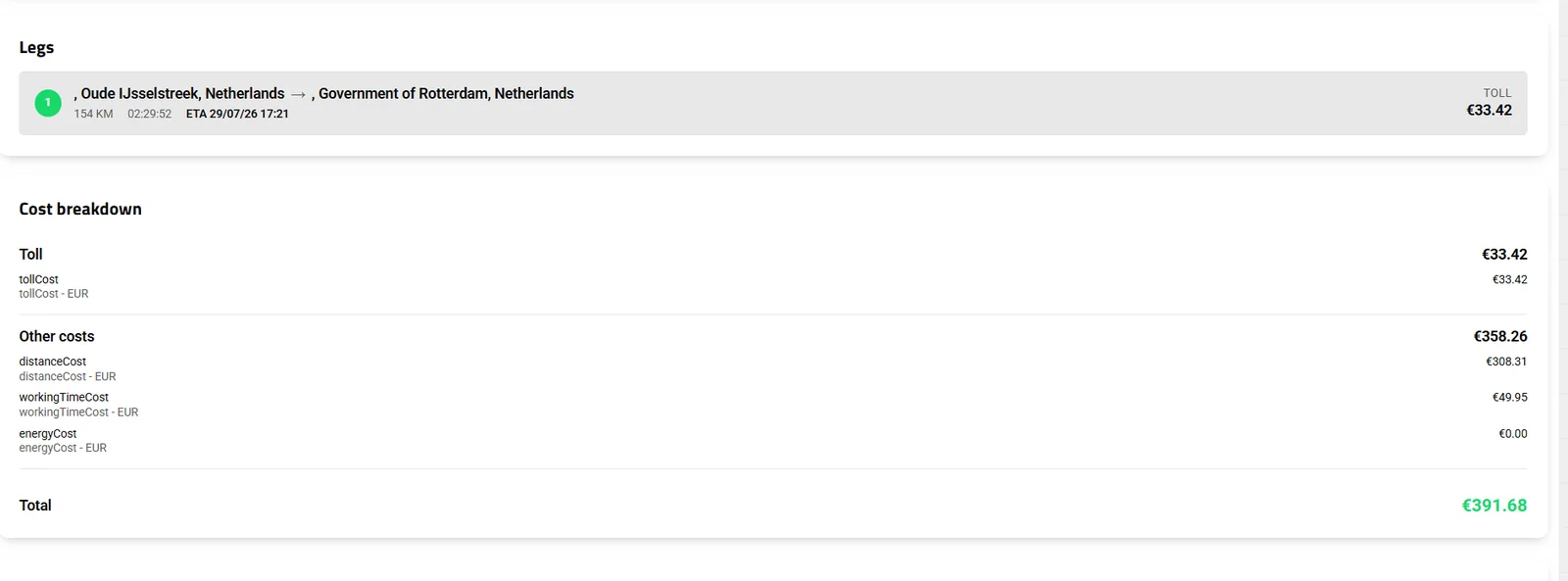
- Legs with kilometres, duration and ETA
- Cost breakdown by category
- Total that reaches the trip ledger
Every event in Transportial (every order, trip, vehicle movement, invoice, and user action) is recorded and queryable. The TQL-powered insights engine puts that data at your fingertips through configurable dashboards, without needing a data analyst or a separate BI tool.
What it does
Everything this module does, named the way you will find it in the product.
Insights: ready reports
Every report runs for a date range, renders as a chart or a table, and can be attached to a scheduled automation.
- Commercial
Revenue per customer, quote conversion, open invoices aging, transport orders per customer, consignments and their results, lane analysis.
- Fleet and drivers
Vehicle utilisation, vehicle and fleet trips, vehicle actions, vehicles idling and fuel cost, vehicles CO₂, sensor value by date, temperature compliance, trips per driver, driver actions, border transitions, drivers by vehicle, tachograph activities.
- Operations
Trips daily report, trip loading list by location, customer emissions (CSRD-style, WTW and TTW per customer), users report.
- Scheduled
Weekly and monthly consignment, orders per customer, revenue per customer, open invoices aging, fleet utilisation and trips per driver reports go out as message automations.
TQL: query anything
- Query builder
Pick an entity type, fields, joins and sorting; operators equal, not equal, greater and lesser than, between, in, not in, contains, starts with; aggregates count, sum, average, minimum, maximum.
- Saved queries
Save and re-run queries; results render like a table and export to Excel.
- Used everywhere
The same language selects entities for automations and alert rules, drives TQL formula pricing modules and workflow steps.
- AI assistant
"Ask anything about your transport data": the assistant writes read-only, tenant-scoped TQL through tool calls and shows how many rows it read.
Dashboards and the audit trail
- Operational dashboard
On time, late and at risk; loaded versus empty kilometres and empty-kilometre percentage; rate per km; net profit per trip; weekly to yearly.
- Financial dashboard
Pipeline, scheduled, in transit, total revenue, average cost and margin per trip, invoices issued, paid and overdue.
- Ledger insights
Expected versus actual revenue and cost by business, category or combined, with variance charts. See invoicing.
- Audit
Revision history on every entity (Hibernate Envers), an activity log per financial document, versions on orders, locations and businesses, and integration request and task logs.
Emissions and compliance reporting
- Standards
ISO 14083, GLEC or DIN EN 16258 with a WTW or TTW basis, empty-running uplift, emission-factor overrides and per-leg CO₂e in reports.
- Per customer
The customer emissions report gives WTW and TTW figures per customer and period for CSRD requests. See CSRD.
- External
Trips go to BigMile for carbon analytics and finished trips to CBS, the Dutch statistics office.
How it works
Open Insights
Pick a report type and a date range; switch between chart and table.
Go deeper with TQL
Build a query on any entity with joins and aggregates, save it, and export the result.
Or just ask
Type the question in the AI assistant; it writes the query, runs it read-only and shows the data it used.
Schedule it
Attach the report to a weekly or monthly automation for the people who need it in their inbox.
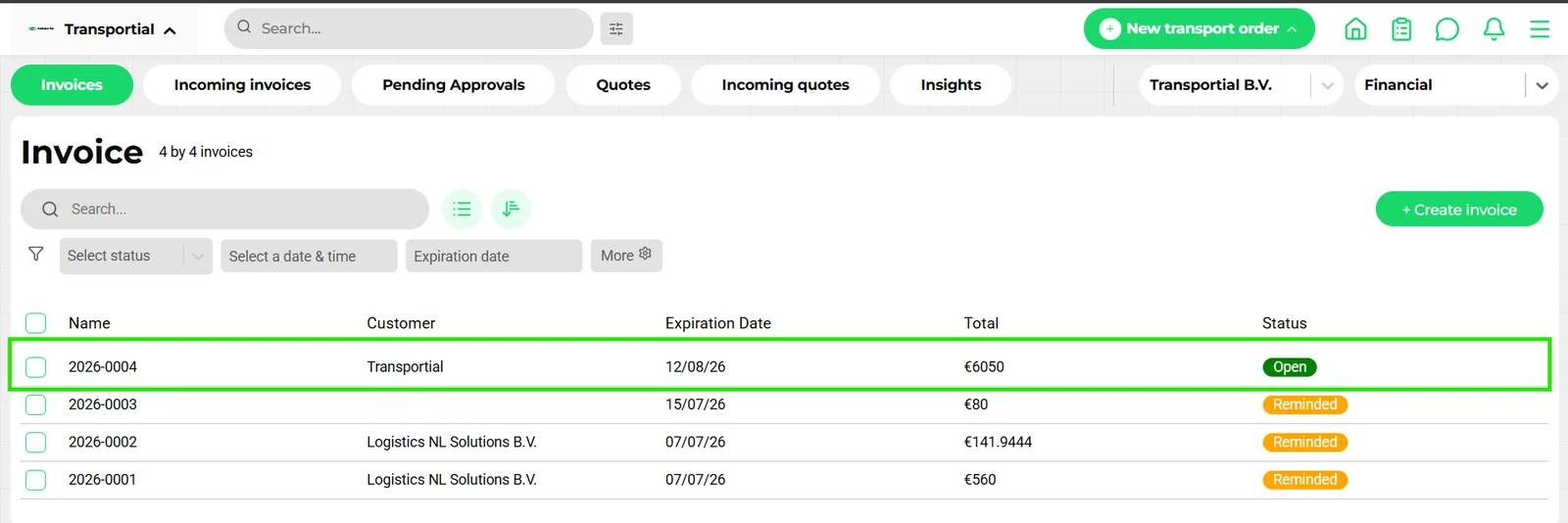
Reports are only as good as the ledger under them
Revenue per customer or margin per trip is trivial to display and hard to get right. Transportial's numbers come from the same ledger the quotes, cost elements, toll and invoices write to, marked expected or actual, so a dashboard KPI and the invoice it summarises never disagree. The pricing engine and invoicing pages describe where each entry comes from.
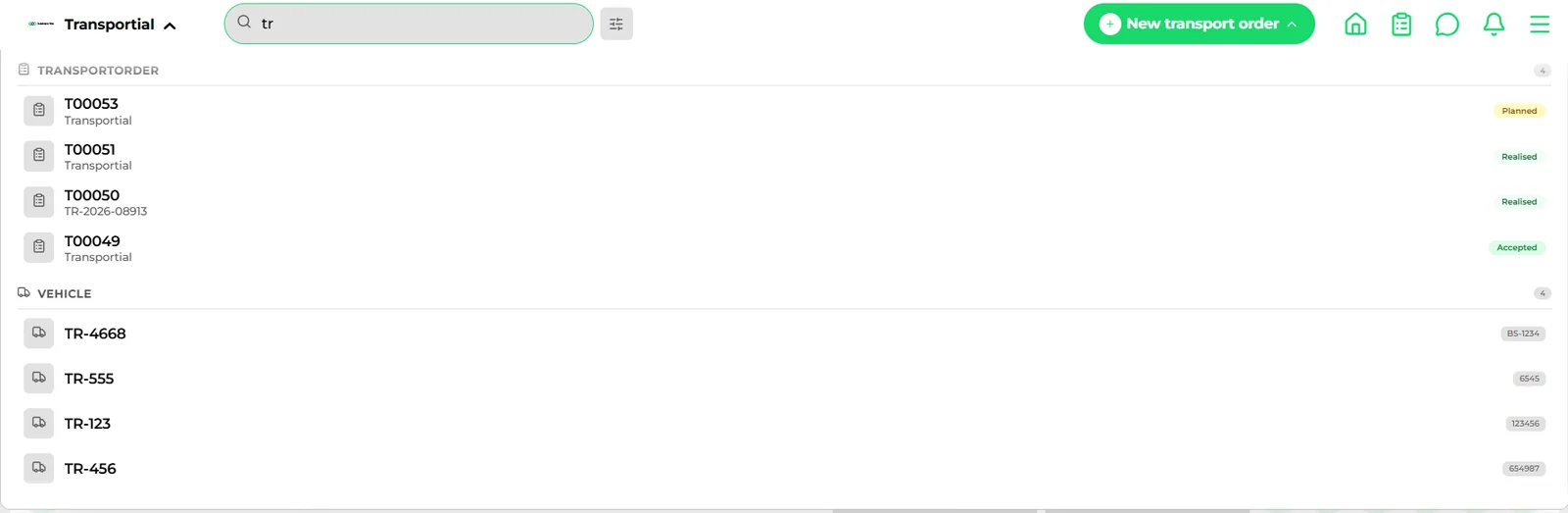
A query language, and an assistant that speaks it
TQL exists so a planner can ask "trips per driver last month with more than four stops" without a developer. The AI assistant lowers the bar further by writing TQL from a question, but stays inside the same guardrails: read-only queries, scoped to the tenant, with the row count shown.
Concepts & terminology
The words this module uses, with links to the full glossary where a term has its own page.
- Insight
- A predefined report over a date range, shown as a chart or a table.
- TQL
- Transportial Query Language: entity, fields, joins, filters, sorting and aggregates over the platform's data.
- Saved query
- A stored TQL query that can be re-run and exported.
- Empty kilometres
- Distance driven without load, reported as a percentage of total distance.
- Well-to-wheel / tank-to-wheelGlossary
- The two emission bases available for reports.
- Revision history
- The per-entity audit trail of previous values, users and timestamps.
Try it free first
Free tools that do part of what Reporting & Insights does, no account needed. When doing it one by one gets old, the module does it for every order automatically.
Works with
Connectors that feed or consume this module out of the box.
 BigMile
 Exact Online
 Moneybird
Built for
Where this module carries the most weight.
TQL queries are compiled to database queries server-side and scoped to the tenant. Full-text search runs on Hibernate Search (Lucene or Elasticsearch). Revision history is kept per entity with Hibernate Envers.
Frequently asked questions
Which reports are included?
About twenty insight types across revenue, quotes, invoices, orders, lanes, vehicles, drivers, tachograph, sensors, temperature, idling, CO₂ and users, each over a date range and exportable.
Can I write my own reports?
Yes. The TQL builder queries any entity with joins and aggregates; queries can be saved and exported to Excel.
Is there an AI assistant?
Yes. Ask a question in plain language; the assistant writes and runs a read-only, tenant-scoped TQL query and shows the rows it used.
Can reports be e-mailed on a schedule?
Yes. Insight reports attach to scheduled message automations; weekly and monthly templates exist for the common ones.
Does it support CSRD emission reporting?
Yes. Emissions follow ISO 14083, GLEC or DIN EN 16258 with a WTW or TTW basis, and the customer emissions report gives per-customer figures.
Is every change audited?
Yes. Entities carry revision history, financial documents an activity log, and orders, locations and businesses a versions tab.
View all features
Ready to put this to work?
Start free with full platform access, or talk to our team about your specific operation.